Invite your first client
In about 10 minutes you create a client company, invite its first team members to the client portal and optionally create a default project.
What you will have at the end
- A client company in the Clients list
- At least one person invited under Client Portal Access
- An optional default project for that client
Before you start
- An agency account, see Get your first client portal running
- The client company’s name plus the name and e-mail address of the first person
- Read Clients if the terms client and team member are new
Steps
-
Open Clients
Click Clients in the left sidebar. The list shows the companies you work for.
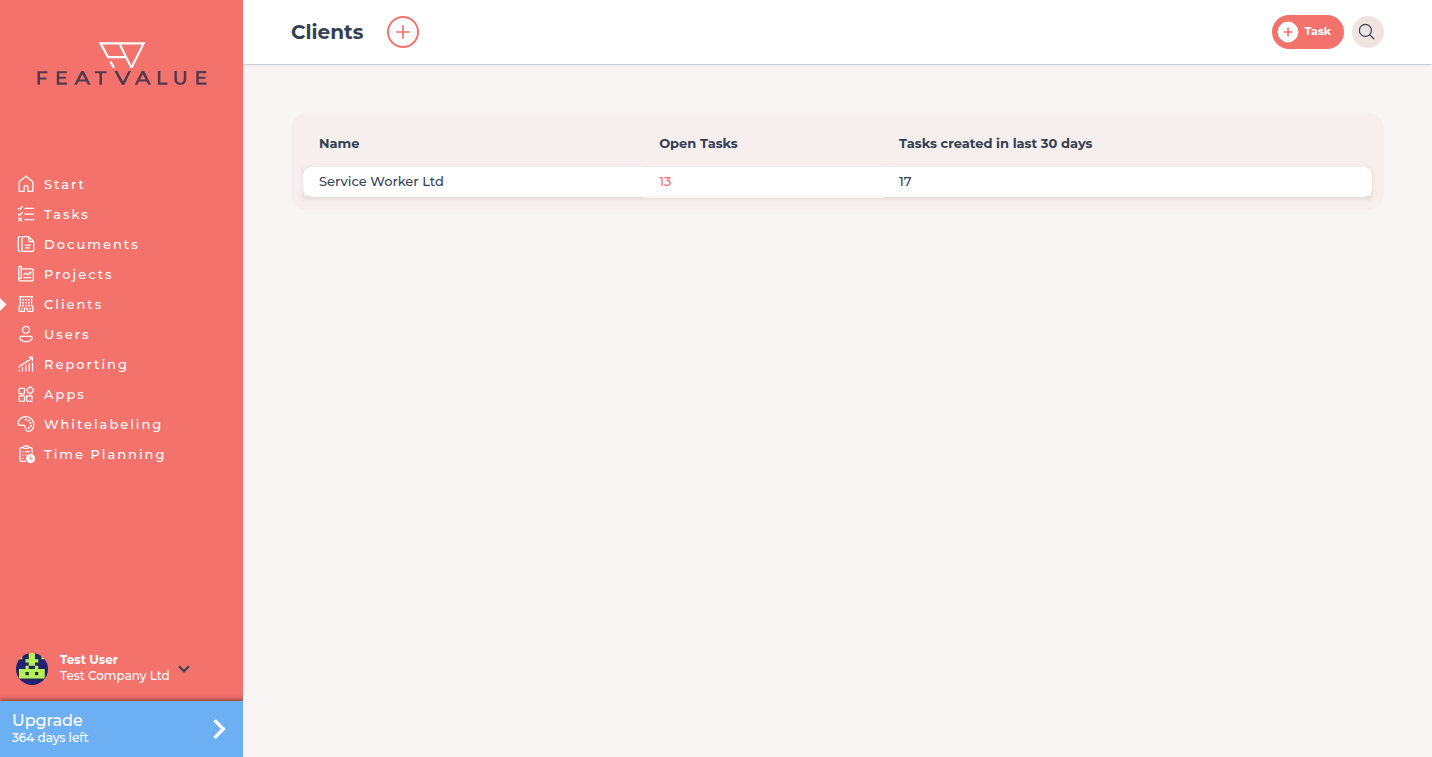
The Clients list is where you start. -
Create the client company
Click the plus Create client at the top. If you have no client yet, click Invite client instead. The dialog Create new client opens. Enter the client company’s name under Company.
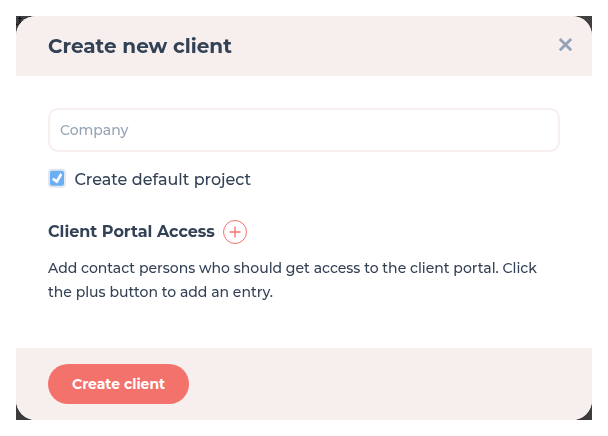
The Create new client dialog. -
Add team members for portal access
Click the plus next to Client Portal Access and enter Contact Person (client) and Client email address. Each further plus adds a row. FeatValue invites those people to the new company. Details: Inviting contacts.
-
Optionally create a default project
Keep Create default project ticked if the new company should get a project at once. If the option is missing, it is turned off in your company settings. You can also create a project later.
-
Create the client and send the invitations
Click Create client. The invited people get an e-mail, follow the link and set a password the first time. After login they work in the FeatValue client portal with their own client menu. Details: Portal access.
Check your result
Clients shows the new company. Open it: the invited people are listed under Users. Complete setup closes Invite client once at least one client company has a user.
Next steps
- Set up your review workflow
- Client portal basics to share with your clients
- Portal access to end someone’s access later
Your question has not been answered?
We will be happy to help you. You can send us an e-mail or arrange a video conference: