Creating projects
You create a project either for a client or for your own company. In the dialog you choose who owns the project and who works on it.
What creating a project is for
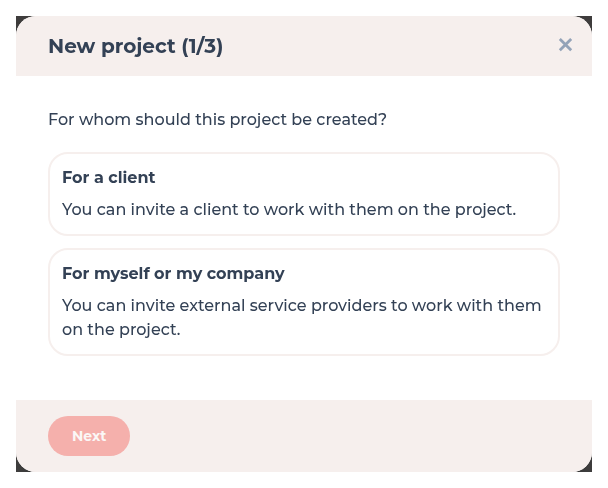
The type you choose fixes the owner and whether your agency is the service provider or the owner.
- For a client – the client company owns the project; your agency is the service provider
- For myself or my company – you own the project; a service provider is optional. Clients use the same option when they run projects with other agencies
Where to find it
Open Projects and click the plus labelled Create project. The dialog title is New project.
How it works
-
Choose who the project is for
Pick For a client or For myself or my company. -
Enter the name
Type the project name on the next step. -
Pick the other company
For a client project, choose an existing client or create a new client. For an own project you may add a service provider; you can skip that.
What each type does
| Choice | Owner | Your agency |
|---|---|---|
| For a client | The client company | Service provider on the project |
| For myself or my company | Your agency (or the company that creates it) | Owner; a service provider is optional |
Access after create is explained in Roles and access. You can also create a client first under Clients.
Clients creating projects
Under Menus and custom menu items, the option Clients can create projects controls whether clients may create projects. It is on by default. When a client creates a project, that client company is the owner and your agency is the service provider – the same as For a client.
Permissions and plans
Anyone who may use Projects can start the dialog. A new project becomes premium automatically when your company still has a free premium slot. Details: Premium projects.
Troubleshooting
I cannot pick a client
Create the client under Clients first, or choose to create a new client on the last step of New project.
Your question has not been answered?
We will be happy to help you. You can send us an e-mail or arrange a video conference: