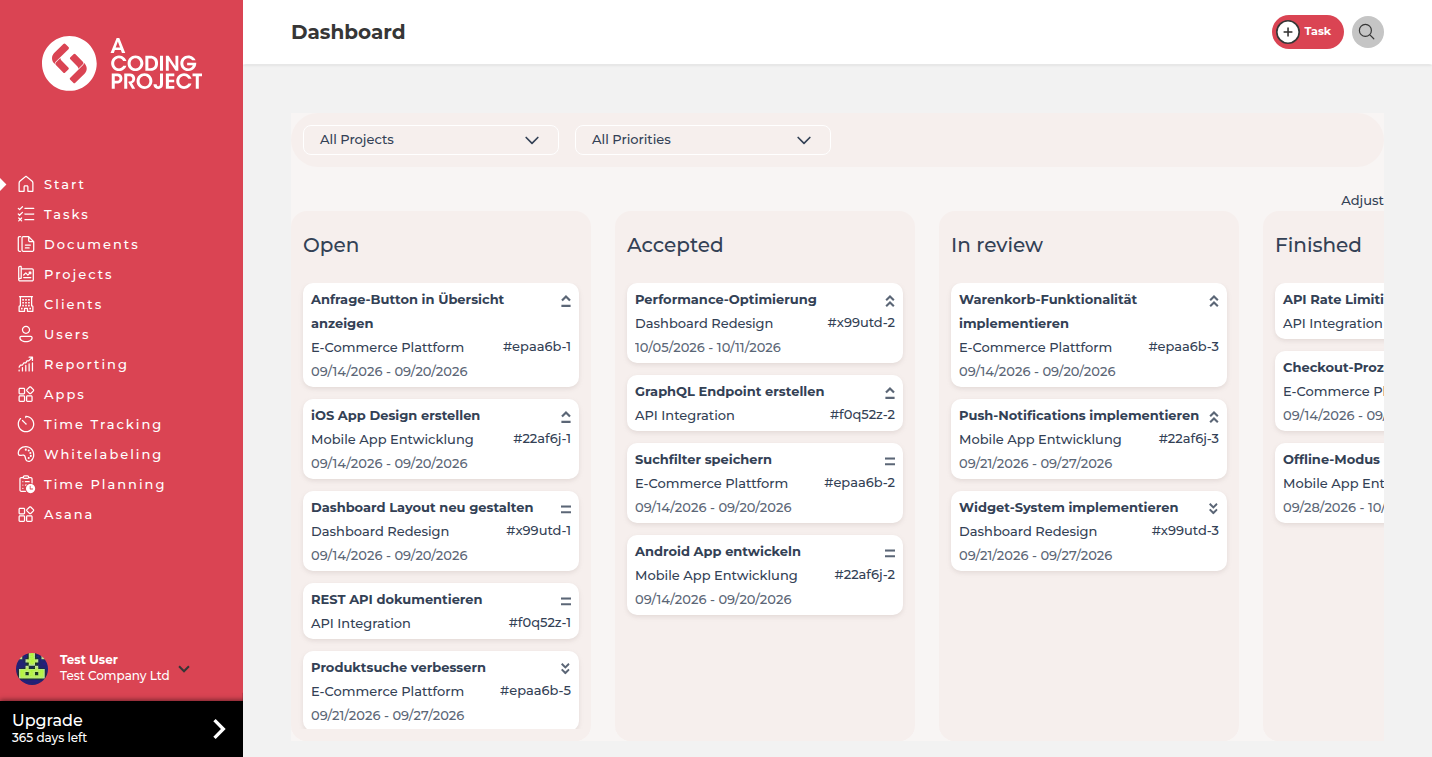
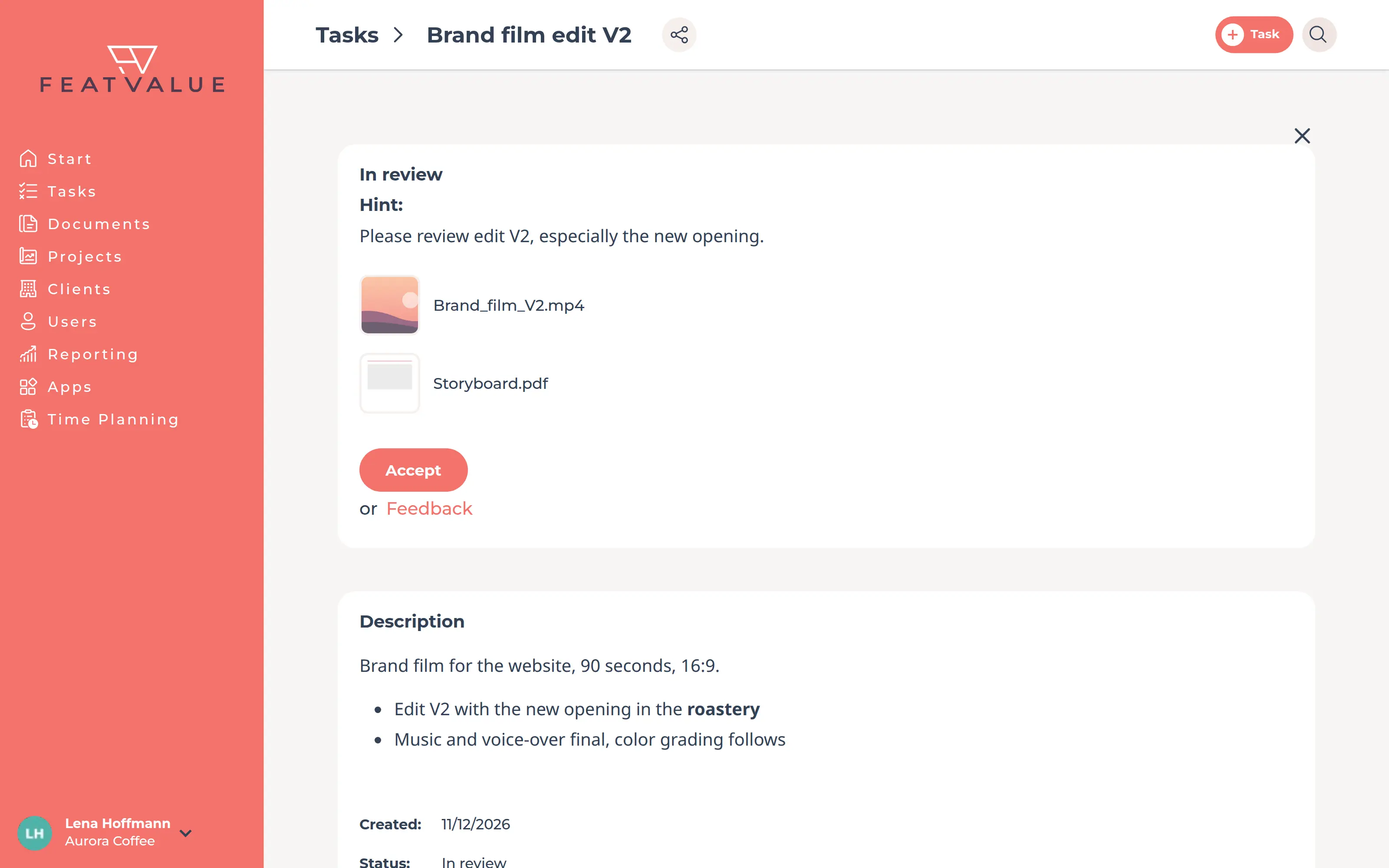
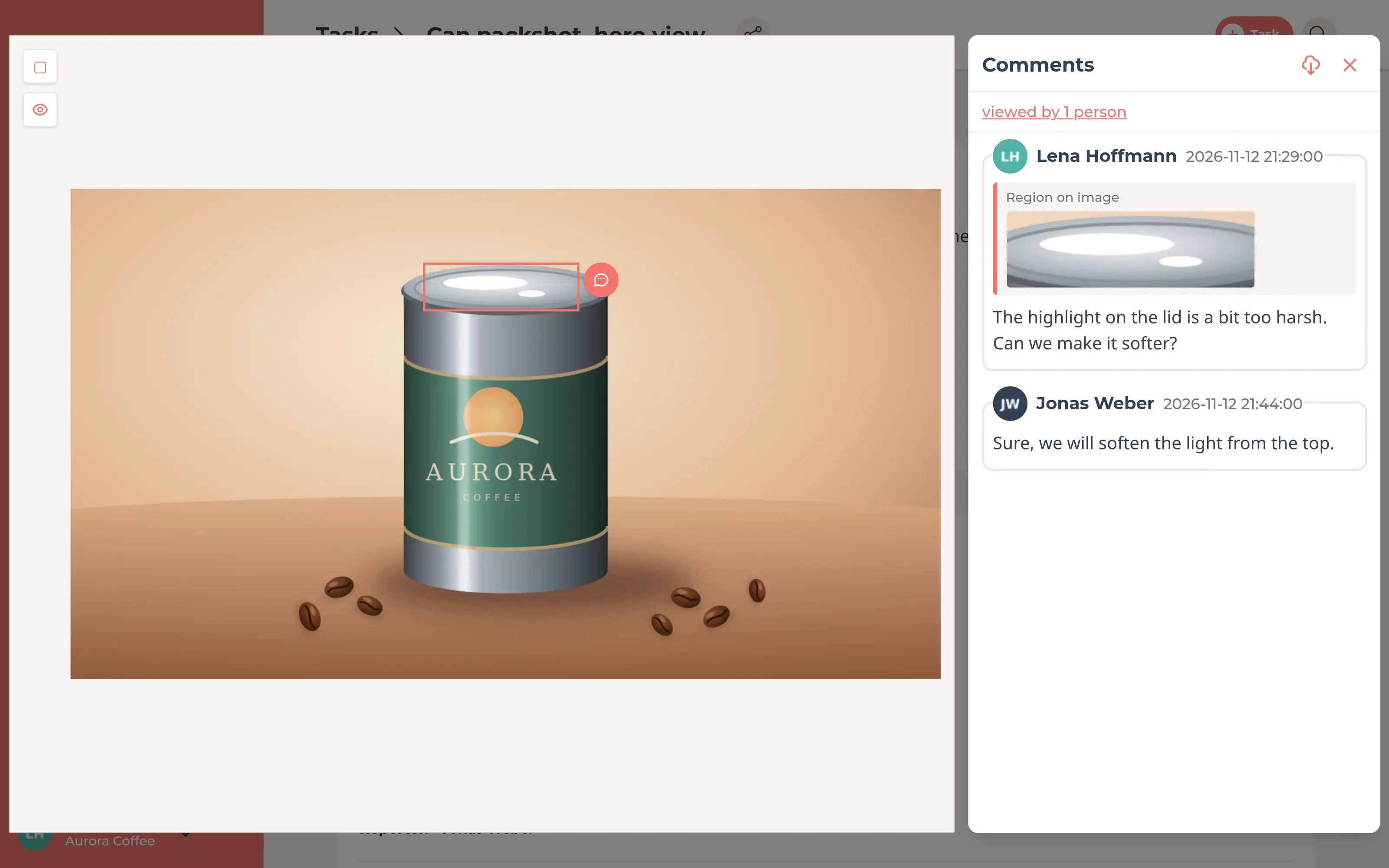
In your own client portal, your clients see where every project stands, comment on the video at the exact moment and approve the final cut with one click. You always know which version has been signed off.
Start free. No credit card. Set up in minutes.
Client portal: your clients see the project status and approve videos
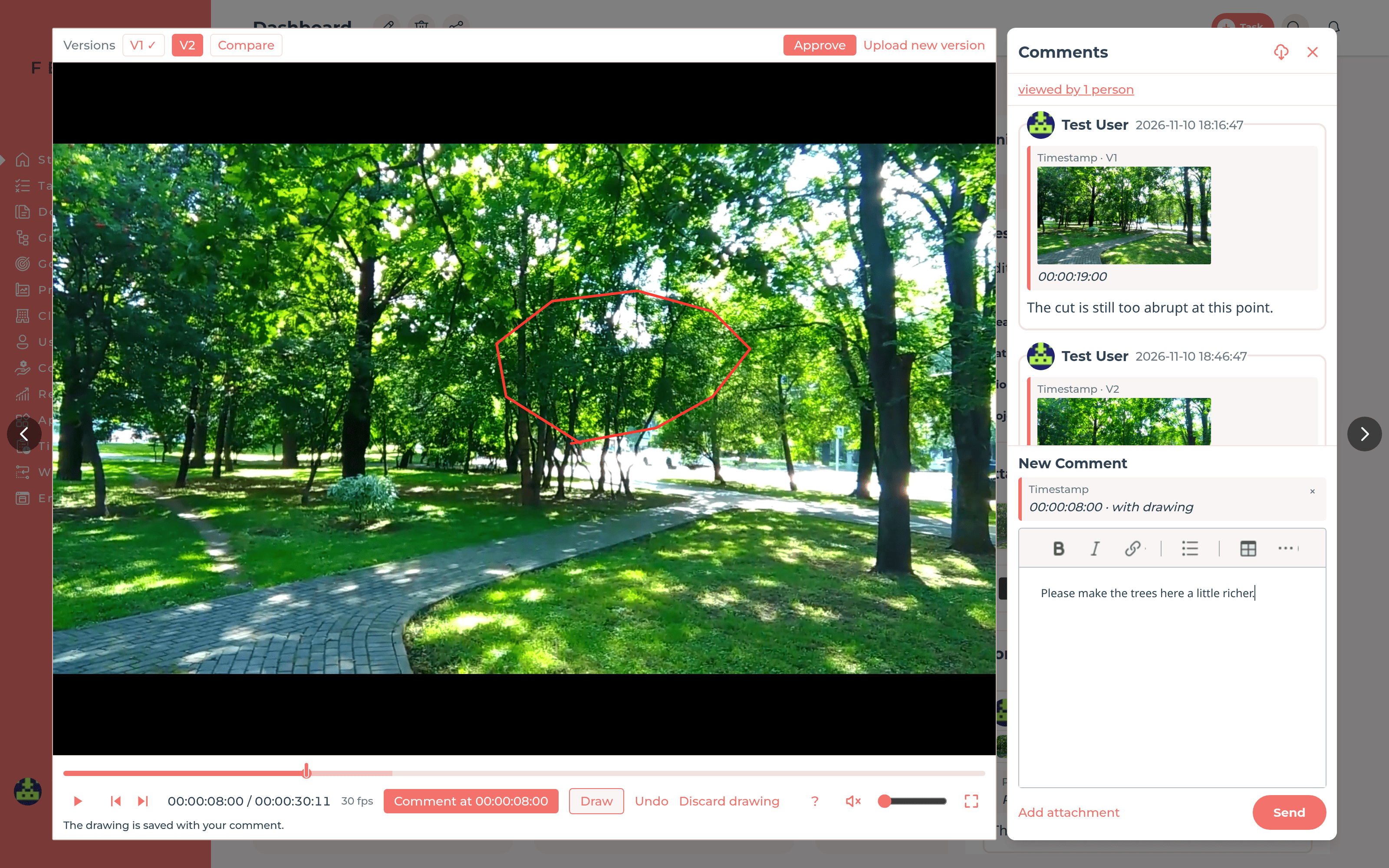
Your edit: feedback arrives with a timestamp
Client portal
Every client gets their own access to their projects, tasks and files, with your production company's logo and colors from the Starter plan. From the briefing to the rough cut and the final version, they see what you are working on and what is waiting for their approval.
Video review
Your client pauses the video and writes a comment. FeatValue adds the timestamp, a marker on the timeline and a still of that moment. On the still they can draw what they mean. Clicking the timestamp jumps right there in the player. Comments with timestamps and drawings are available from the Starter plan, more in the documentation on file comments.
Versions
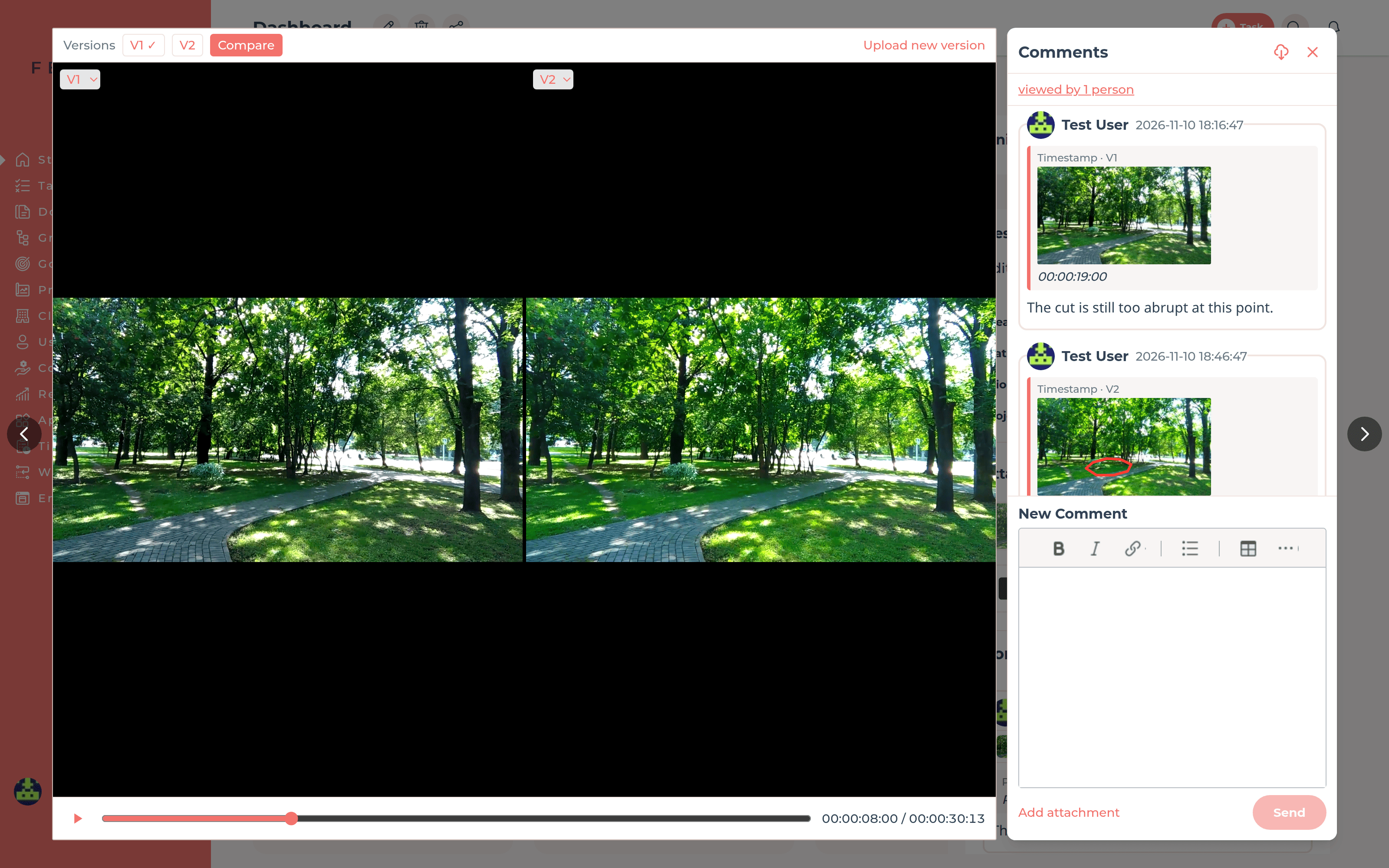
Upload the revised cut as a new version of the same video. Comments stay with the version they were written for. With Compare, two versions play side by side, so your client sees right away whether the change has been made.
Approval
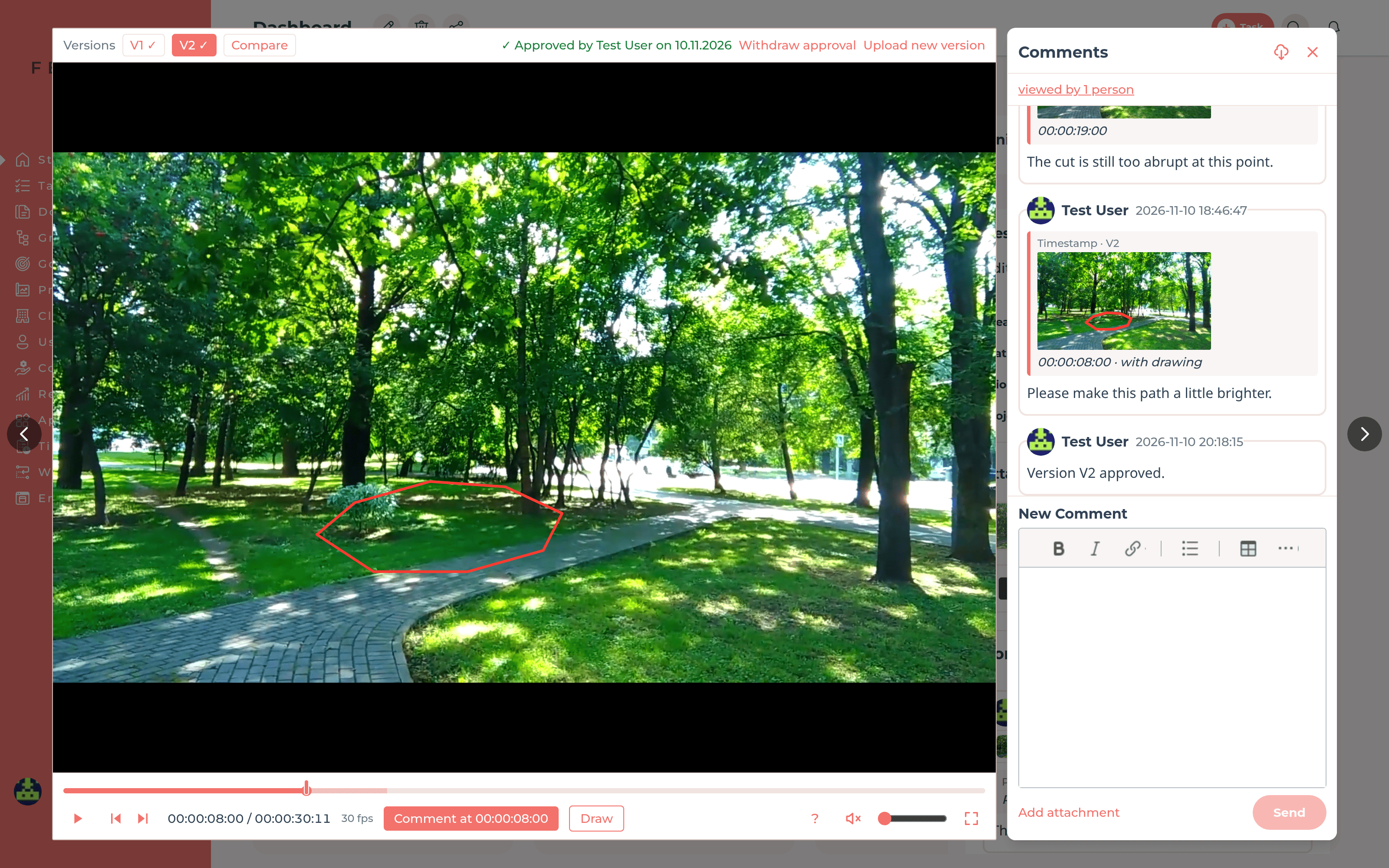
Send the video for review as a task. Your client accepts it right in the player with one click or requests a revision, and the task goes back to your team with their feedback. The approval applies to exactly the version shown and names the person and date. So it stays clear later which cut was signed off.
Frame.io
Your team keeps working in Frame.io. When you start the review, you attach the video straight from Frame.io to the task, and FeatValue creates the share link. Your client finds the video with a thumbnail on the task in the client portal and approves it there. Comments work both ways. If your client comments in FeatValue, your team sees it in Frame.io. If they comment in Frame.io, the comment lands on the task with its timestamp. More on the Frame.io integration.
Cinema 4D
With the FeatValue plugin for Cinema 4D, you see the tasks of the client project right next to the scene. The plugin renders the current image of the scene and sends it for approval. You send the finished animation as a video. Your client reviews in the browser and does not need Cinema 4D. More about the Cinema 4D plugin.
Get started
Create your FeatValue account, set up a project and invite your client.
Upload the cut to a task and send it for review. A short note tells your client what to look out for.
Your client comments at the right moment, you upload the next version, and they approve it in the portal.
Integrations
FeatValue does not replace your project management, it adds the client portal on top. Your team keeps working in Asana, ClickUp, Trello, Jira or Basecamp and tracks time in MOCO, Harvest, Toggl Track or Clockify.
See all integrations →Try it free, invite your client and have your next cut approved right in FeatValue.
No credit card required. Cancel anytime.