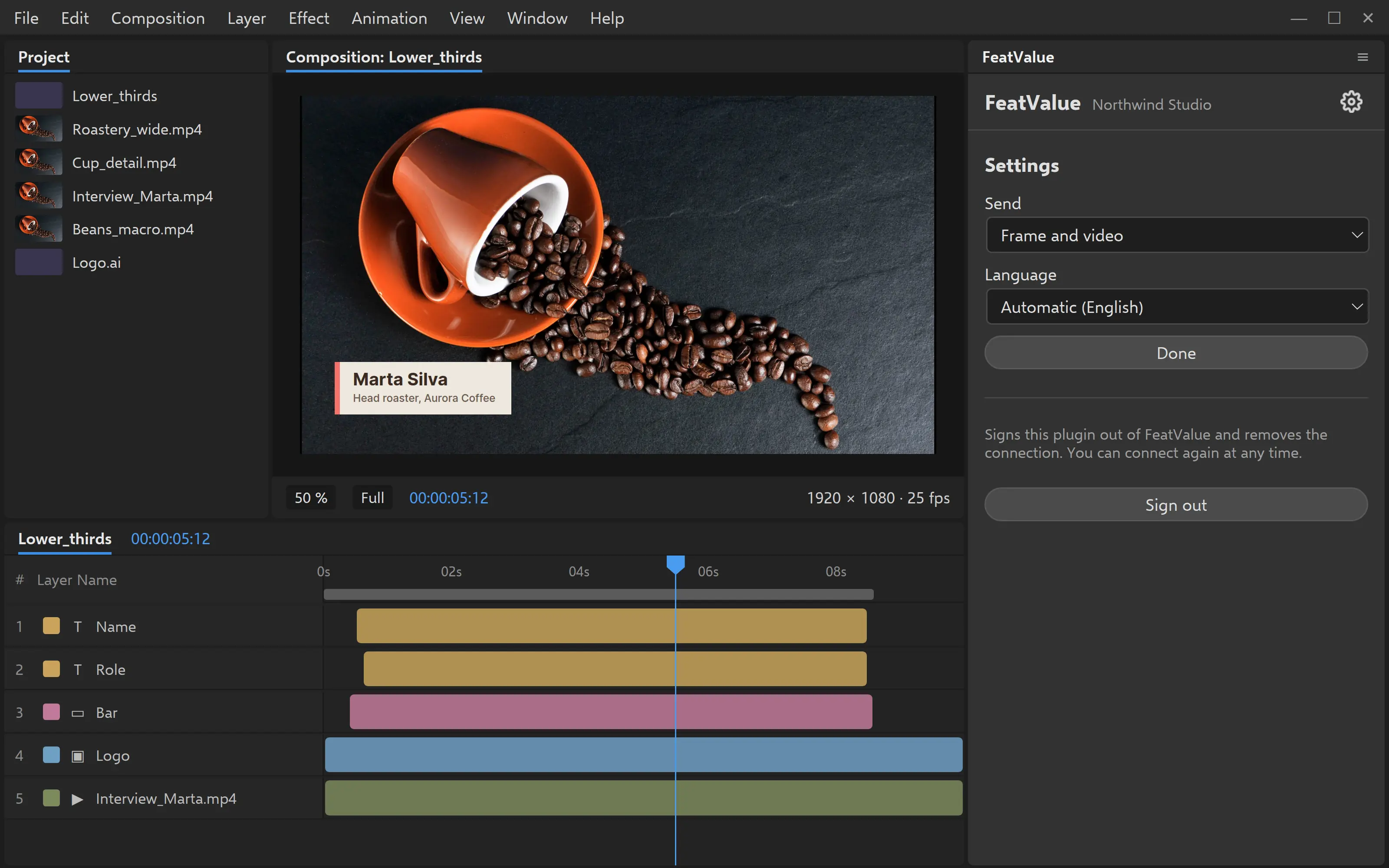
Feedback on an animation lands at the right moment in the video instead of in long emails full of timecodes. In the panel in Adobe After Effects you see the tasks of the client project and send the current state for approval right from the composition. Your client comments in FeatValue at the exact moment and accepts the task.
Start free. No credit card. Set up in minutes.
FeatValue: your client portal, where clients review and accept your animations
Adobe After Effects: your workspace, with tasks and feedback in a panel
Task list
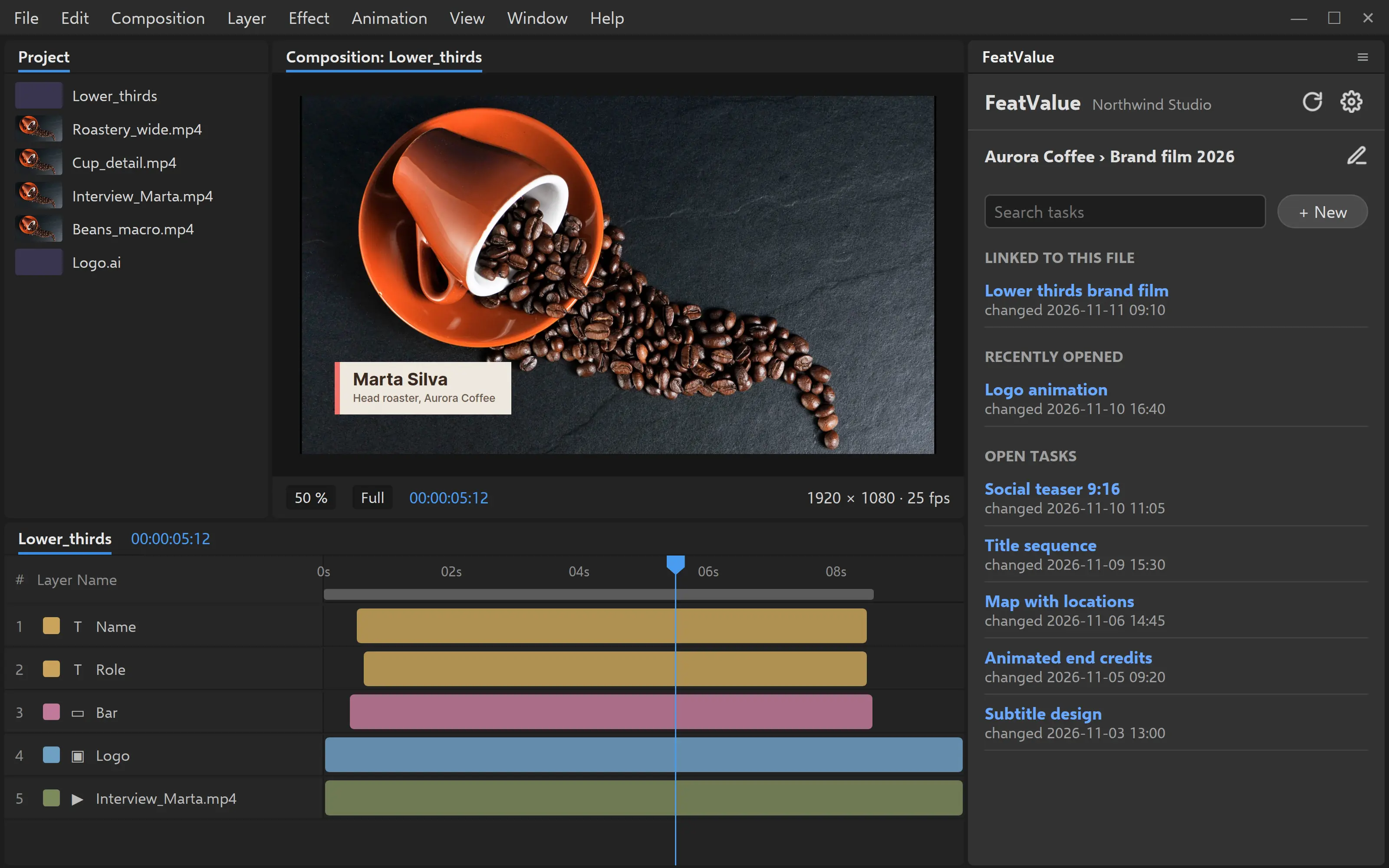
Choose client and project, and the plugin remembers your choice. Below you see the open tasks, most recently changed first, with search. Tasks that belong to the active composition are at the top. When you switch compositions, the plugin follows. If a project or task is missing, you create it right in the plugin.
Brief and feedback
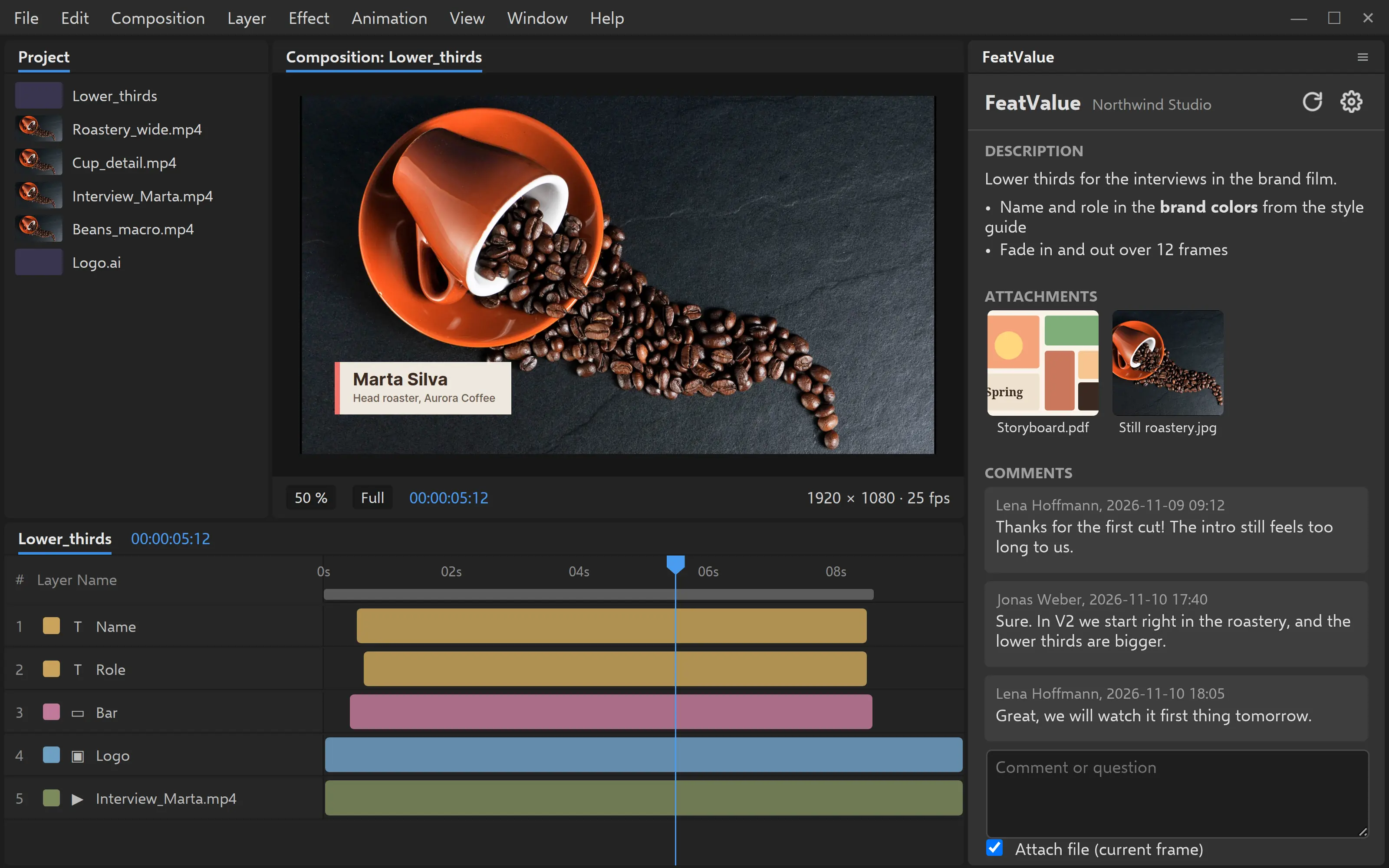
Inside a task you see the description, attachments such as the storyboard or shot list as thumbnails, and all of your client’s comments. You ask questions right in the plugin, and the current frame from Adobe After Effects is attached by default. You change the status just like in FeatValue, for example to In progress.
Approval
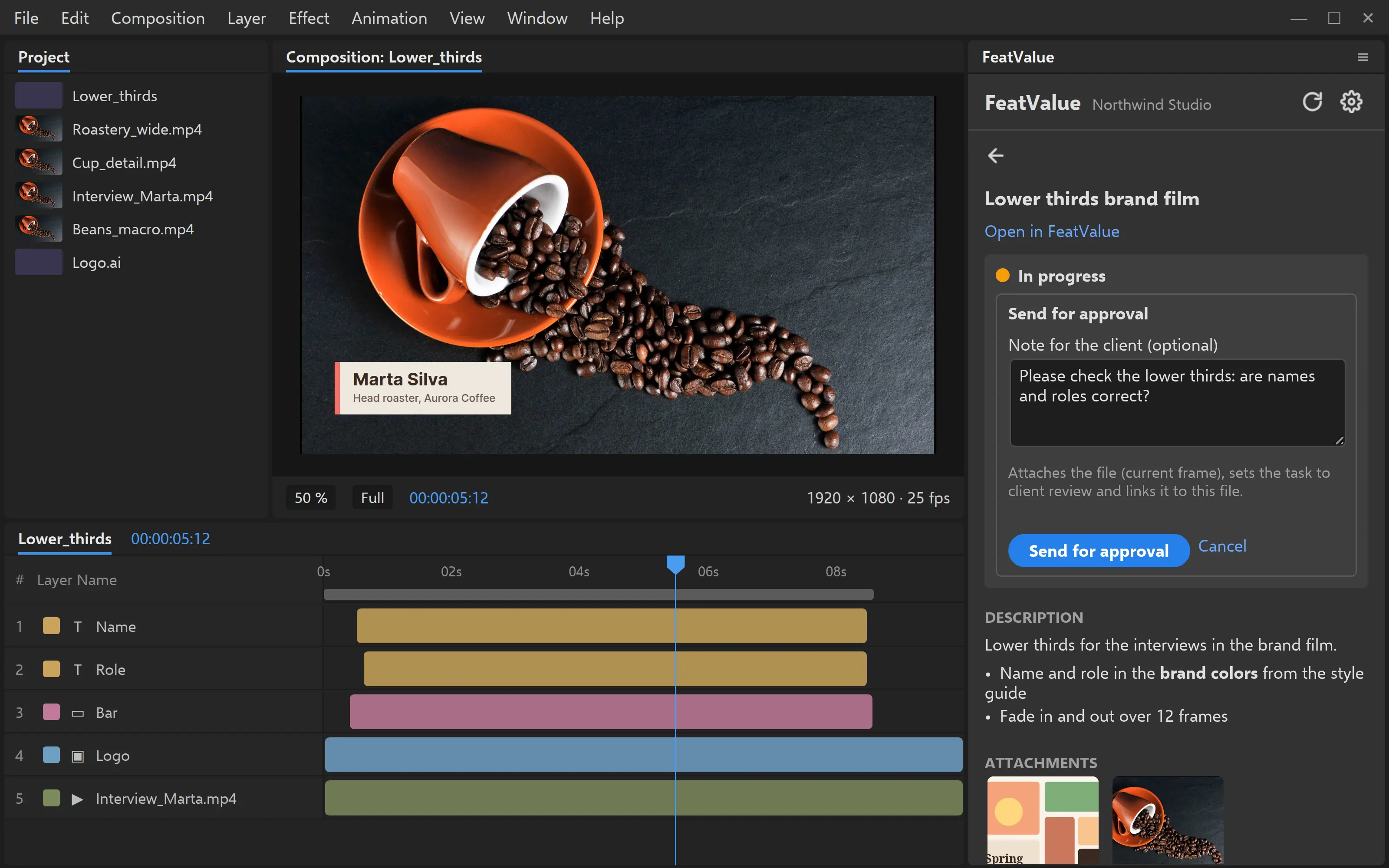
The plugin uses the After Effects render queue to render the frame at the current time of the active composition or the work area as a video, and attaches the result to the task. After Effects is busy while it renders. Large videos are uploaded in parts. The task moves to review, and an acceptance note tells your client what to look at. The plugin remembers on your computer which task belongs to which composition.
Video review
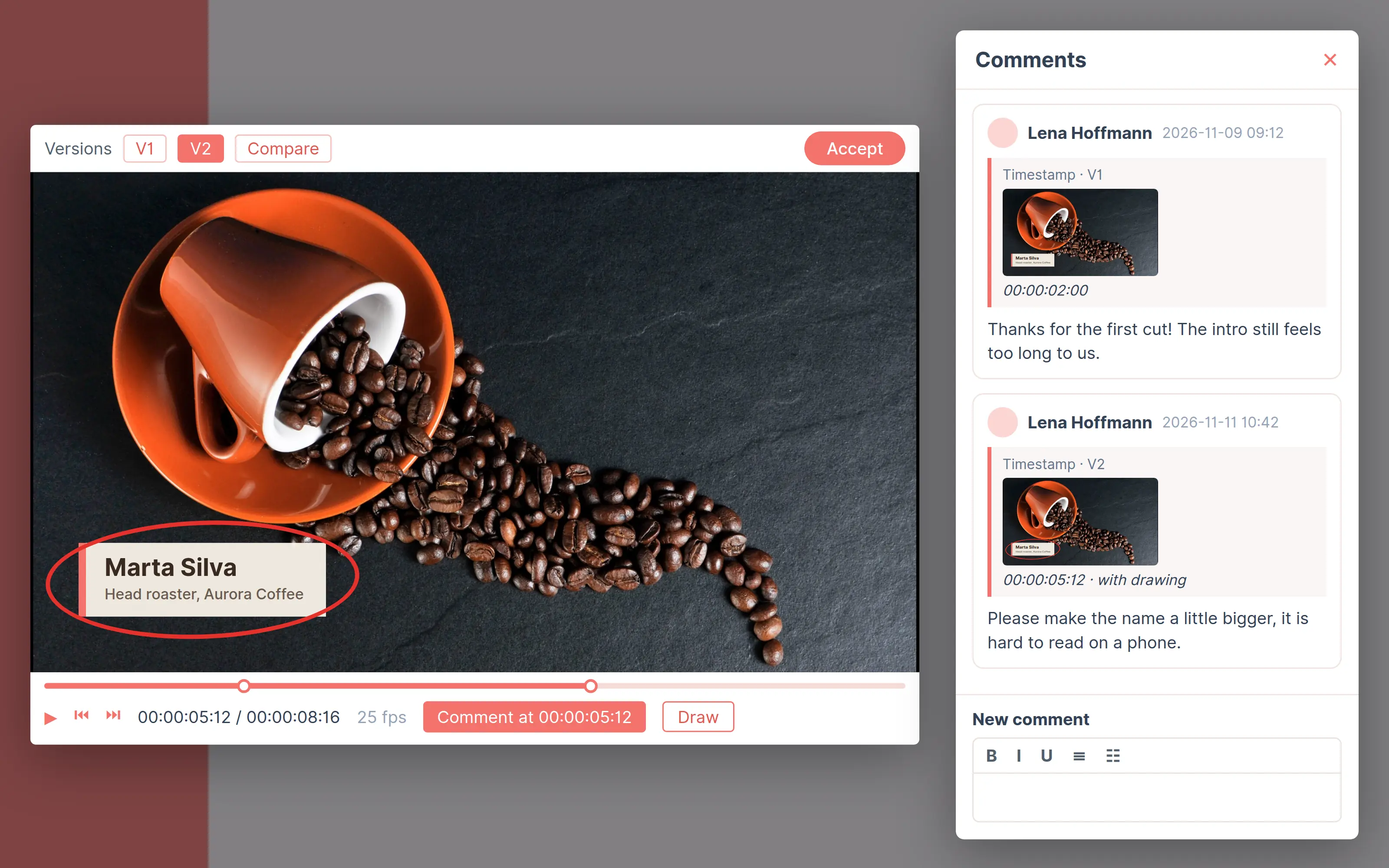
💎Your client opens the video in the client portal, pauses at the right moment and writes a comment with a timestamp, optionally with a drawing on the still frame. No Adobe account is needed. You upload new versions of a video in FeatValue and compare them side by side, and comments stay with their version. While the task is in review, your client accepts it with one click and approves the latest version at the same time. Learn more in the documentation on file comments and under review and acceptance.
Frame, video or both
In the settings you choose what the plugin sends: the current frame, the work area as a video, or both. For a question about a detail the still frame is enough, for acceptance you send the whole animation.
Set up in minutes
The FeatValue plugin is also available for Adobe Premiere.
Create your FeatValue account above and set up clients and projects, or import them from your project management tool.
Install the plugin from the Creative Cloud Marketplace. The Creative Cloud desktop app sets it up in Adobe After Effects.
Restart Adobe After Effects and open the menu Window, then Extensions and FeatValue. Sign in once with your FeatValue account and choose client and project.
Try it for free, install the plugin and send your next animation for approval right from Adobe After Effects.
No credit card required. Cancel anytime.
Adobe, After Effects and Premiere are either registered trademarks or trademarks of Adobe in the United States and/or other countries. FeatValue is an independent offering and is not endorsed or sponsored by Adobe. The plugin requires a FeatValue account (free plan available) and Adobe After Effects 2022 or later.