FeatValue Frame.io

Frame.io integration for agencies Keep using Frame.io, handle approval and project status in the client portal

Your team stays with Frame.io. Your client finds the video where tasks, status and acceptance are. When you start the review, you pick the file from Frame.io, and FeatValue creates the share link and attaches it to the task with a thumbnail.

Start free. No credit card. Set up in minutes.

FeatValue: your client portal with tasks, acceptance and project status

Frame.io: your tool for videos and feedback, just as before
Frame.io – FeatValue
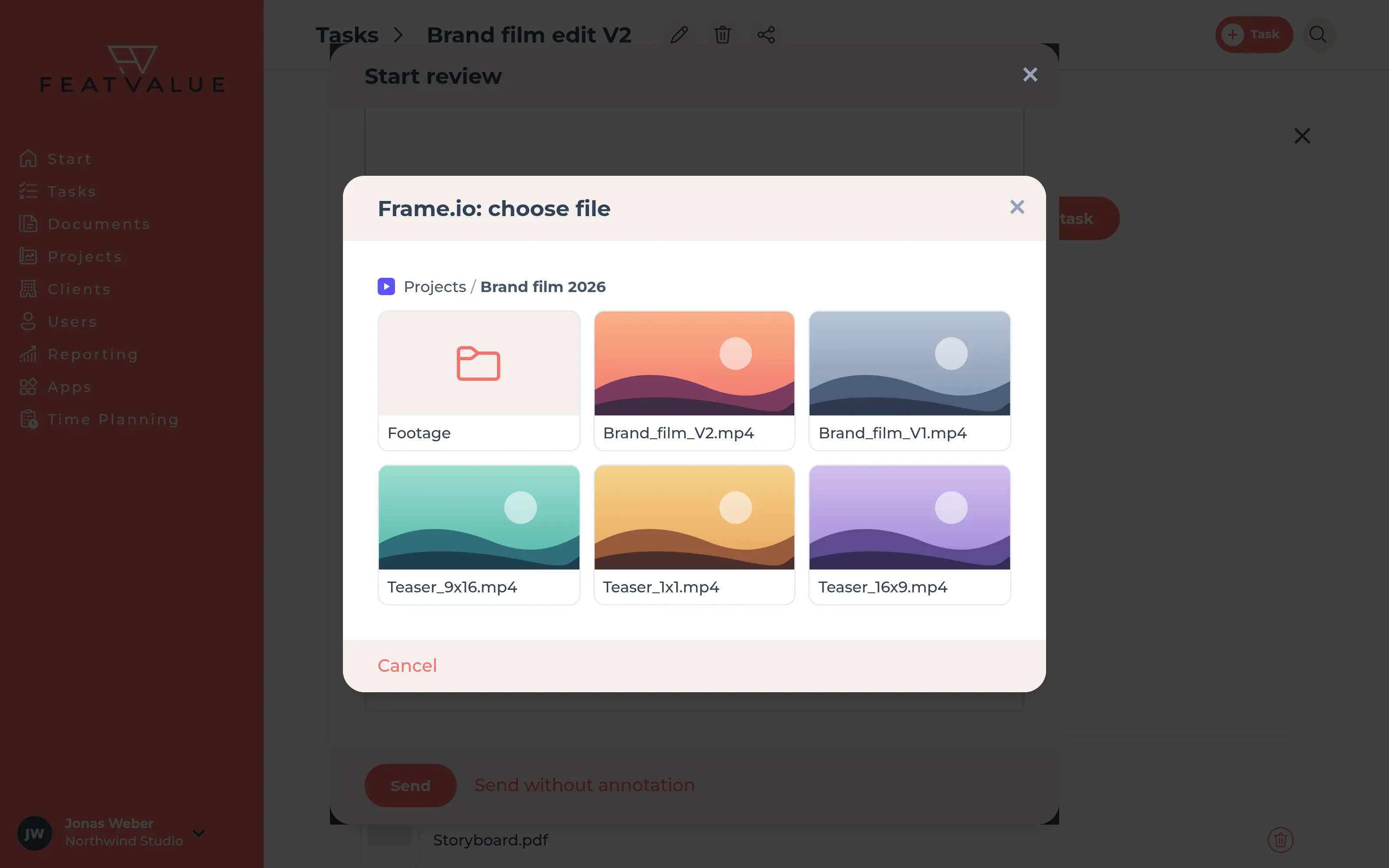
Start review with attachments and the Frame.io picker open

Pick a file instead of copying links

Attach the video from Frame.io right when you start the review

Under Attachments in Start review, click Frame.io and choose project, folder and file. FeatValue creates the share link in Frame.io and attaches it to the task. No more creating a link, copying it and sending it by email. Frame.io is also available when you attach files to comments.

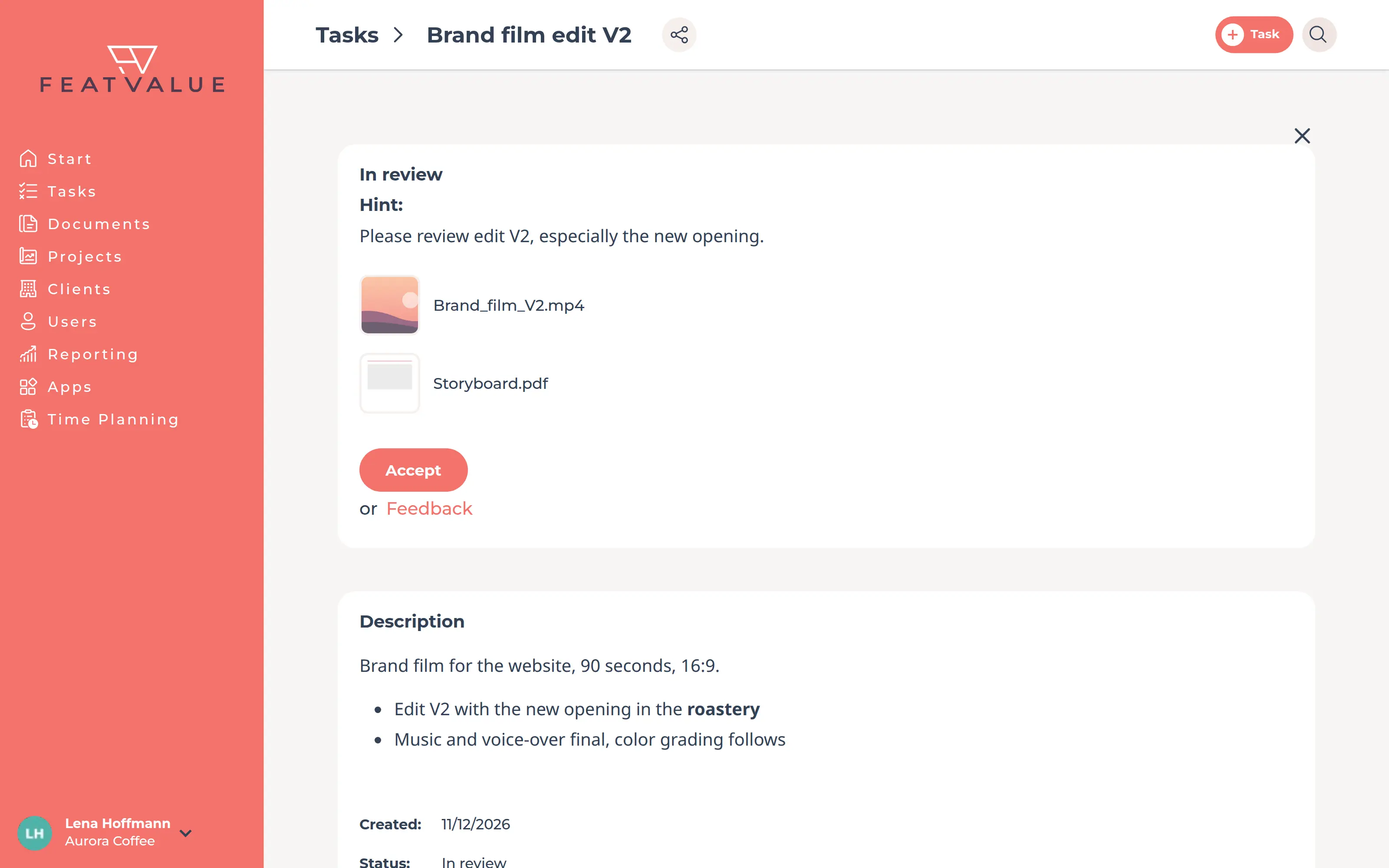
Thumbnail

Your client sees right away which video it is about

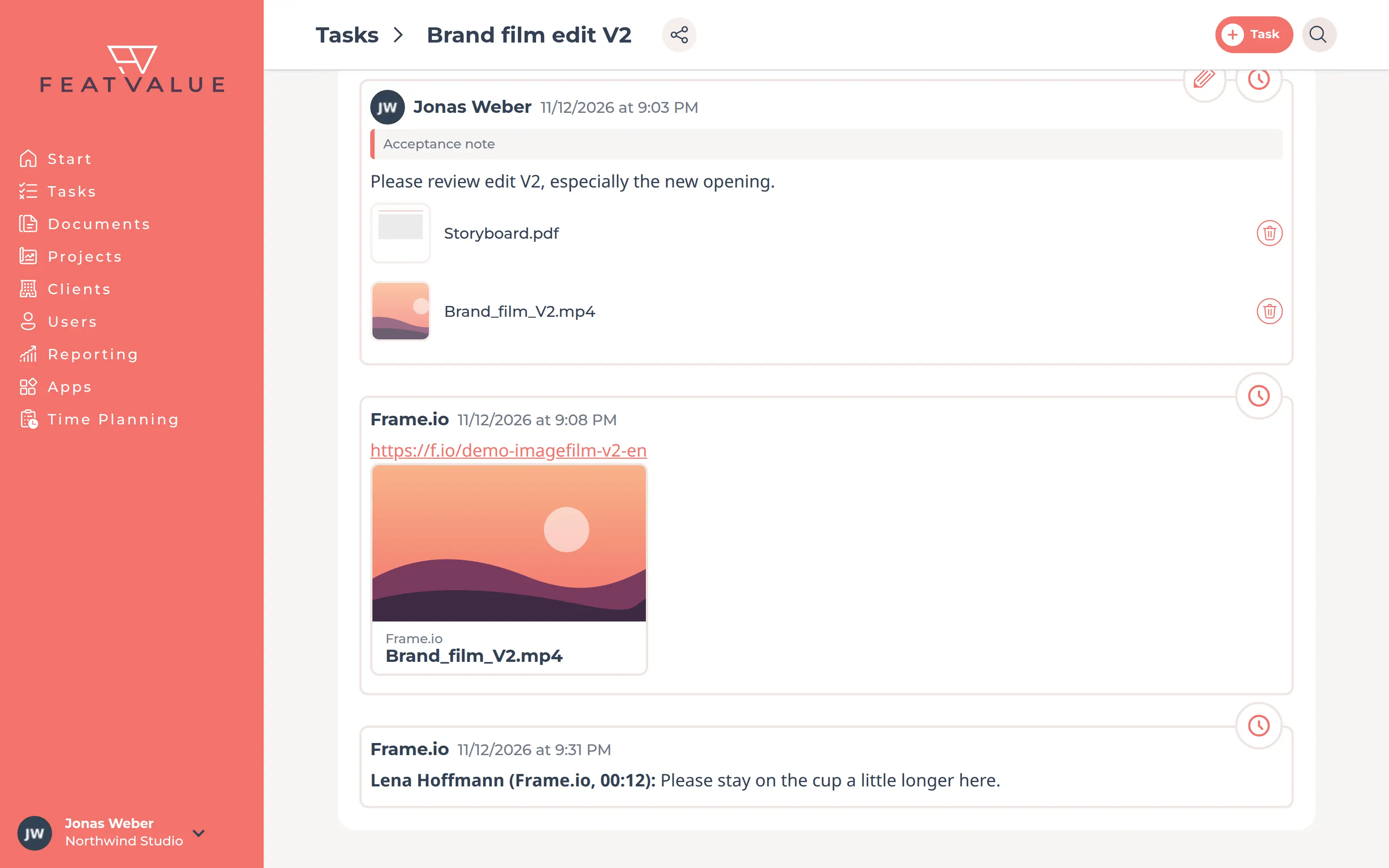
The file appears on the task with its thumbnail and file name, right next to the acceptance note and the status. One click opens it in Frame.io. Your client no longer searches emails for the right link.

Task in the client portal with a Frame.io file as thumbnail
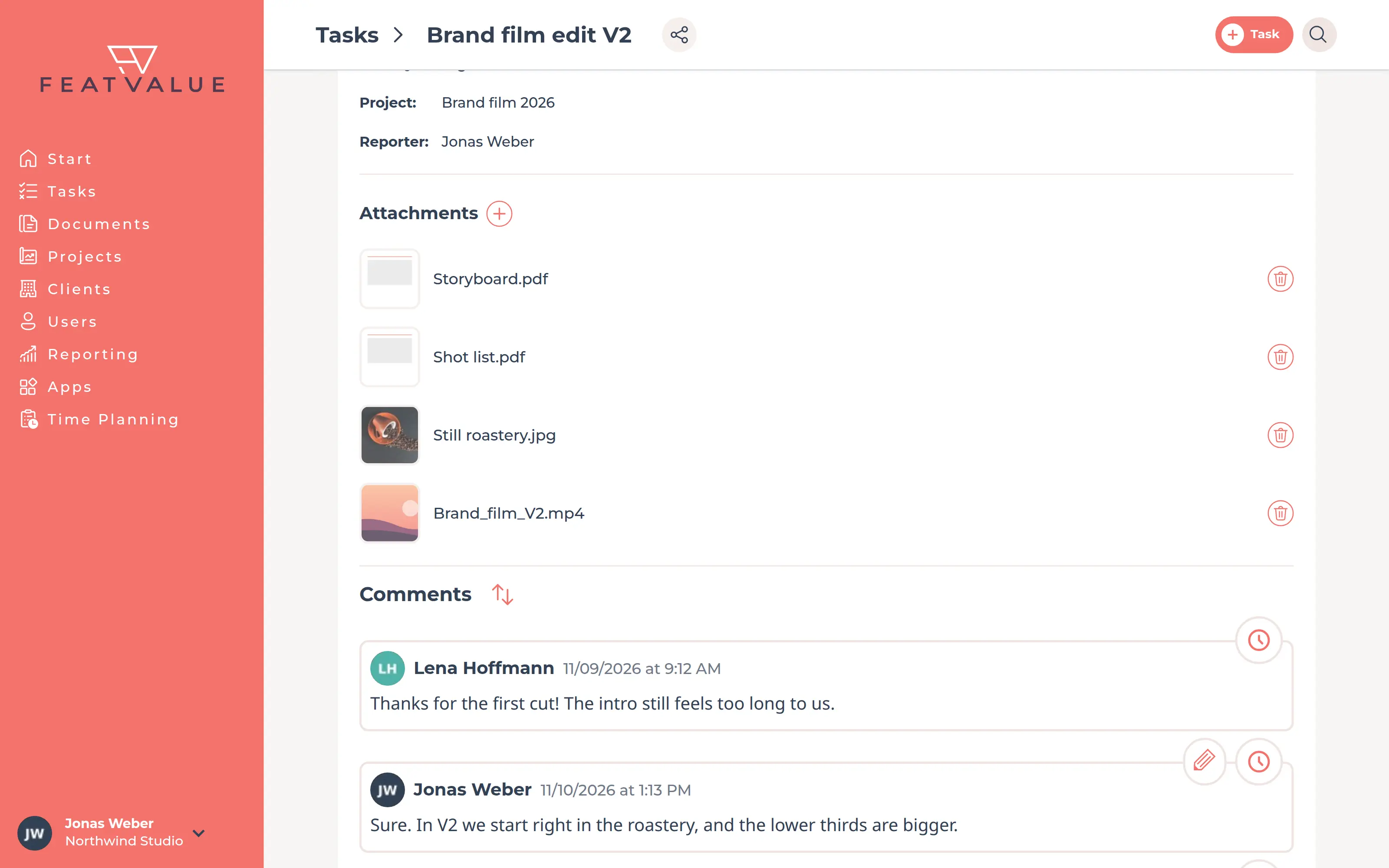
Attachments of a task in FeatValue with the share link of the Frame.io file and its thumbnail

Share link

Comments yes, downloads no

FeatValue creates a separate share link in Frame.io for each file and attaches it to the task with a thumbnail. Your client can comment in the link. FeatValue turns off downloads if your Frame.io plan allows it.

Comments in both directions

Feedback reaches your team in Frame.io

When your client comments on the task in FeatValue, FeatValue adds the comment to the file in Frame.io, with the client's name. Your team sees the feedback where it works on the video. Comments from your team in FeatValue stay in FeatValue.

Illustration: client comment from FeatValue on the file in Frame.io
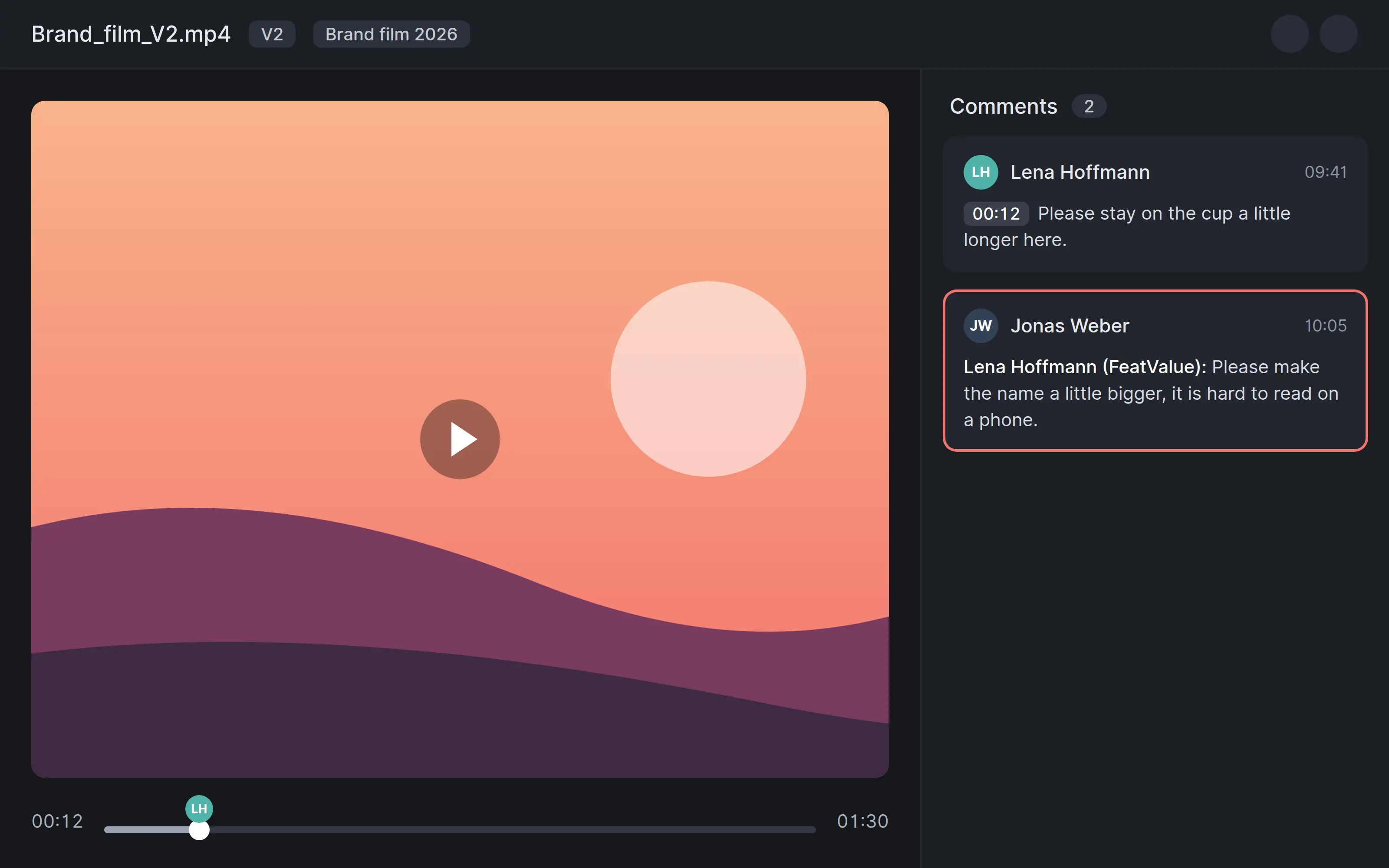
Comment from Frame.io with name and timecode on the task

With timecode

Comments from Frame.io land on the task

When your client comments directly in the Frame.io share link, FeatValue adds the comment to the task, with the name and the timecode in the video. All feedback stays in one place.

Acceptance and project status

Frame.io for the video, FeatValue for acceptance and project status

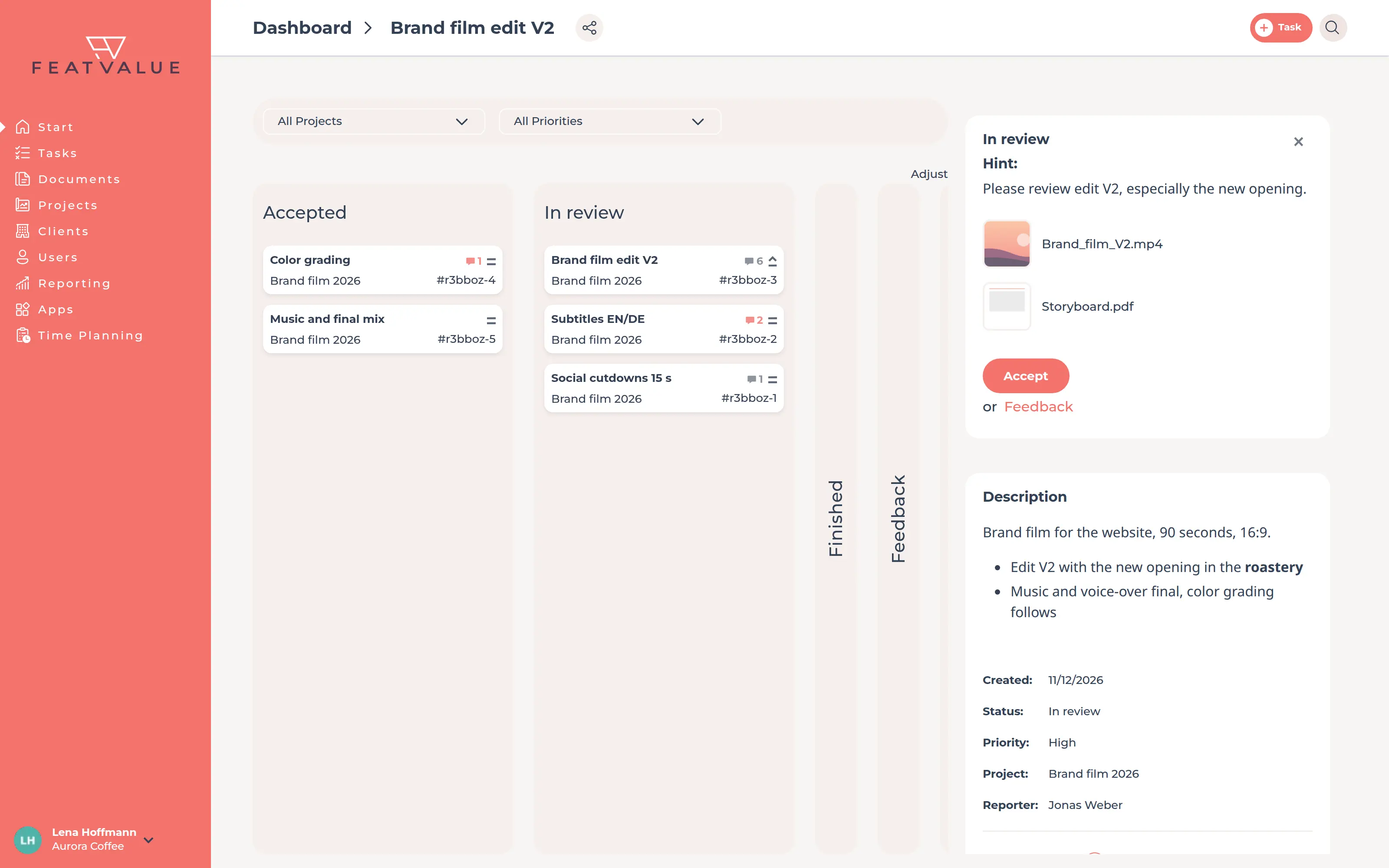
Your team keeps working in Frame.io. In the client portal your client sees all tasks of the project, their status and what is waiting for acceptance. They accept the task with one click or request a revision. Learn more under Review and acceptance.

Client portal with tasks in review and buttons for acceptance and revision
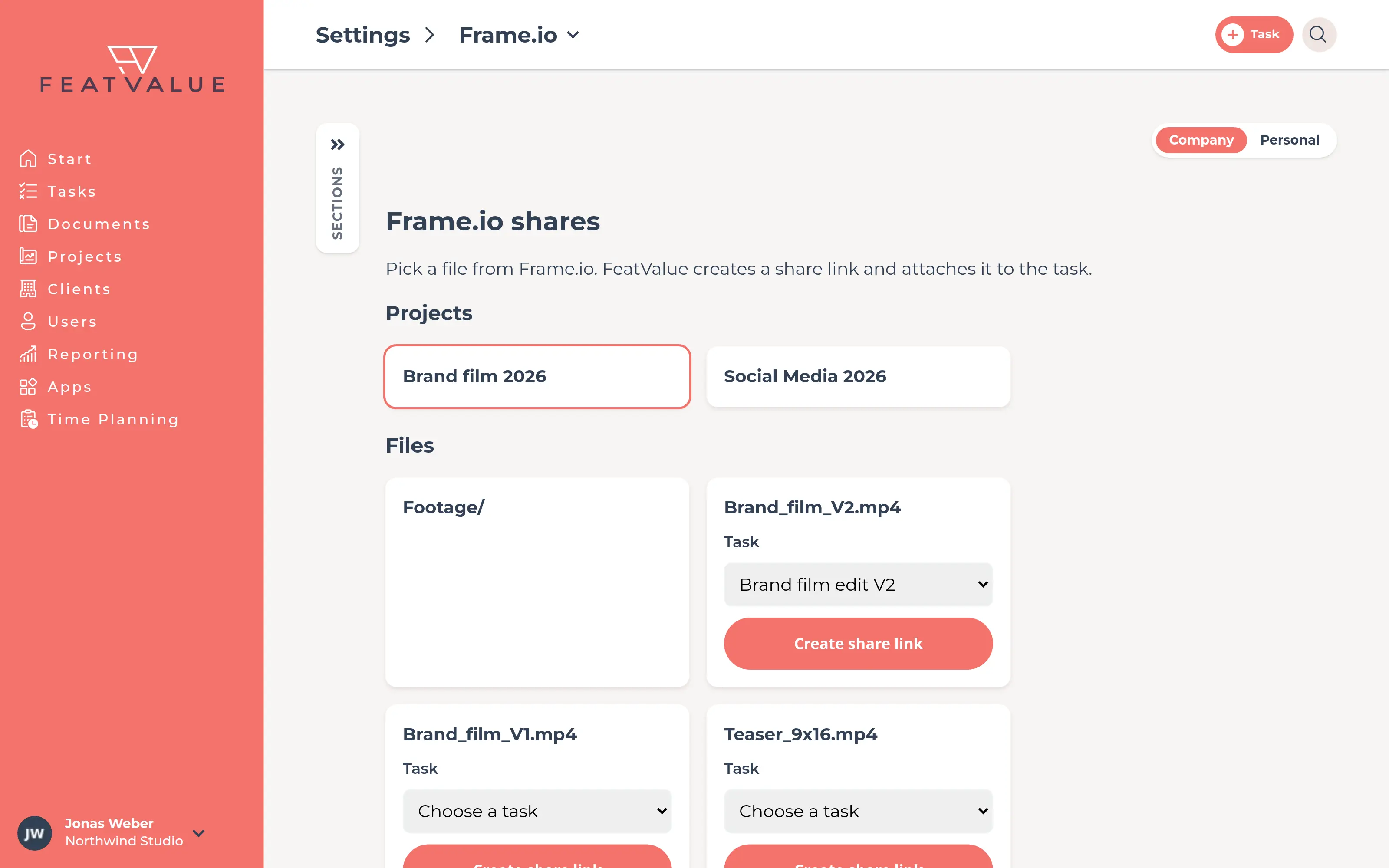
Frame.io shares page in the FeatValue settings

Without switching tools

Frame.io shares in the settings

Under Settings you will find the Frame.io shares page. Pick a project and a file from Frame.io there and attach the share link to an open task, even without starting a review.

Set up in minutes

How to connect Frame.io to FeatValue

You will find every step in detail in the Frame.io documentation. Editing in Adobe Premiere Pro? There is also a FeatValue plugin for Adobe Premiere Pro.

1

Sign up for free

Create your FeatValue account above, set up a project and invite your client.

2

Connect Frame.io

Install Frame.io under Apps and click Connect with Adobe. Sign in with the Adobe account you use for Frame.io. The connection applies to your whole agency.

3

Attach the video to the task

In a task, click Start review and then Frame.io under Attachments. Choose the file, FeatValue does the rest.

Stefan Wienströer

Free setup

We connect Frame.io for you – for free

No time for the setup? We connect Frame.io, design your portal and set up your workflows. Free of charge, for every plan.

Book a free call More about the free setup

Start now with FeatValue and Frame.io

Try it for free, connect Frame.io and get your next cut accepted through the client portal.

No credit card required. Cancel anytime.

Adobe and Frame.io are either registered trademarks or trademarks of Adobe in the United States and/or other countries. FeatValue is an independent offering and is not endorsed or sponsored by Adobe. The integration requires a FeatValue account (free plan available) and a Frame.io account with Adobe sign-in.

Privacy Policy • Imprint • Terms and Conditions