Portal access
Your clients’ team members use the same FeatValue interface as your agency — adapted as the FeatValue client portal with its own menu. You can also embed the portal on your website with the WordPress plugin.
What portal access is for
Access belongs to the relation between your agency and the client company. You can turn a person's access off without deleting their account.
Where to find it
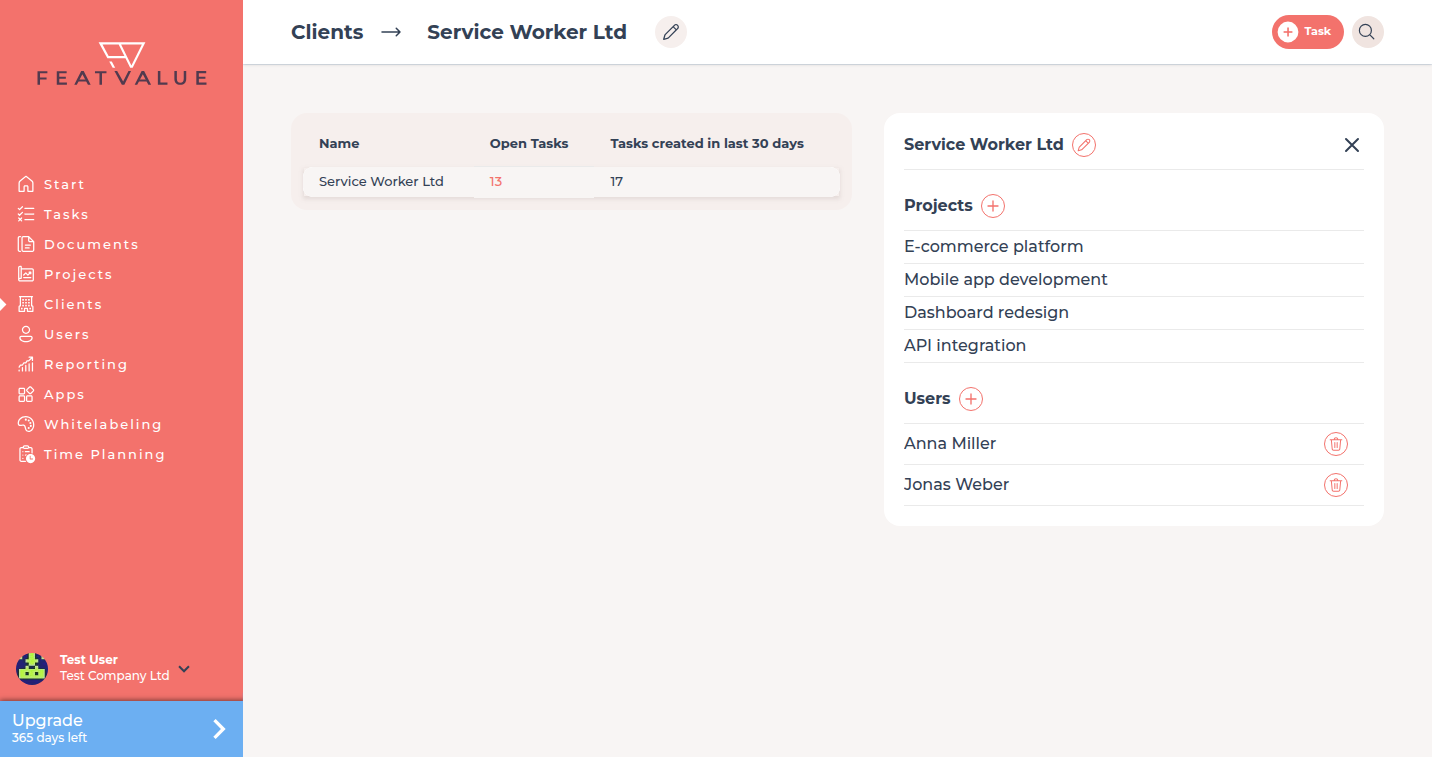
Invite people from Clients as described in Inviting contacts. Open the client to see the people. Remove access with the trash control next to the person.
How it works
-
Invite the person
The person receives an invitation and signs in. FeatValue shows a client portal menu instead of the agency menu. -
Let them work in the client portal
Team members open the projects and tasks their company owns or shares — in the adapted client interface. -
Deactivate access if needed
Use the trash next to the person in the client details. This ends portal access. It does not delete the person's account.
What clients see
| Item | In the client portal menu |
|---|---|
| Projects | Projects their company owns, plus work they share with you |
| End access | Trash next to the person in the client details. The account stays. |
What a person may change on a project follows Roles and access. Weekly mail is in Weekly report.
Permissions and plans
All plans include unlimited client users. Theme options such as clients creating projects stay in the theme; the default is on.
Troubleshooting
The person still sees the agency menu
Check Menus and custom menu items for the menu that applies to clients.
The person can still sign in after you used trash
The account remains. Only portal access to your agency has ended. They no longer see the projects you share.
Your question has not been answered?
We will be happy to help you. You can send us an e-mail or arrange a video conference: