Project defaults
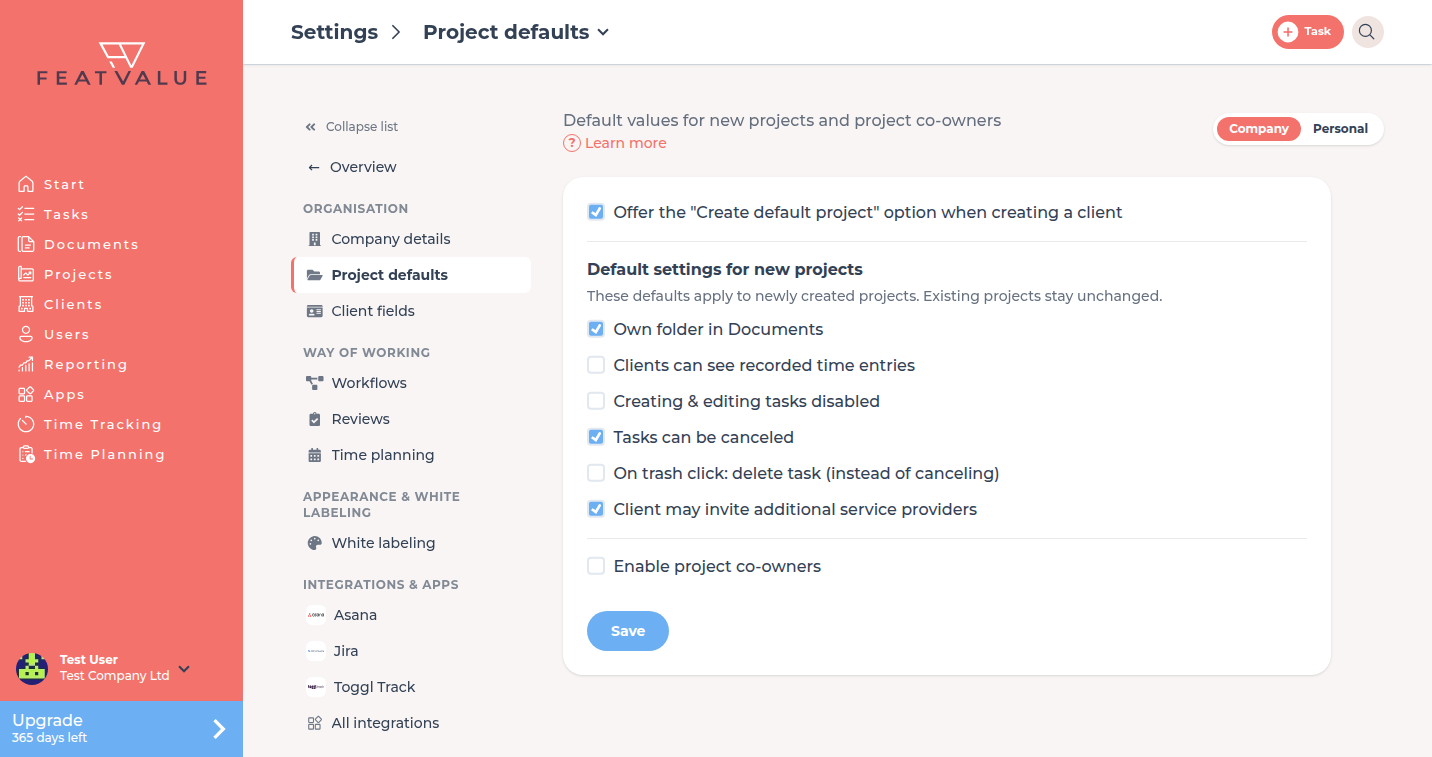
Under Project defaults you decide which settings new projects start with. The page also covers the default project when you create a client and project co-owners.
What project defaults are for
If most of your projects use the same settings, set the values once for the company. Every new project takes them over. Adjust single projects afterwards in the project settings.
Where to find it
Open Settings › Company › Project defaults. The tile sits in the Organisation group.
How it works
-
Open project defaults
Under Settings › Company click Project defaults. -
Set the defaults
Under Default settings for new projects tick the options new projects should start with. -
Save
Click Save. The defaults apply to projects you create afterwards. Existing projects stay unchanged.
Options
| Option | What it does |
|---|---|
| Offer the "Create default project" option when creating a client | The Create new client dialog shows Create default project. Appears once your company has clients. |
| Own folder in Documents | New projects get their own folder under Documents. |
| Clients can see recorded time entries | Clients see the project's time entries. See Client visibility. |
| Creating & editing tasks disabled | New projects are read-only for creating and editing tasks. |
| Tasks can be canceled | Tasks can be cancelled. On trash click: delete task (instead of canceling) then appears as well. |
| Client may invite additional service providers | Clients may add more service providers to the project. Works only in premium projects. |
| Enable project co-owners | Projects can have co-owners. Appears once your company has clients. See Roles and access. |
Permissions and plans
The defaults are available on every plan. Enable project co-owners needs Pro. Pro Without Pro, the block shows a hint and Upgrade.
Troubleshooting
An existing project does not have the new values
That is expected. Defaults only apply to new projects. Change existing projects in the project settings.
“Create default project” is missing when I create a client
The first option on this page is off. Tick it and save.
Your question has not been answered?
We will be happy to help you. You can send us an e-mail or arrange a video conference: