FeatValue Cinema 4D

Plugin for Cinema 4D Get renders approved without leaving Cinema 4D

Feedback on renders lands on the task instead of in long email threads with attachments. In the FeatValue window in Cinema 4D you see the tasks of the client project and send the current frame or the finished video for approval. Your client reviews in the browser and approves the task.

Start free. No credit card. Set up in minutes.

FeatValue: your client portal, where clients review and approve renders and animations

Cinema 4D: your workspace, with tasks and feedback in the FeatValue window

Cinema 4D – FeatValue
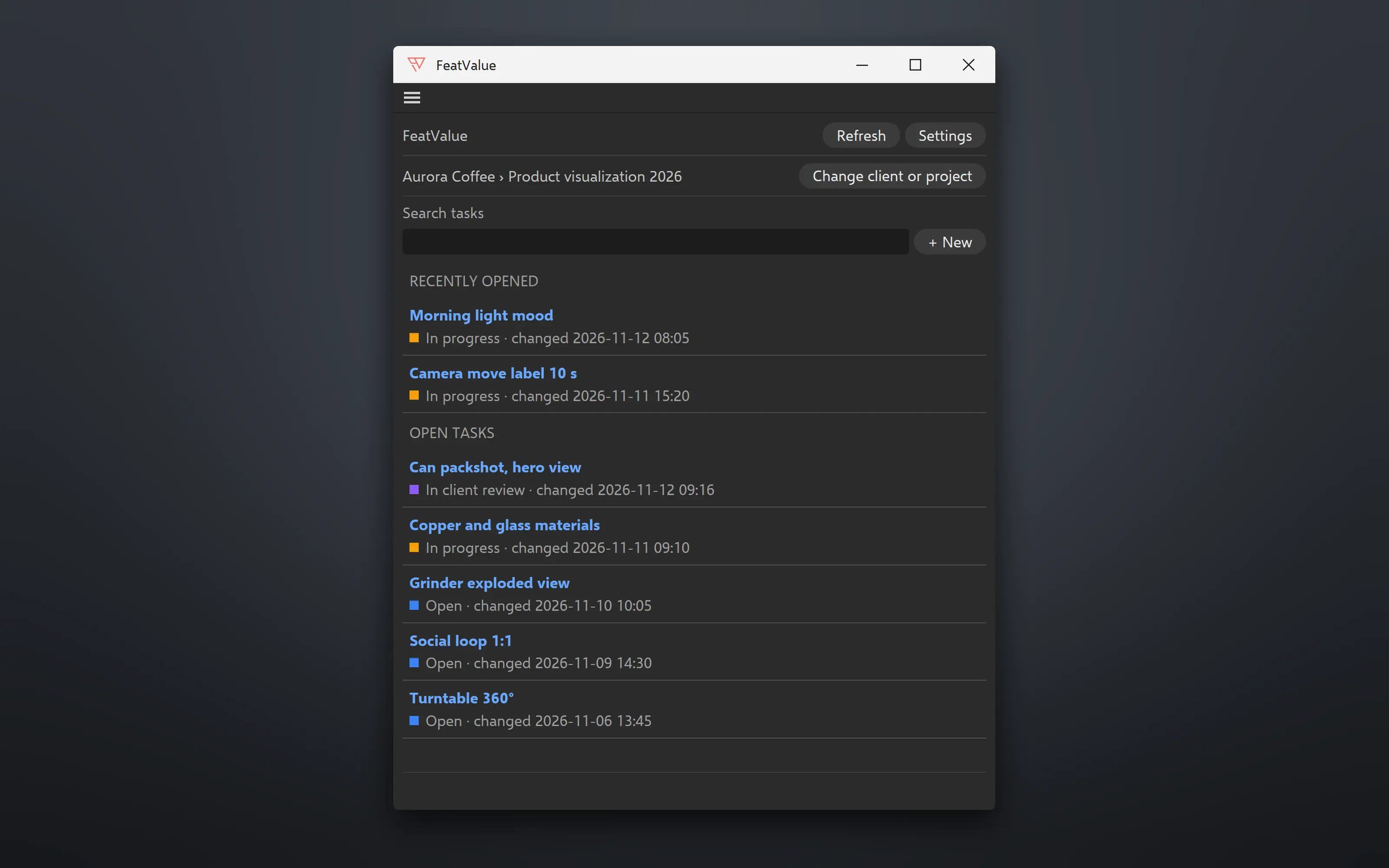
FeatValue window in Cinema 4D: client › project, search, Recently opened and Open tasks

Task list

See what is next, right inside Cinema 4D

Choose the client and project, and the plugin remembers your choice. Below are the open tasks, most recently changed first, with search. Tasks you opened recently are at the very top. If a project or task is missing, create it right in the plugin.

Brief and feedback

The brief and client comments next to your scene

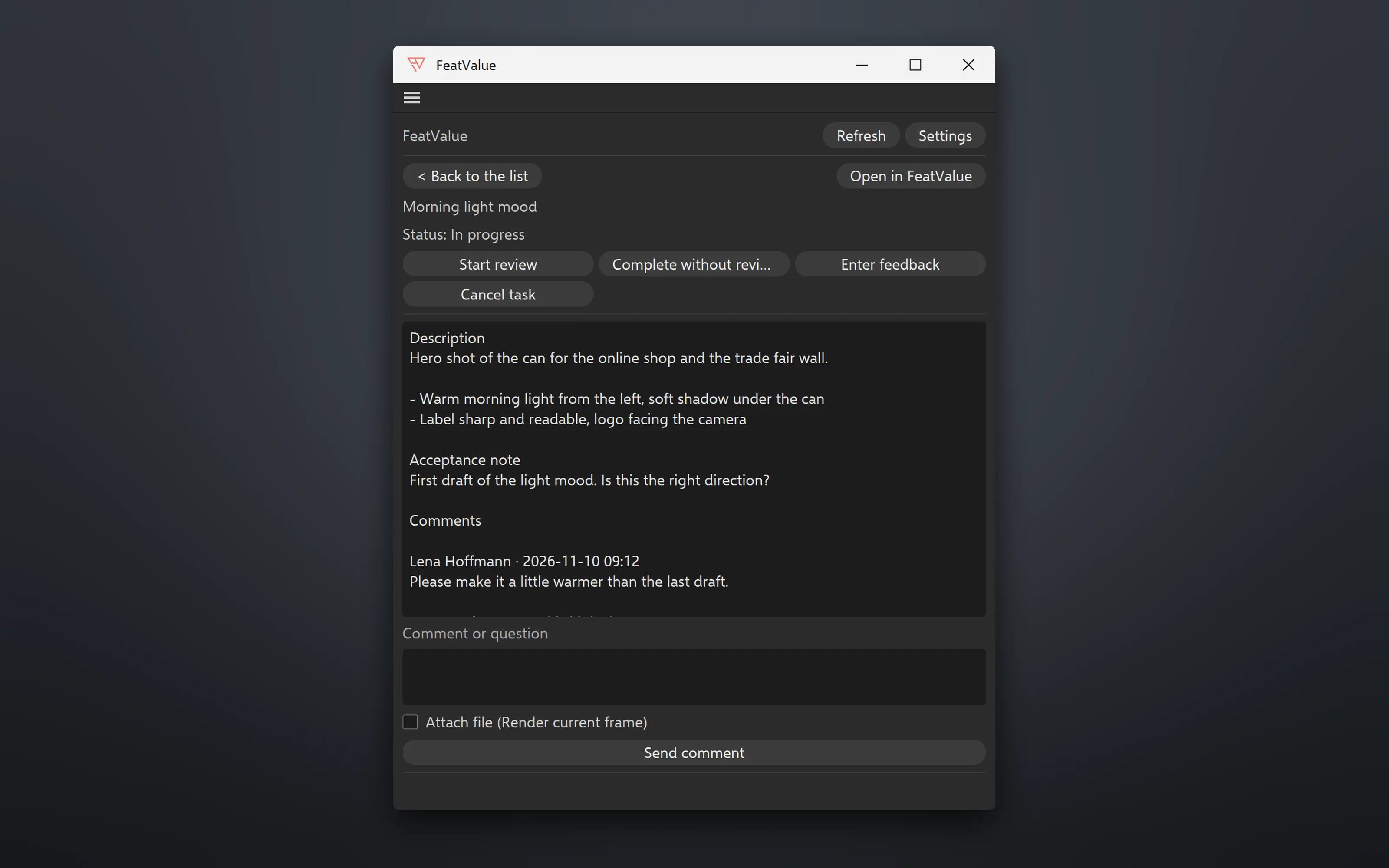
In the task you read the description, the acceptance note and all of your client’s comments. Write questions right in the plugin, with the current frame or a file attached if you like. Change the status with the same buttons as in FeatValue, for example to In progress.

FeatValue window in Cinema 4D: open task with status buttons, description and comments
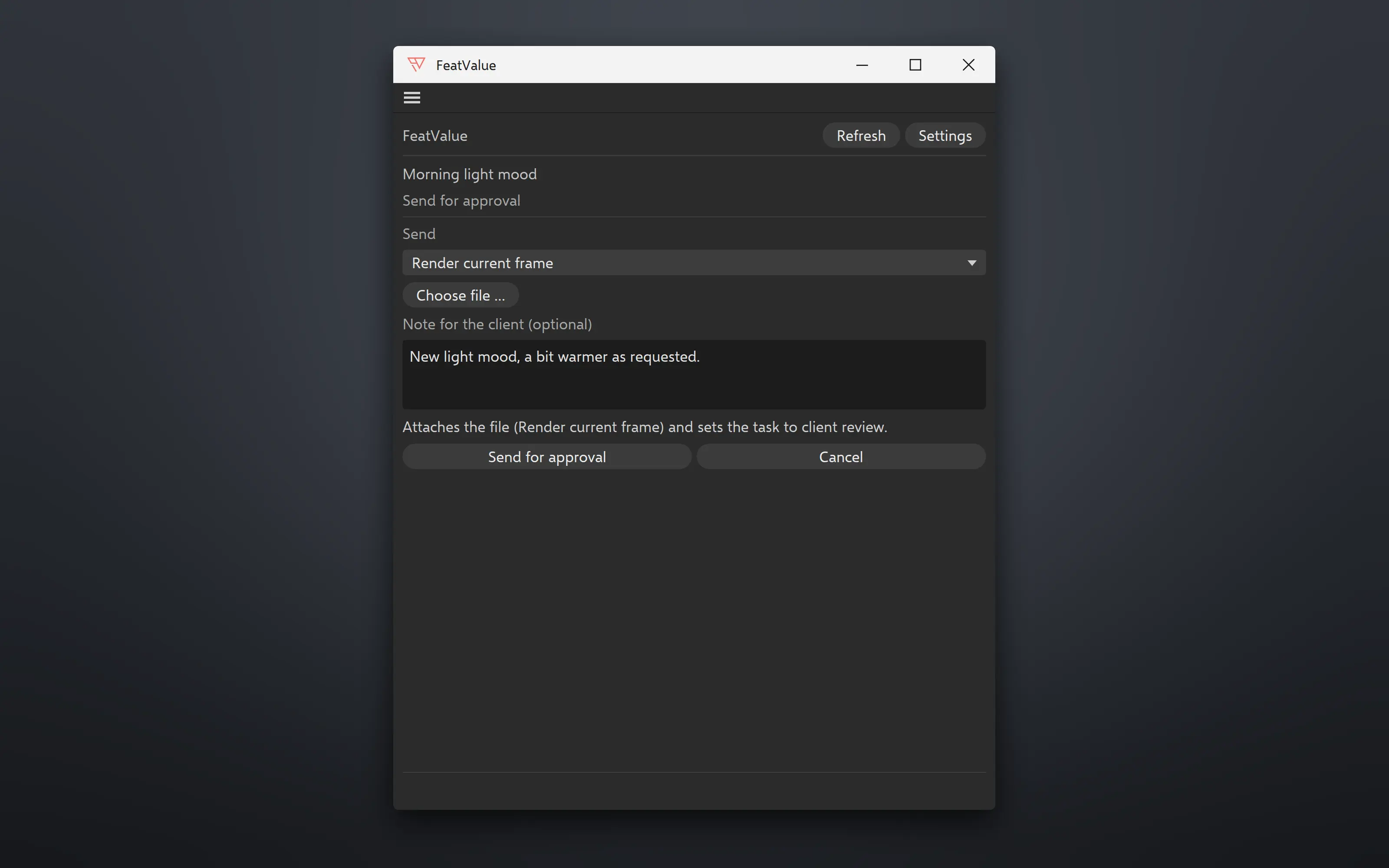
FeatValue window in Cinema 4D: Send for approval step with Render current frame and a note for the client

Approval

Send a render or the finished video for approval

Under Send for approval you choose what your client should review: the current frame of the scene, which the plugin renders for you, or a finished file, for example the rendered animation as a video. Add a note to tell your client what to look at. The plugin attaches the file to the task and sets it to client review.

In the background

Keep working while the plugin renders and uploads

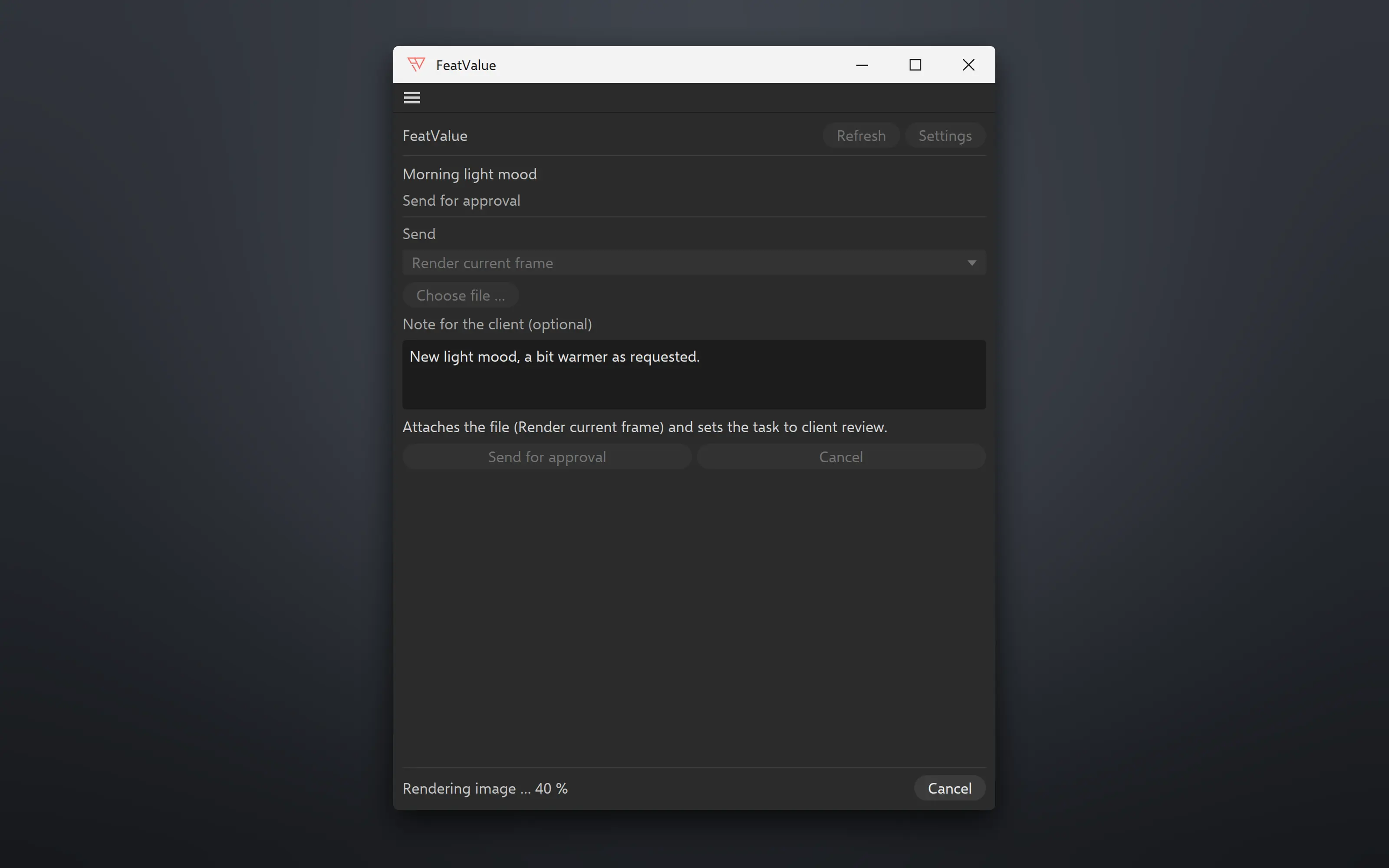
Rendering and uploading run in the background, and Cinema 4D stays usable. The plugin renders the scene as it was when you clicked, shows the progress in the window, and Cancel stops it. For quick feedback rounds it renders with the renderer and settings of the scene, just at most 1280 pixels wide. For final approval, switch to the full render settings in the settings.

FeatValue window in Cinema 4D while rendering: Rendering image 40 % with Cancel
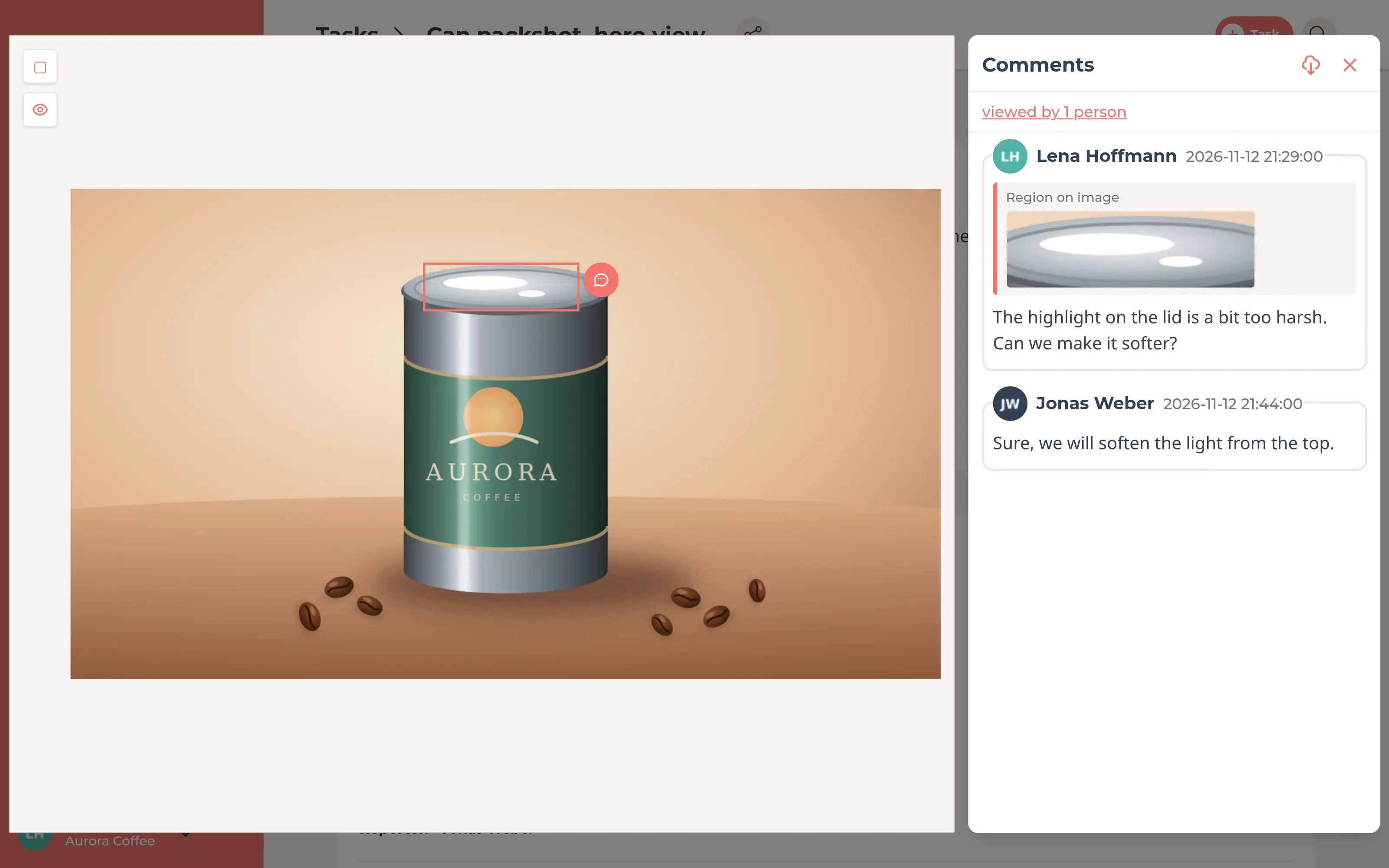
Rendered image in FeatValue in the browser with the client’s comment on a marked area

Approval in the browser

💎

Your client reviews in the browser and approves

Your client opens the render in FeatValue and comments right where it matters: on a marked area of an image, or on a video with a timestamp and, if needed, a drawing on the still frame. They do not need a Maxon account or Cinema 4D. Once the task is in review, they approve it with one click or request changes. Learn more in the file comments documentation and under Review and acceptance.

Set up in minutes

How to connect Cinema 4D to FeatValue

You will find every step in detail in the plugin documentation. The plugin uses the language of your Cinema 4D.

1

Sign up for free

Create your FeatValue account above and set up clients and projects, or import them from your project management tool.

2

Install the plugin

Download the plugin as a ZIP file and unzip it. In Cinema 4D, open Edit, Preferences and click Open Preferences Folder…. Copy the featvalue folder into the plugins subfolder and restart Cinema 4D.

3

Open the window and connect

Choose FeatValue in the Extensions menu and click Connect to FeatValue. You sign in in your browser, so you never enter a password in the plugin. Then choose the client and project.

Stefan Wienströer

Free setup

We connect Cinema 4D for you – for free

No time for the setup? We connect Cinema 4D, design your portal and set up your workflows. Free of charge, for every plan.

Book a free call More about the free setup

Start now with FeatValue and Cinema 4D

Try it for free, install the plugin and send your next render for approval right from Cinema 4D.

No credit card required. Cancel anytime.

Maxon and Cinema 4D are trademarks or registered trademarks of Maxon Computer GmbH. FeatValue is an independent offering and is not endorsed or sponsored by Maxon. The plugin requires a FeatValue account (free plan available) and Cinema 4D 2024 or later on Windows or macOS.

Privacy Policy • Imprint • Terms and Conditions