Connect your project management tool
In about 15 minutes you install your project-management tool under Apps, grant access and import clients and projects.
What you will have at the end
- A connected project-management tool: its card under Apps shows Settings or already installed
- Imported clients and projects, if you chose to import
- The item Connect project management app closed on Complete setup
Before you start
- An agency account with access to Apps
- An account with admin rights in the tool you connect, for example Jira, Asana or ClickUp
- If the onboarding wizard already connected your tool, its card no longer shows Install. You can skip this guide then.
Steps
-
Open Apps
Click Apps in the left sidebar. Each card shows a tool with a short description and the matching action: Install for a new tool, Settings or already installed for a connected one. Details: Connecting apps.
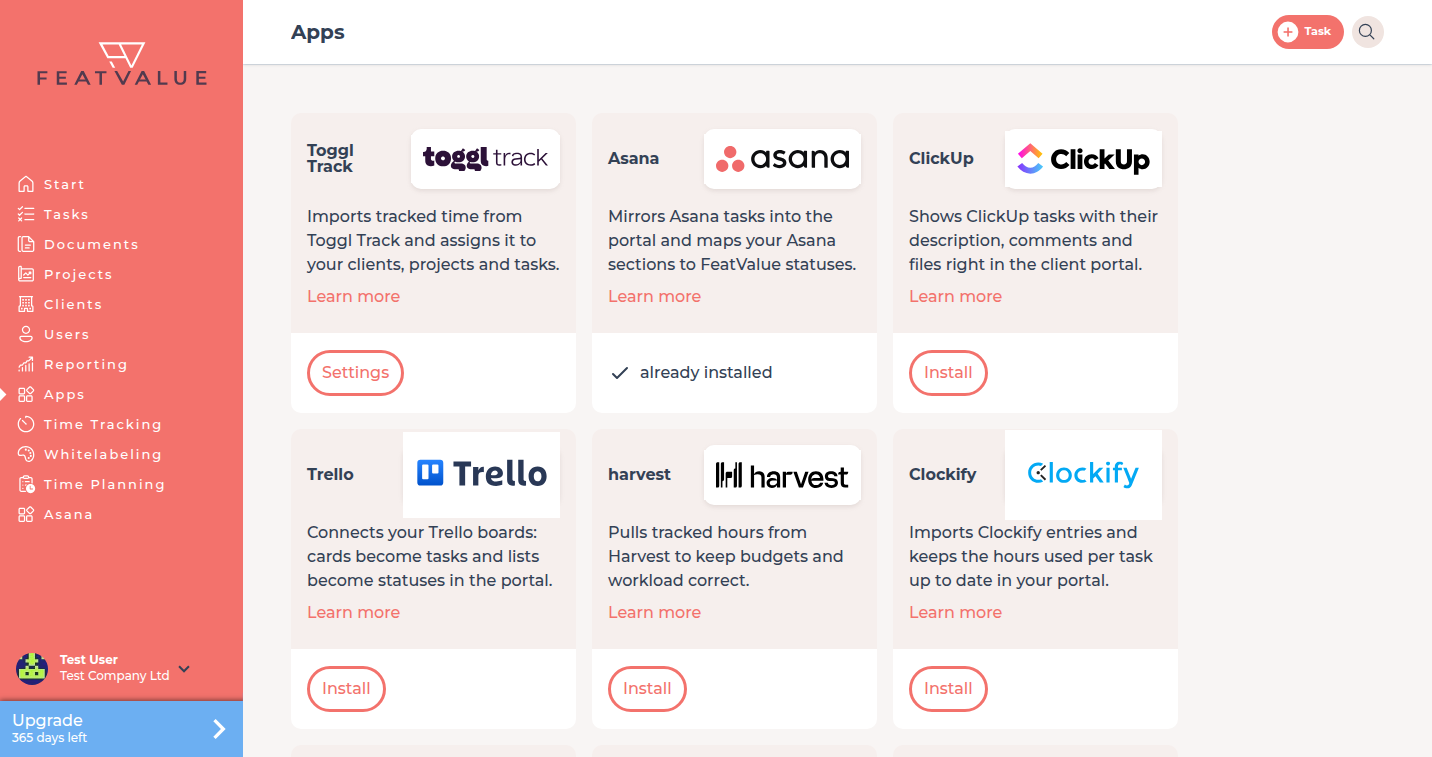
Connect your project-management tool under Apps. -
Install the tool
Click Install on your tool’s card, for example Jira or Asana. FeatValue opens the setup of that integration.
-
Grant access
On App access you read that the app wants to access your FeatValue data. Click Grant access. Then sign in to the tool or enter the token it asks for.
-
Import clients and projects
Import all clients, selected clients or none. Then link projects, set the FeatValue statuses and assign clients. Wait until Import in progress finishes. How statuses line up: Status mapping.
-
Check the project list
Click Projects in the left sidebar. Imported projects appear with owner and open tasks. A diamond marks a premium project.
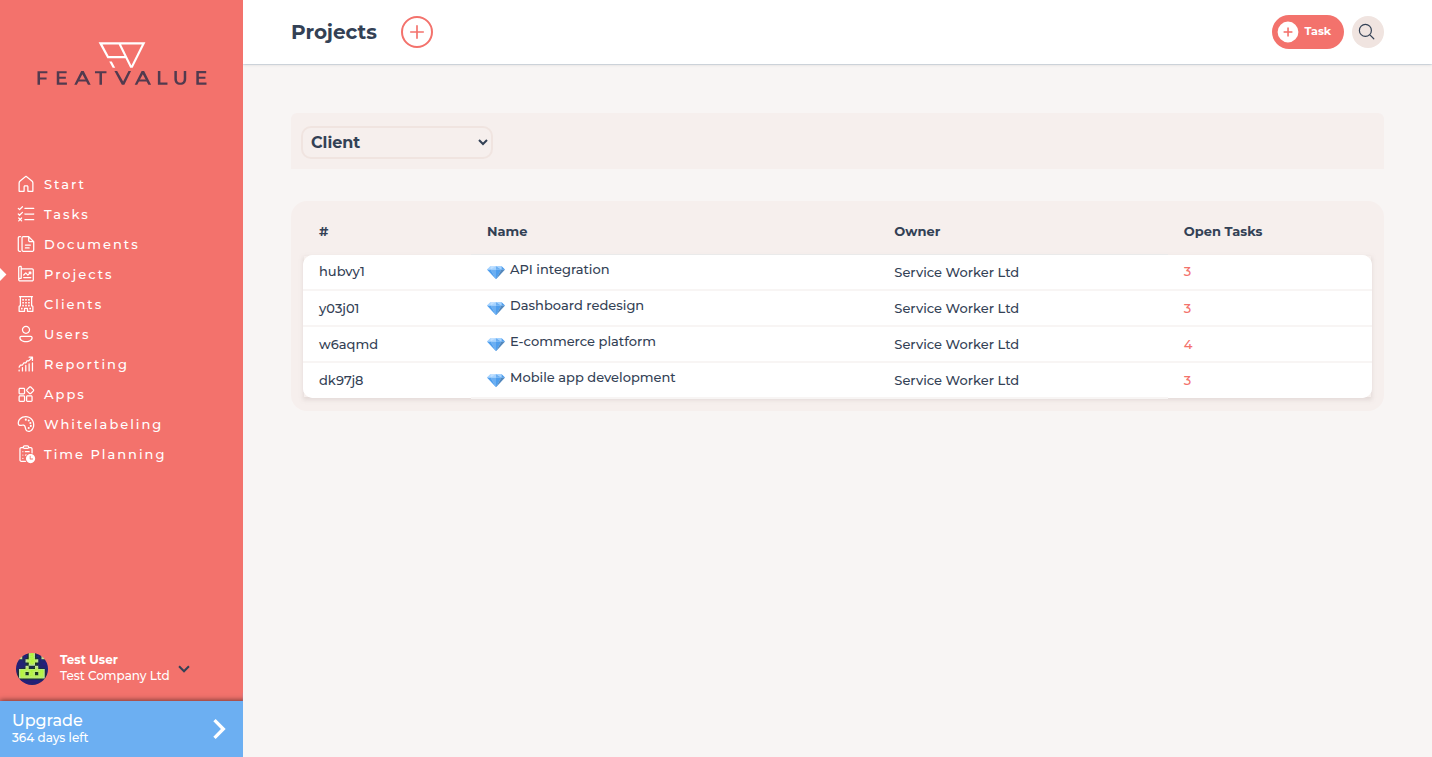
The Projects list after the import.
Check your result
Your tool’s card under Apps shows Settings or already installed. Complete setup no longer lists Connect project management app as open.
Next steps
- Invite your first client if your clients’ team members are still missing
- Set up your review workflow
- Connecting apps for options and troubleshooting
Your question has not been answered?
We will be happy to help you. You can send us an e-mail or arrange a video conference: