Get your first client portal running
In about 20 minutes you register your agency, finish or skip the wizard, work through Complete setup and open the dashboard of your client portal.
What you will have at the end
- An agency account you can sign in to
- A first project — imported or created manually
- The Complete setup checklist in the sidebar
- The dashboard as your start page after login
Before you start
- A work e-mail address whose inbox you can open
- A company or team name for your agency
- Read What is FeatValue if the roles agency, client and service provider are new
Steps
-
Register your agency
Open sign-up, enter your e-mail address and click Register, or use Sign in with Google. FeatValue shows You have mail! and sends you a confirmation link. Follow the link in the e-mail. Enter Your name, optionally Your company / team name, and choose a password of at least 8 characters. Details: Registration and login.
-
Finish or skip the wizard
Click Let's start! on Welcome to FeatValue. Choose Yes to connect a project-management app and import clients and projects. No or Skip ends the whole wizard, not just that question. It does not start again later. Without an import, FeatValue creates a premium own project named after your company. Details: Onboarding wizard.
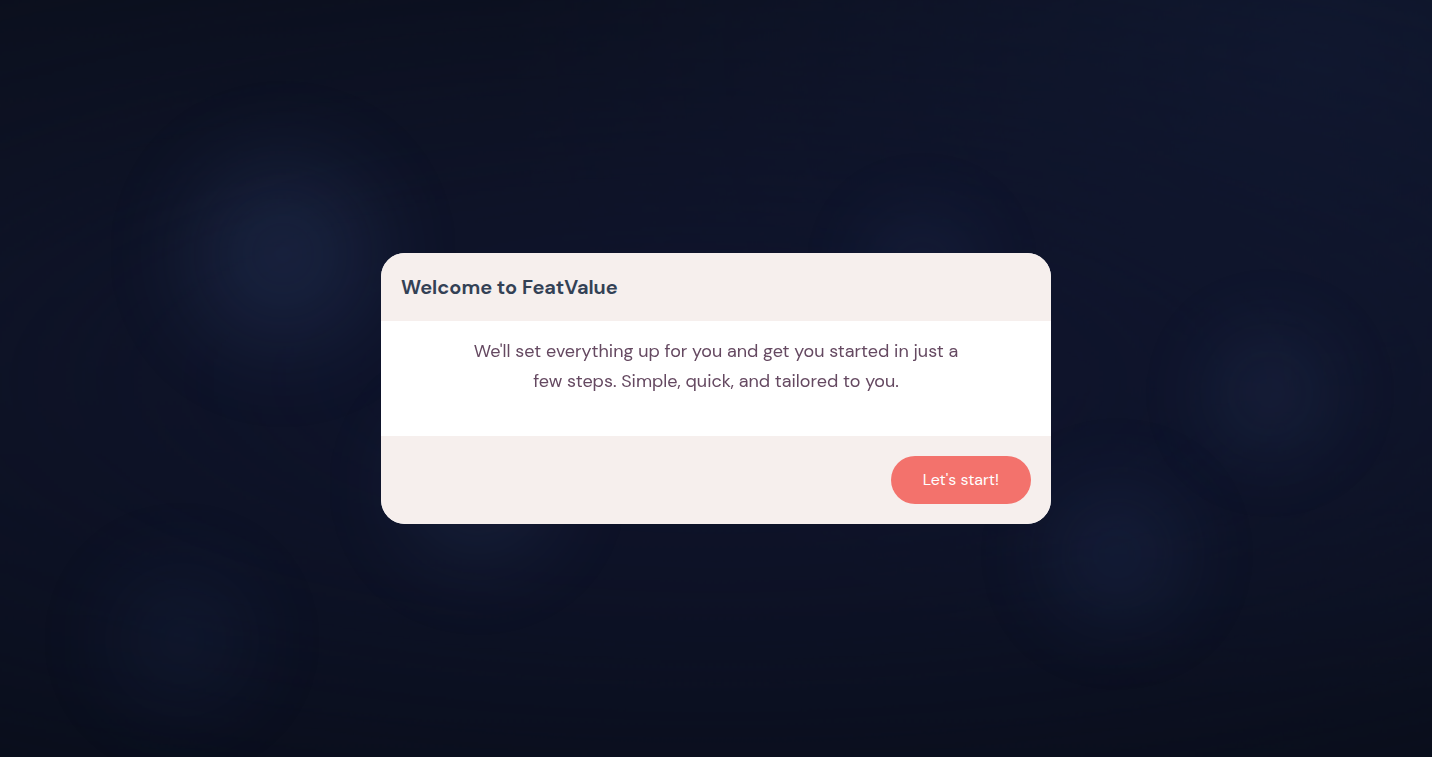
The wizard starts with Welcome to FeatValue. -
Open Complete setup
Click Complete setup at the top of the left sidebar. The page lists the remaining first steps, such as inviting a client, inviting colleagues or customizing your portal. The top shows your progress, for example 1 of 7 completed. Work through the items you need now; the other guides cover the rest. Details: Setup checklist.
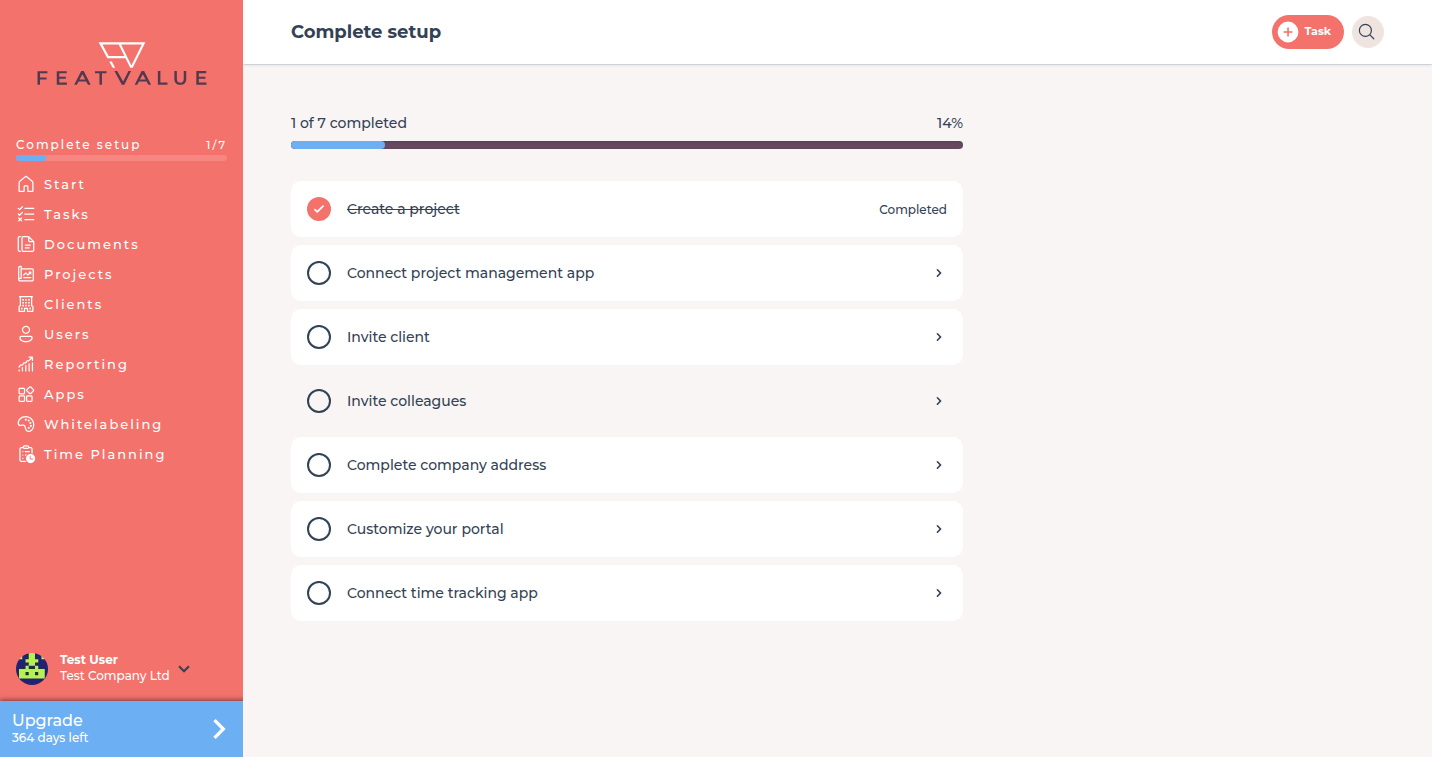
Complete setup lists the items after the wizard. -
Open the dashboard
Click Start in the left sidebar. The dashboard shows your tasks in columns such as Open, In Progress, In review and Finished. If your company is not on a paid plan yet, the first finish of onboarding grants a 10-day Pro trial with 100 premium projects. Details: Dashboard.
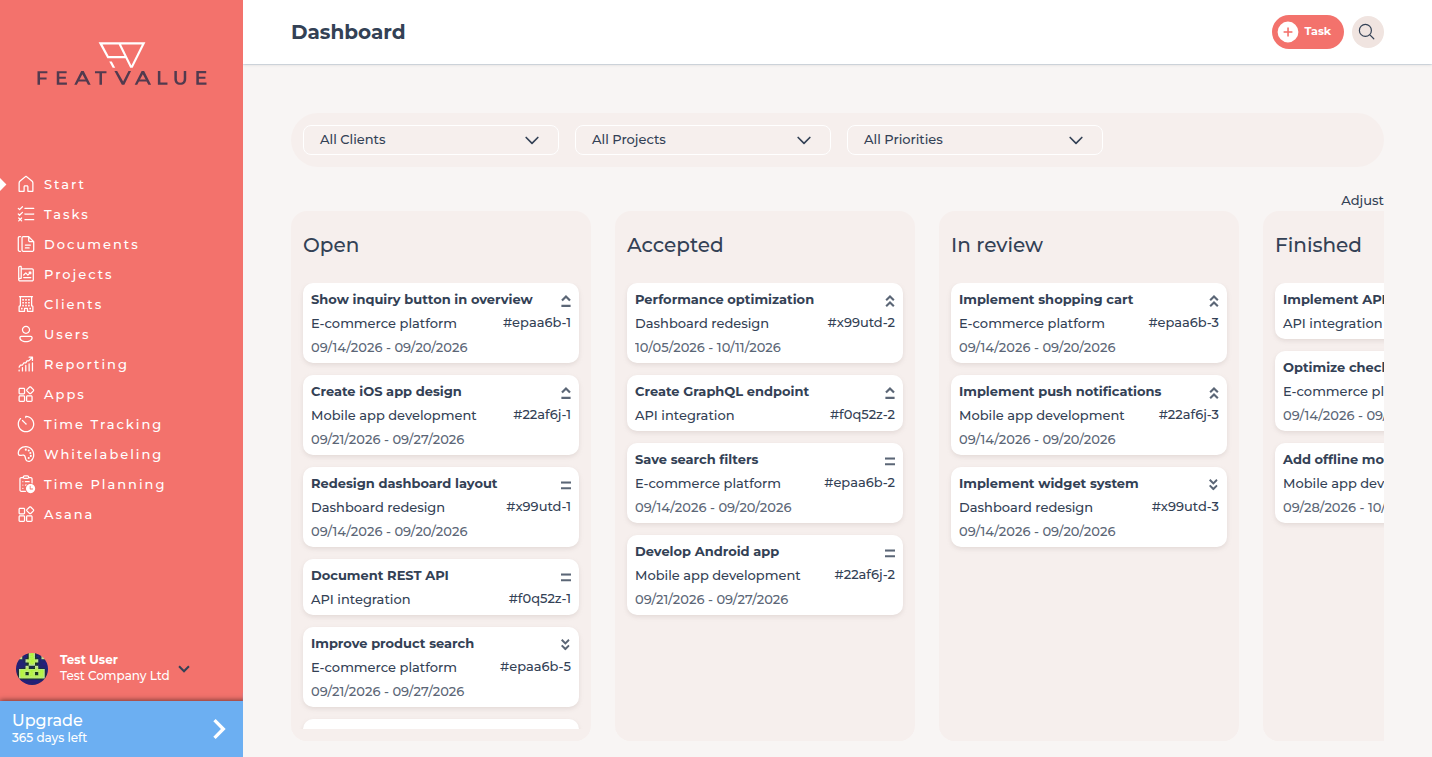
The dashboard of the demo agency after login.
Check your result
You can sign in with Email and Password or with Google, and the dashboard loads. The Projects list contains at least one project. Complete setup stays in the sidebar until every item is done.
Next steps
- Connect your project management tool if you skipped the wizard
- Invite your first client
- Setup checklist for every remaining item
Your question has not been answered?
We will be happy to help you. You can send us an e-mail or arrange a video conference: