Connect GitHub with FeatValue. Pull requests, GitHub Actions runs and deployments appear on the matching task, and your client sees in plain words whether their change is in progress, on staging for testing or live. FeatValue answers “Is this online yet?” for you.
Start free. No credit card. Set up in minutes.
FeatValue: your client portal with tasks, approval and project status
GitHub: code, pull requests and GitHub Actions, as before
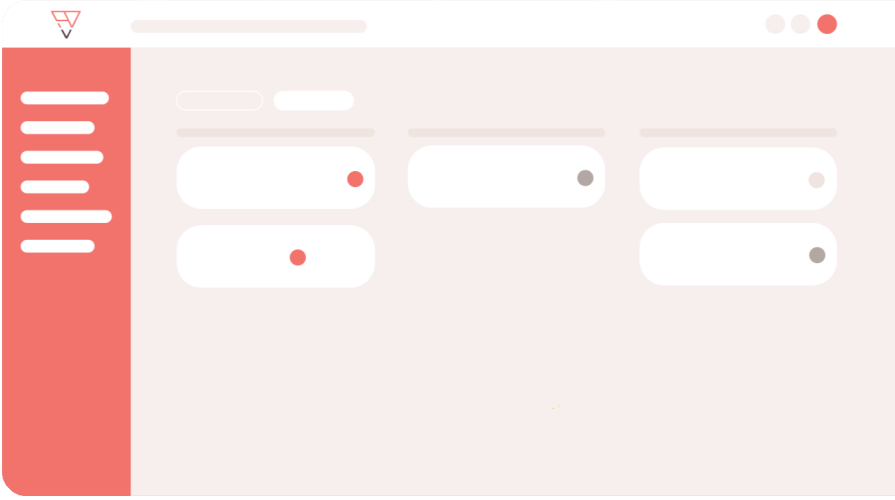
For your clients
Every task shows in plain words how far it is: in progress, on staging for testing or live. Your client does not need to know anything about Git. For each project you decide whether they see nothing, this simple status or more details.
Fewer follow-up questions
As soon as the pull request is merged, GitHub Actions passes or the change reaches an environment, FeatValue writes it to the task history. Your client is notified like for any comment, and you no longer need to send status emails.
Testing
Once the change is on staging, the link to the environment sits right on the task. Your client clicks “test it here”, checks the change and approves the task without asking for an address. How approval works is explained under review and approval.
For your team
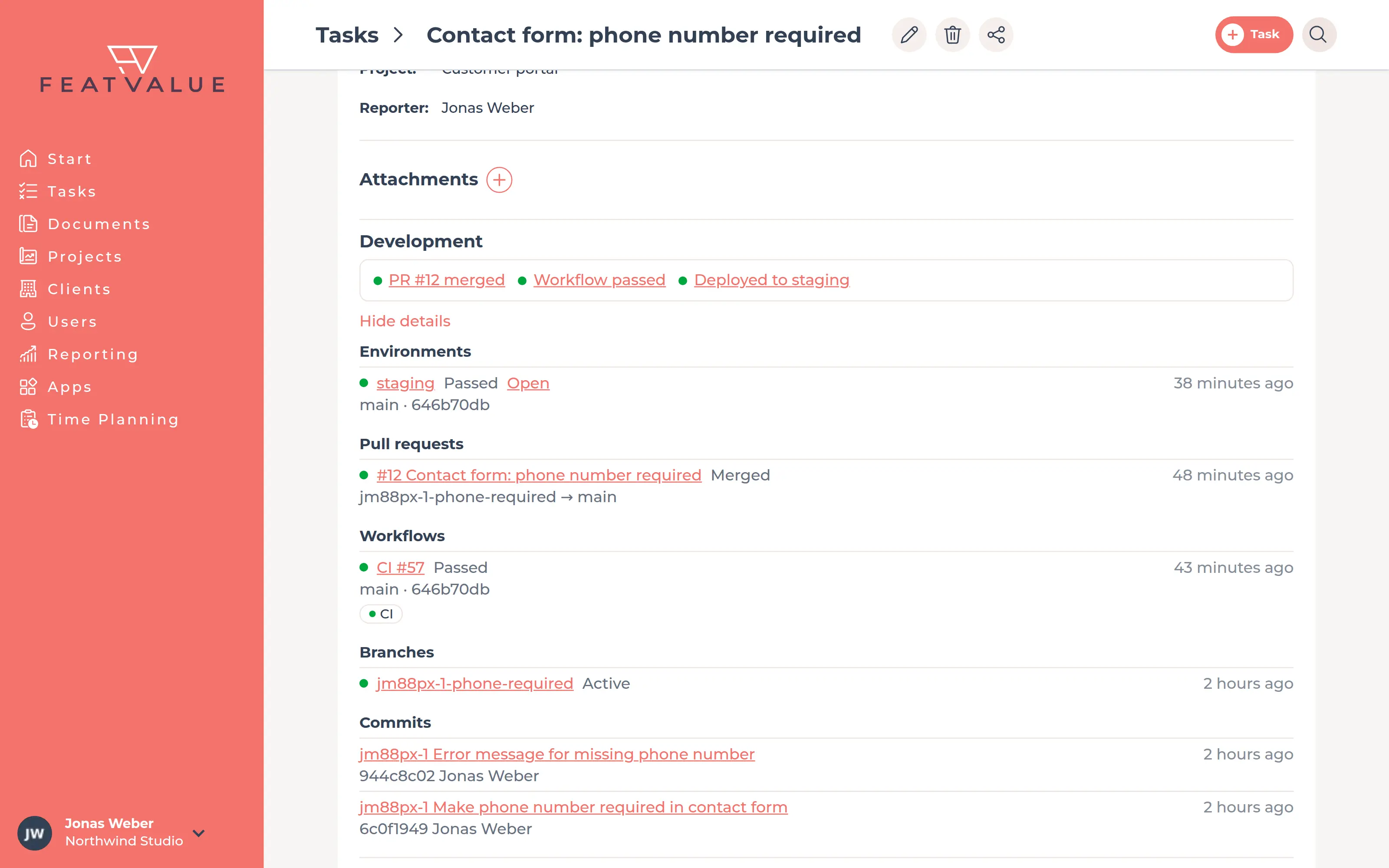
Put the task ID in the branch name, the commit message or the pull request. FeatValue links everything to the right task and shows one compact line. Expanded, you see workflow runs with their jobs, environments and commits. The project shows what runs on which environment.
Release after deployment
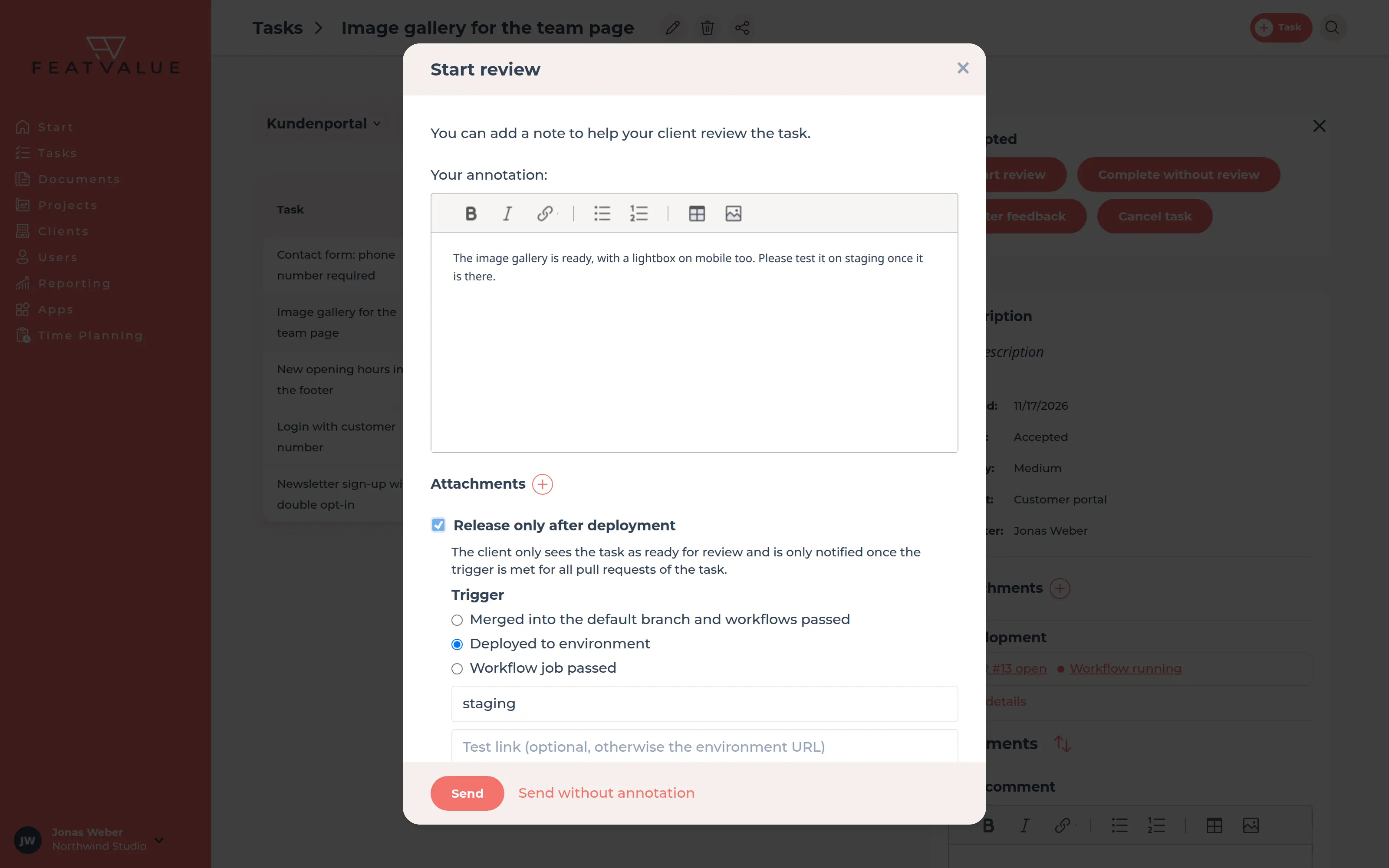
💎When you start the review, tick Release only after deployment. Your client only sees the task for review and is only notified once the change has arrived: merged with passing workflows, deployed to an environment such as staging or after a specific workflow job.
GitHub Actions
💎When a GitHub Actions run fails, for example because of a flaky test or a timeout, re-run the failed jobs right in FeatValue. For each project you choose which workflows appear there, and if you like, your client may trigger the re-run too.
CI #58
Set per project
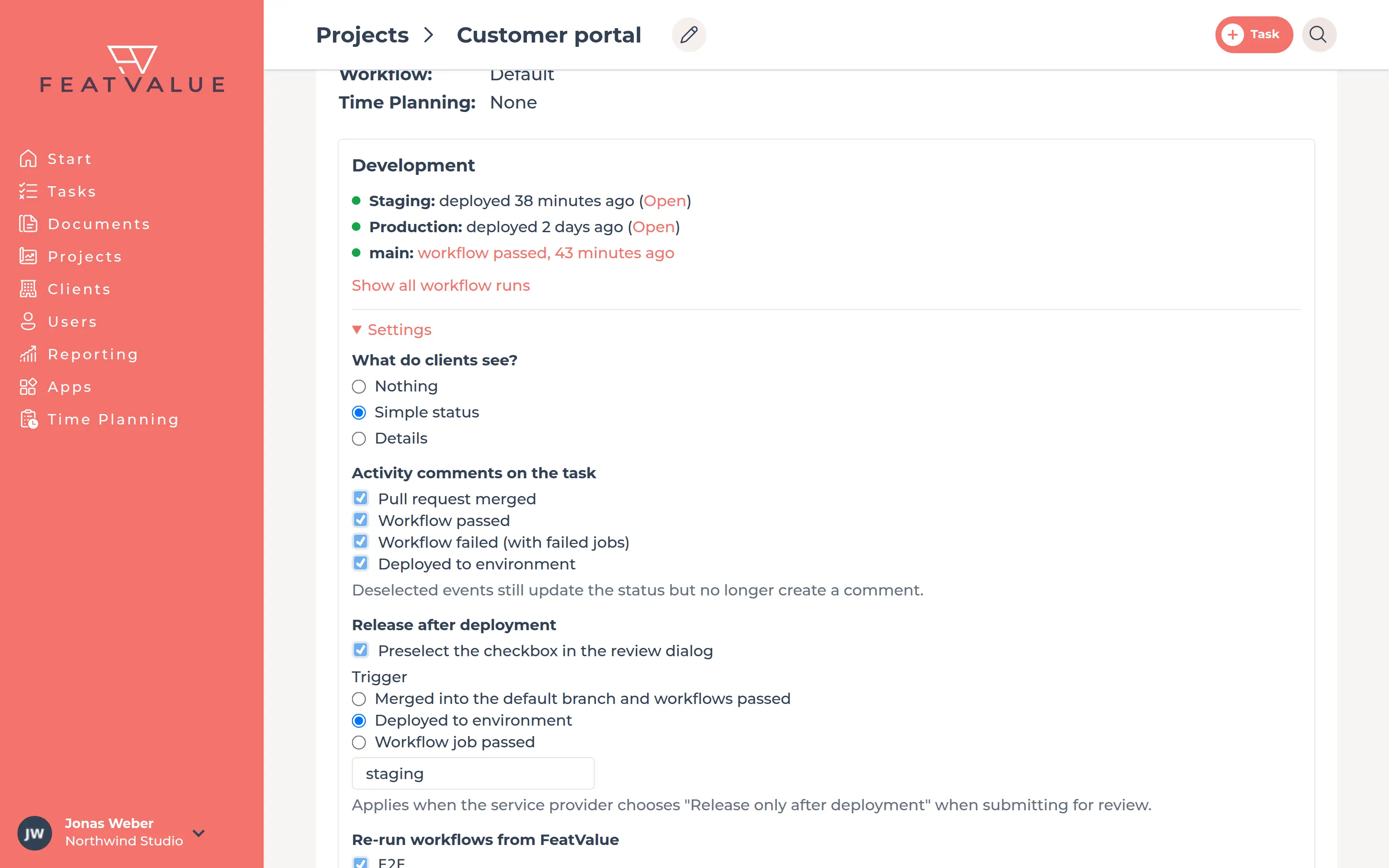
In the project, the settings of the Development section let you choose which events appear as an activity comment on the task: pull request merged, workflow passed or failed, deployed to an environment. There you also decide what your client sees, when tasks are released after deployment and which workflows can be re-run from FeatValue.
Without switching tools
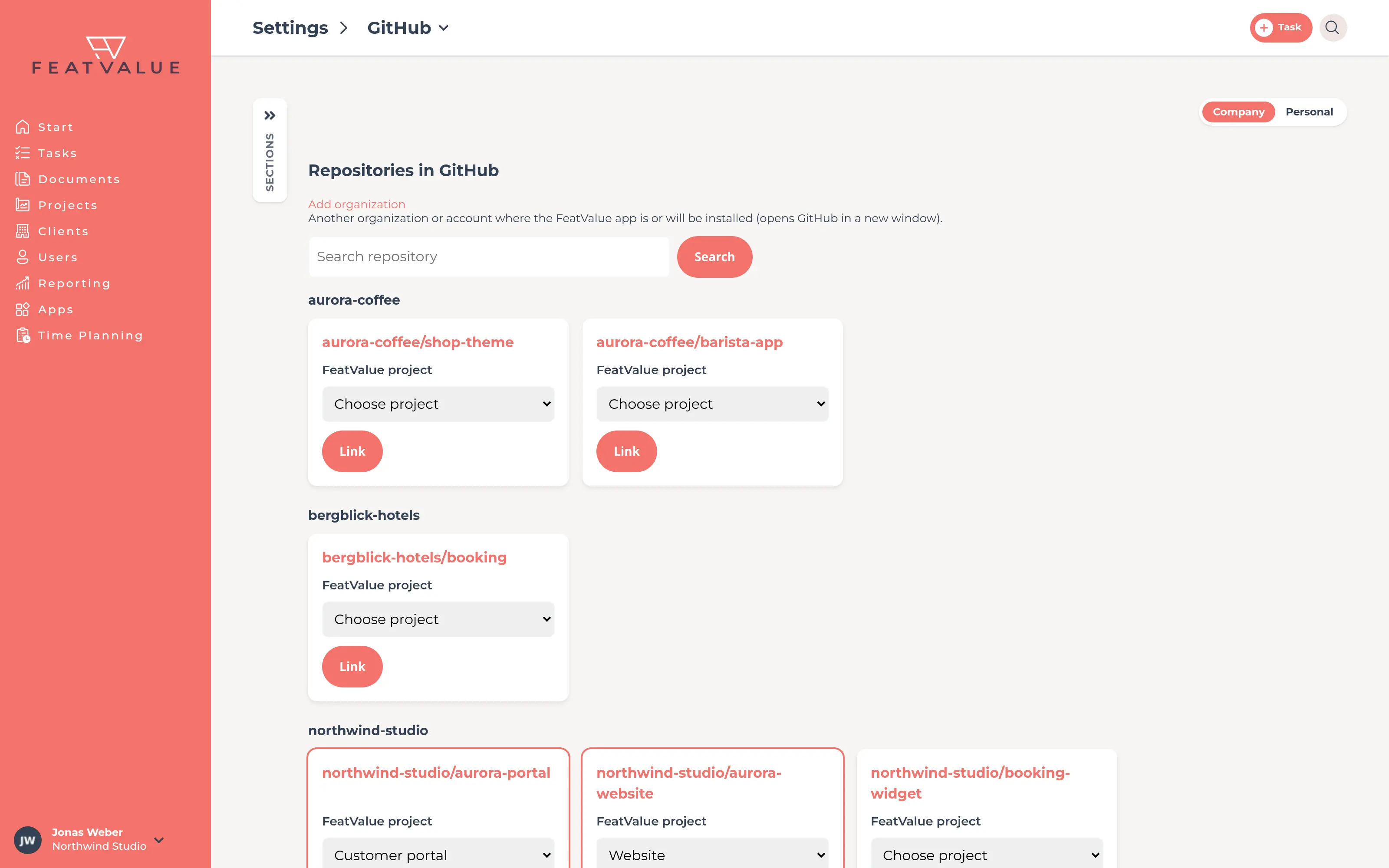
Under Settings › Company › Integrations & apps › GitHub you find the page Link repositories. It lists all repositories of your connection, sorted by organization. You link each one to a FeatValue project, and you do not need to set up any webhooks. With Add organization you add further organizations.
Set up in minutes
For accounts and organizations on github.com. Only repositories you grant access to and link reach FeatValue.
Create your FeatValue account above and invite your first client to their project.
Under Apps, choose GitHub. You install the FeatValue app on your account or organization and choose which repositories it may see. Then link each repository to its FeatValue project. There are no webhooks to set up.
Put the task ID in the branch name, for example abc123-4-contact-form. From then on, the status appears on the task. All steps are in the guide in the documentation.
Try it for free, connect GitHub and let your client check the next change on staging with one click. How it works is explained in the guide in the documentation.
No credit card required. Cancel anytime.
GitHub is a trademark of GitHub, Inc. in the United States and other countries. FeatValue is an independent offering and is not endorsed or sponsored by GitHub, Inc. The integration requires a FeatValue account (free plan available) and an account or organization on github.com.