Client portal basics
In about 8 minutes you learn how to sign in to your agency’s FeatValue client portal and open tasks and documents there.
What you will have at the end
- Your own login for the FeatValue client portal
- An overview of the menu your agency set up for you
- A way to your company’s tasks and documents
Before you start
- An invitation from your agency by e-mail
- Access to the inbox the invitation went to
- This guide is for your clients’ team members. Agencies read Portal access.
Steps
-
Open the invitation link
Click the link in the invitation e-mail and set your password the first time. You do not need to register yourself. If you cannot find the invitation, ask your agency to send it again. Login help: Registration and login.
-
Sign in to the client portal
From then on, sign in with Email and Password. If your agency has embedded the portal in its website, you can also open it there.
-
Get to know the menu
After login you see the client portal with your agency’s logo and colors. The menu contains the items your agency enabled for clients, such as Tasks, Documents and Projects. What you may change on a project is up to your agency.
-
Open your tasks
Click Tasks. The list shows the work you discuss with your agency and accept. Click a row to see the description, comments and attachments. When a task is In review, you approve it there or request a revision.
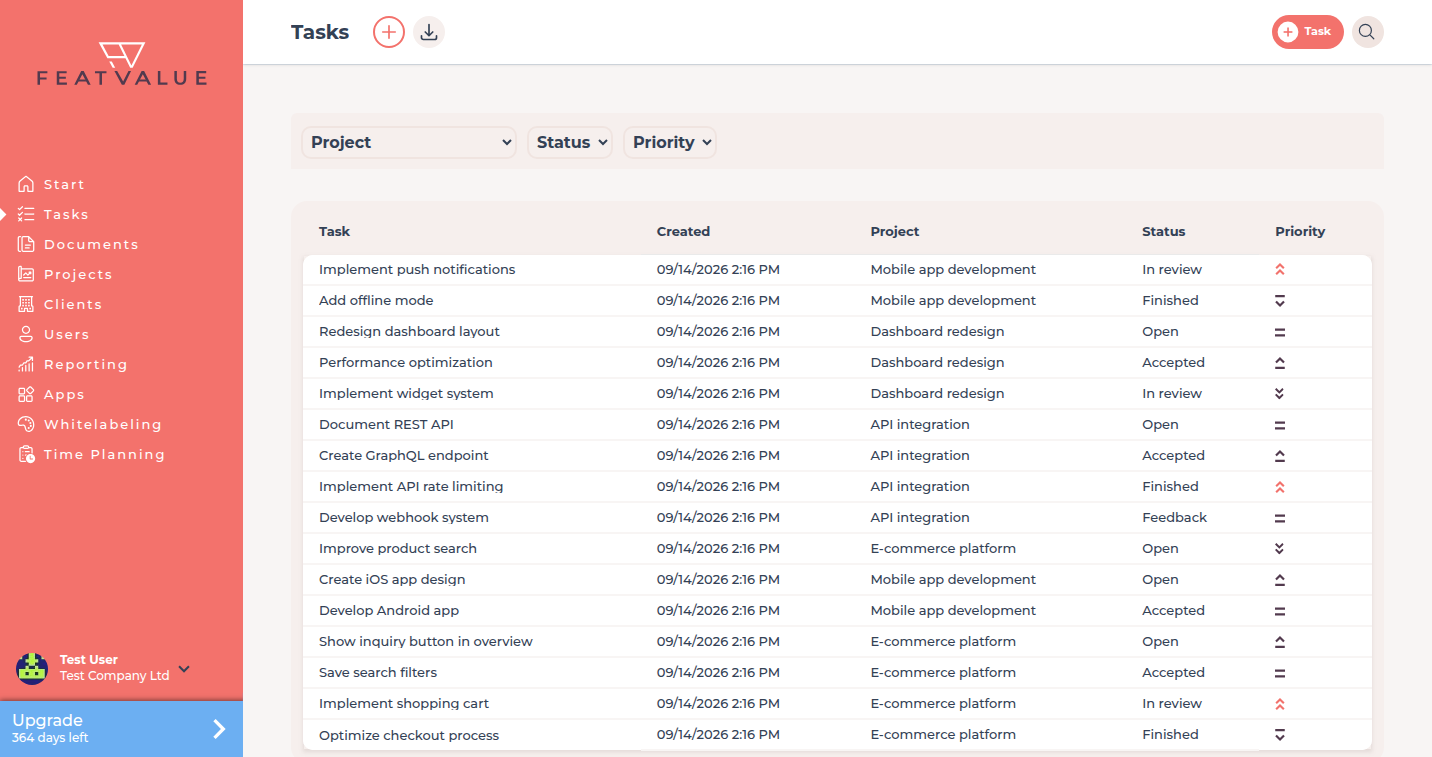
Open any task from the Tasks list with one click. -
Open shared documents
Click Documents. It holds the folders and files your agency shares with your company or your projects. Open a PDF to read and comment. Depending on the plan, you fill in forms directly and sign them. Overview: Documents overview.
Check your result
You are signed in to the FeatValue client portal and see your agency’s menu. You can open at least one task or document your agency shares with you. If projects or menu items are missing, contact your agency.
Next steps
- Review and approve tasks
- Weekly report if you receive Your weekly summary
- Notifications to choose your emails
Your question has not been answered?
We will be happy to help you. You can send us an e-mail or arrange a video conference: