FeatValue Adobe InDesign

Plugin for Adobe InDesign Work on client tasks without leaving Adobe InDesign

The FeatValue plugin opens as a panel in Adobe InDesign. There you see the open tasks of the client project with description, attachments and comments, change the status and send the current version as PDF for approval. Your client reviews it in the client portal and comments right on the design.

Start free. No credit card. Set up in minutes.

FeatValue: your client portal, where clients review and approve designs

Adobe InDesign: your workspace, with tasks and feedback in a side panel
Adobe InDesign – FeatValue
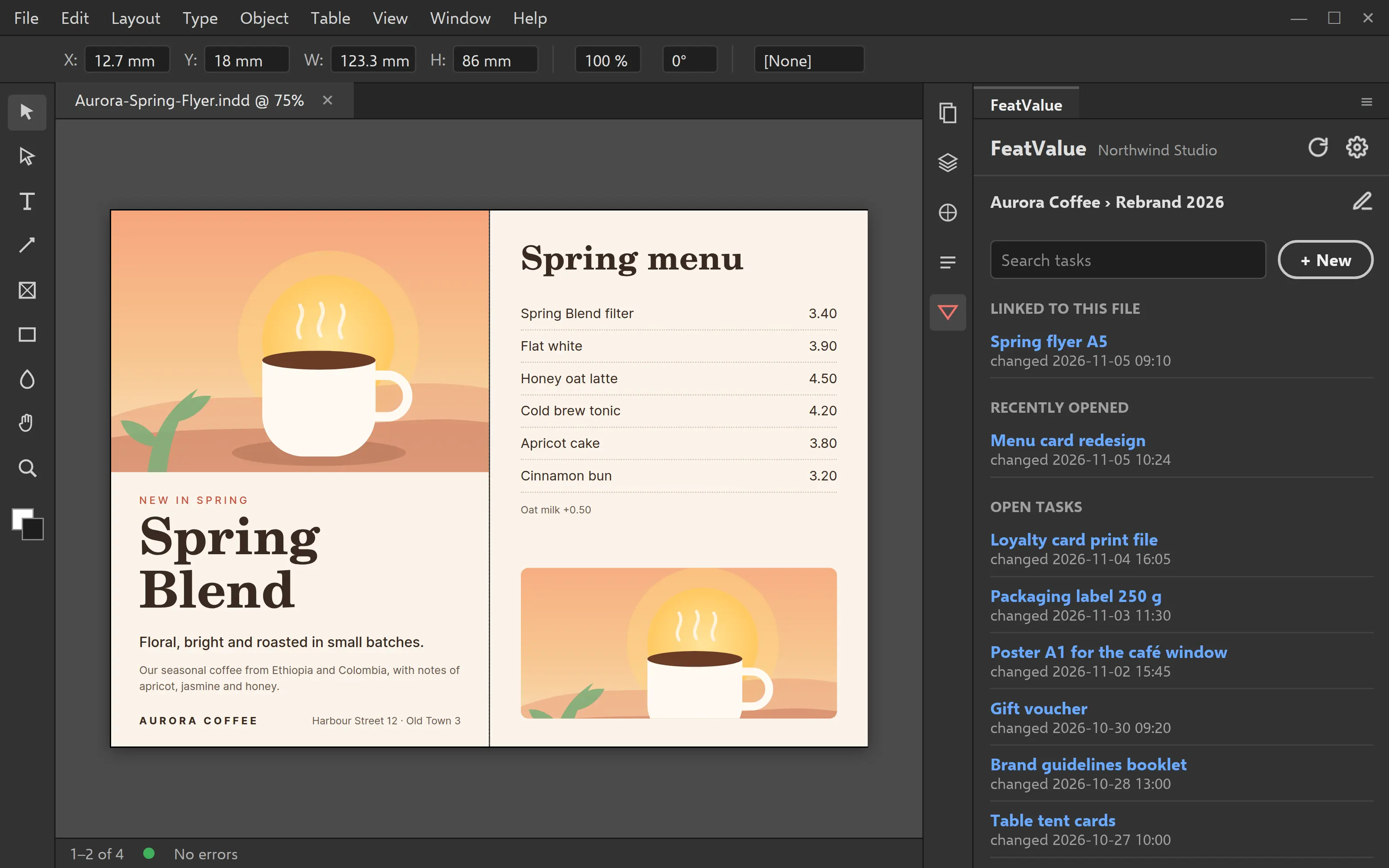
Panel in Adobe InDesign with client, project and the list of open tasks

Task list

The project’s open tasks next to your document

Choose client and project, and the plugin remembers your choice for each file. If a project is missing, create it right in the plugin. Below you see the open tasks, most recently changed first, with search. Tasks that belong to this file are at the top. If your project management tool is connected, for example Asana or Trello, you open the task there with one click.

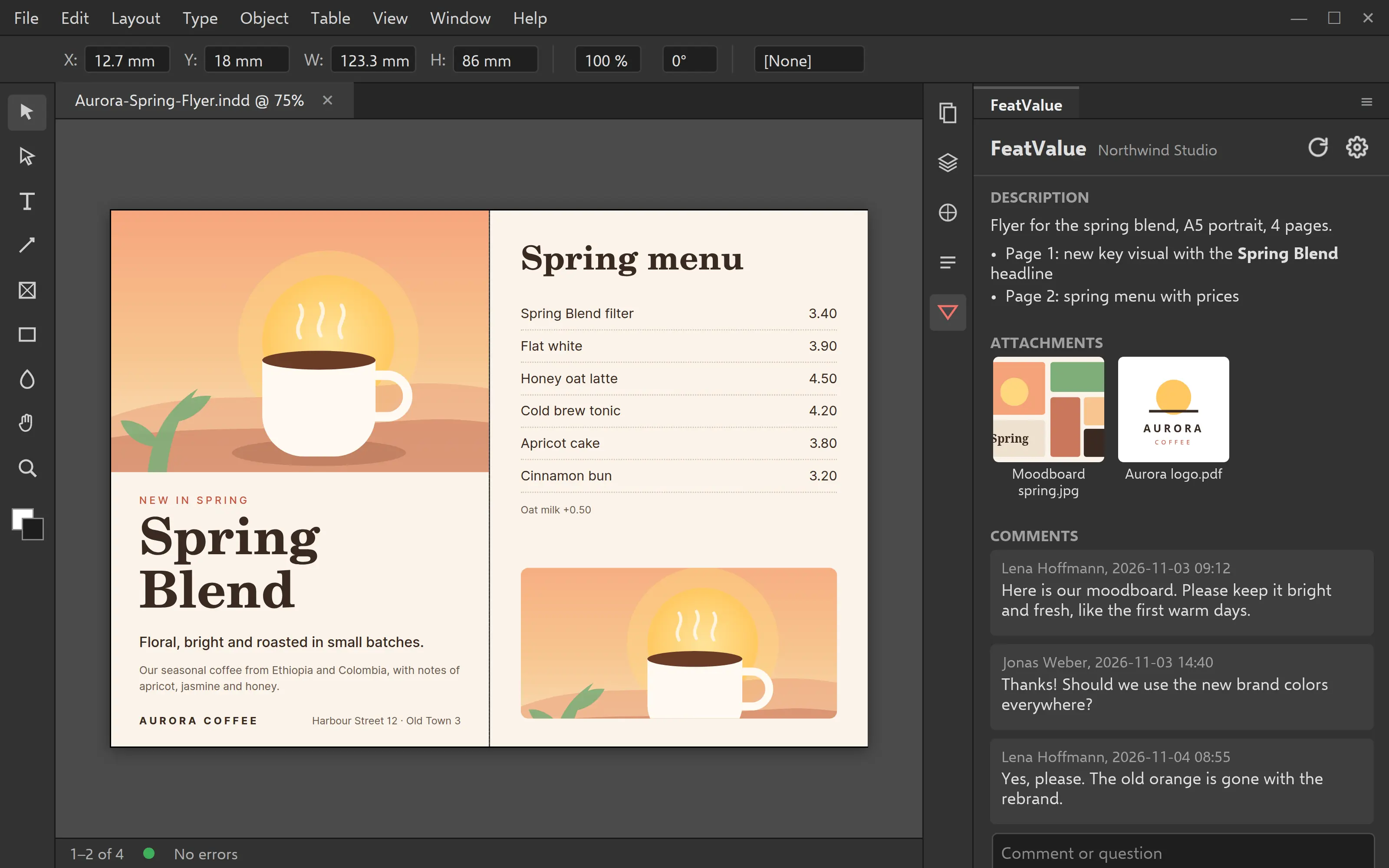
Brief and feedback

Description, attachments and comments without switching apps

Inside a task you see the description, attachments as thumbnails you can enlarge, and all comments. You ask questions right in the plugin, and a preview of your document is attached by default. You change the status just like in FeatValue, for example to In progress.

Task opened in the plugin with description, attachments and comments
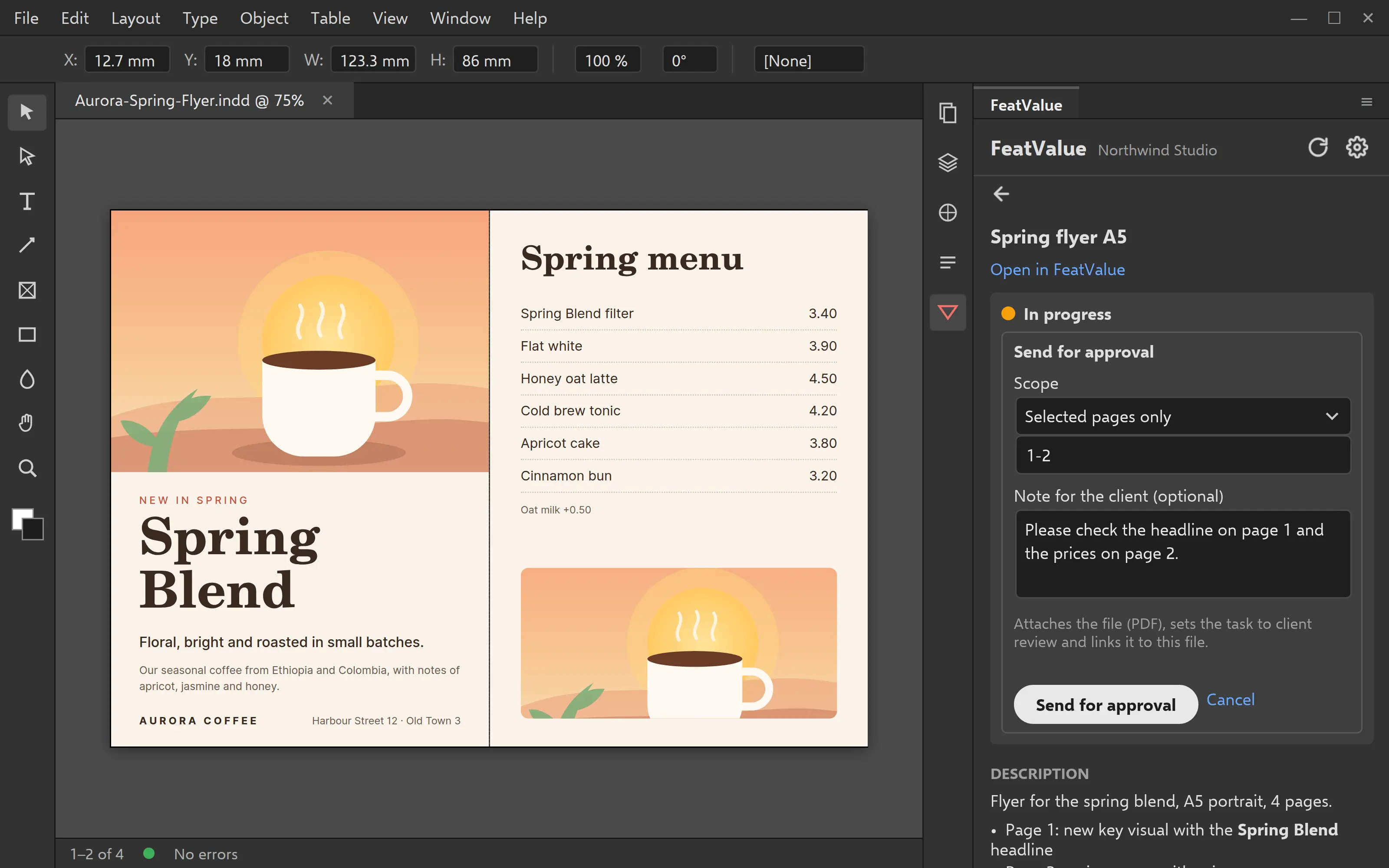
Sending for approval in the plugin with export options and approval note

Approval

Send the current version for approval

The plugin exports the whole document or a page range as a PDF and attaches it to the task, together with the INDD file if you like. The task moves to review, and an approval note tells your client what to check. The plugin also saves the link to the task in the document.

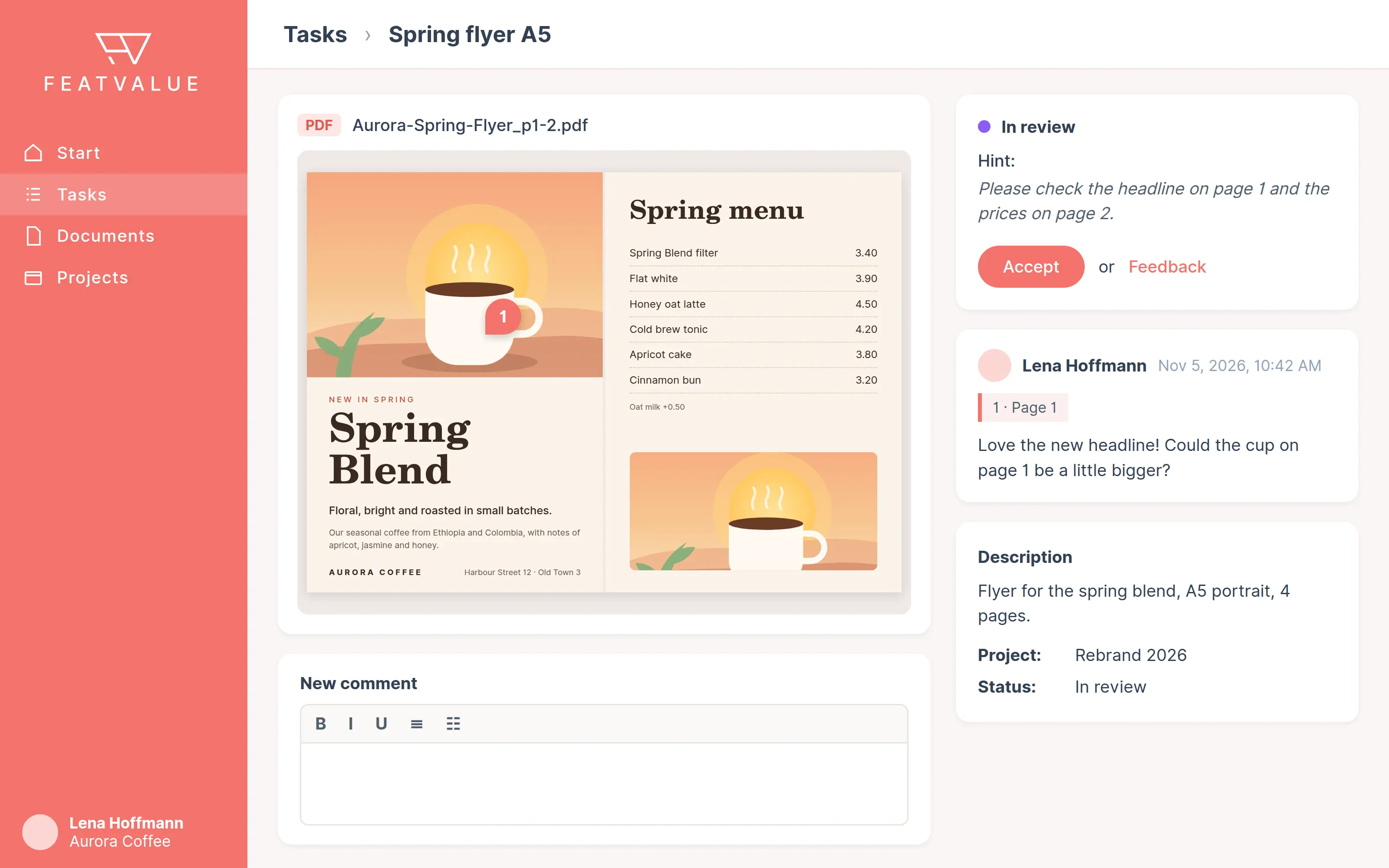
Client portal

Your client comments on the design and approves it

Your client opens the design in the client portal with your agency’s branding, comments right on the spot and approves it or asks for changes. No Adobe account needed. You see the feedback the next time you open the task in the plugin.

Client portal with the design, a client comment and the approval
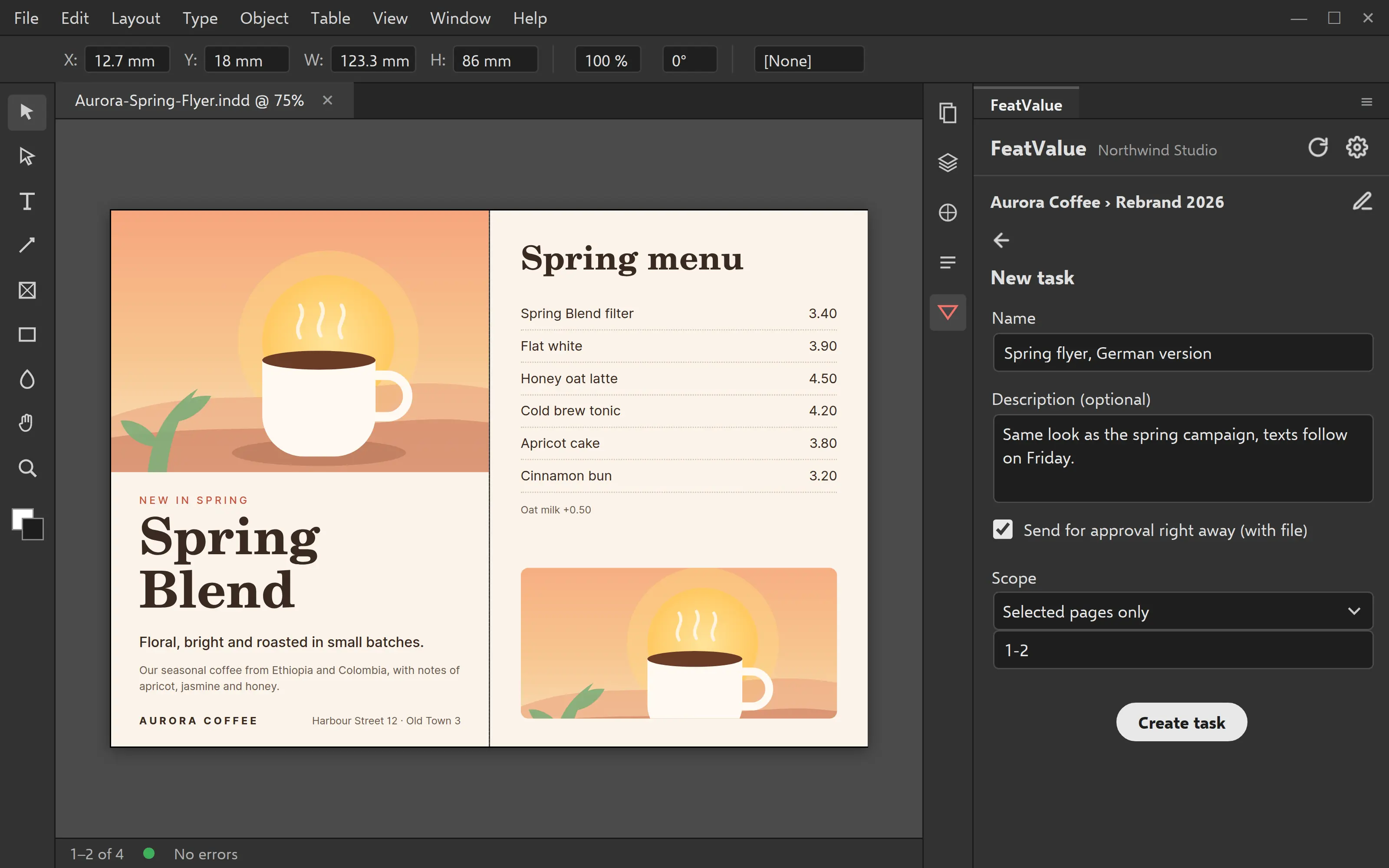
Form for a new task in the plugin

New task

Create new tasks right from the document

Notice something while you work that doesn’t fit any task? Create a new task in the project from the plugin, with title and description. It shows up in the project in FeatValue right away.

Set up in minutes

How to connect Adobe InDesign to FeatValue

The FeatValue plugin is also available for Adobe Photoshop.

1

Sign up for free

Create your FeatValue account above and set up clients and projects, or import them from your project management tool.

2

Install the plugin

Install the plugin from the Creative Cloud Marketplace. The Creative Cloud desktop app sets it up in Adobe InDesign.

3

Open the panel and connect

In Adobe InDesign, open the Plugins menu and choose FeatValue. Sign in once with your FeatValue account and choose client and project.

Stefan Wienströer

Free setup

We connect Adobe InDesign for you – for free

No time for the setup? We connect Adobe InDesign, design your portal and set up your workflows. Free of charge, for every plan.

Book a free call More about the free setup

Start now with FeatValue and Adobe InDesign

Try it for free, install the plugin and send your next design for approval right from Adobe InDesign.

No credit card required. Cancel anytime.

Adobe, InDesign and Photoshop are either registered trademarks or trademarks of Adobe in the United States and/or other countries. FeatValue is an independent offering and is not endorsed or sponsored by Adobe. The plugin requires a FeatValue account (free plan available) and Adobe InDesign.

Privacy Policy • Imprint • Terms and Conditions