FeatValue Figma

Figma integration for design agencies Client feedback on your designs, right on the Figma frame

Your clients view Figma designs live in the FeatValue client portal and comment there, without a Figma account. Their comments land on the frame in Figma automatically. On approval, FeatValue records which version was signed off.

Start free. No credit card. Set up in minutes.

FeatValue: your client portal, where clients review and approve designs

Figma: your workspace, where feedback arrives right on the frame
Figma – FeatValue
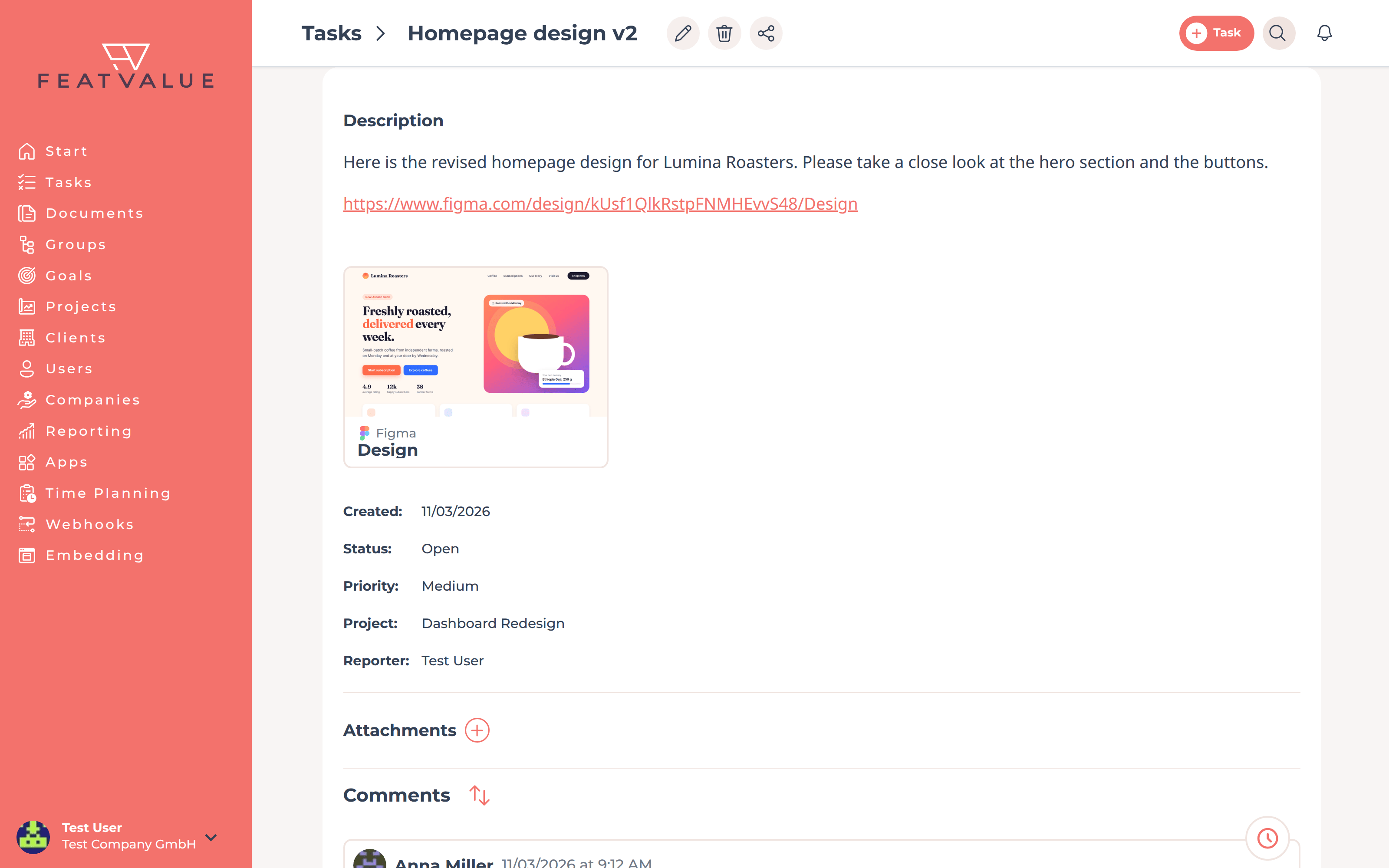
Figma card with thumbnail in a task

Preview

Figma links turn into cards with a preview

Paste a link to a Figma file or frame into a task description or a comment. FeatValue shows it as a card with a thumbnail and the file and frame name. Your client sees right away which design the task is about.

No Figma account

Your client sees the live design, without a Figma account

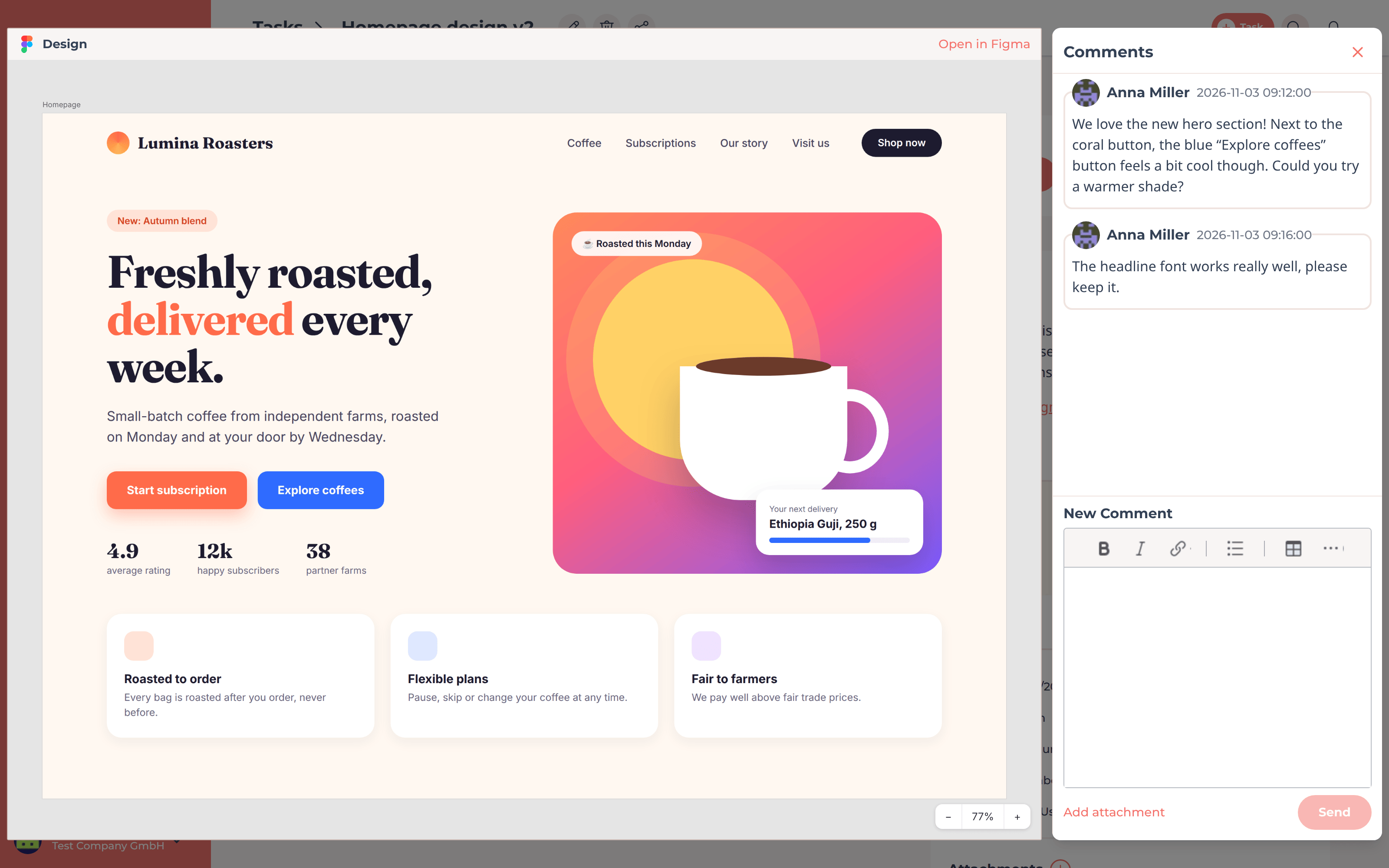
One click on the card opens the live view right inside FeatValue. Your client zooms, flips through the frames and writes a comment in the panel next to it, just like for PDFs and images. No Figma account needed.

Live view of a Figma frame with the comment panel
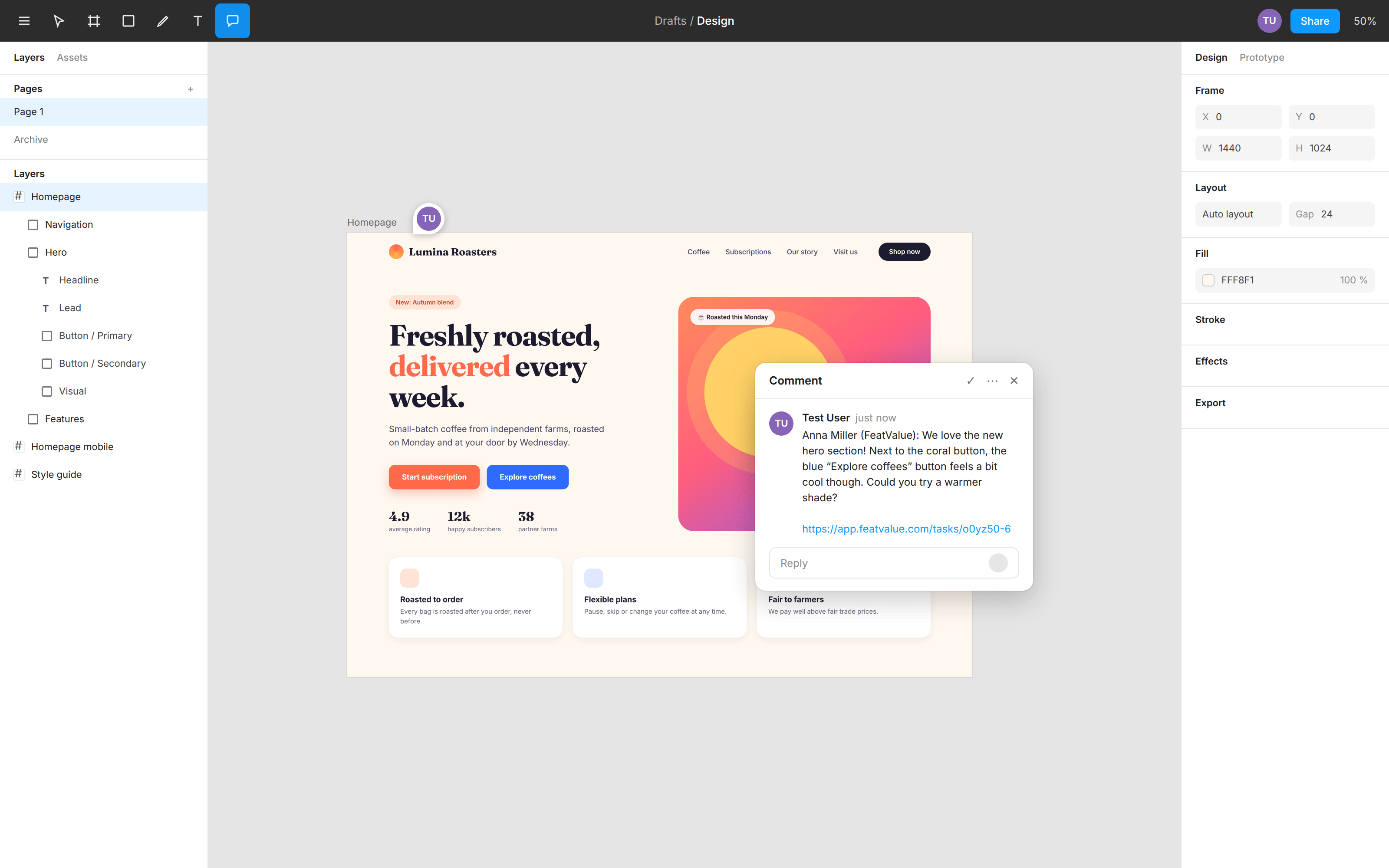
Client comment on the frame in Figma

Feedback on the frame

Client comments land on the frame in Figma

When your client comments in FeatValue, the comment appears on the matching frame in Figma automatically. Your design team reads the feedback where they work, with nothing to copy over. Comments from your team stay in FeatValue.

Approval

Always clear which version was approved

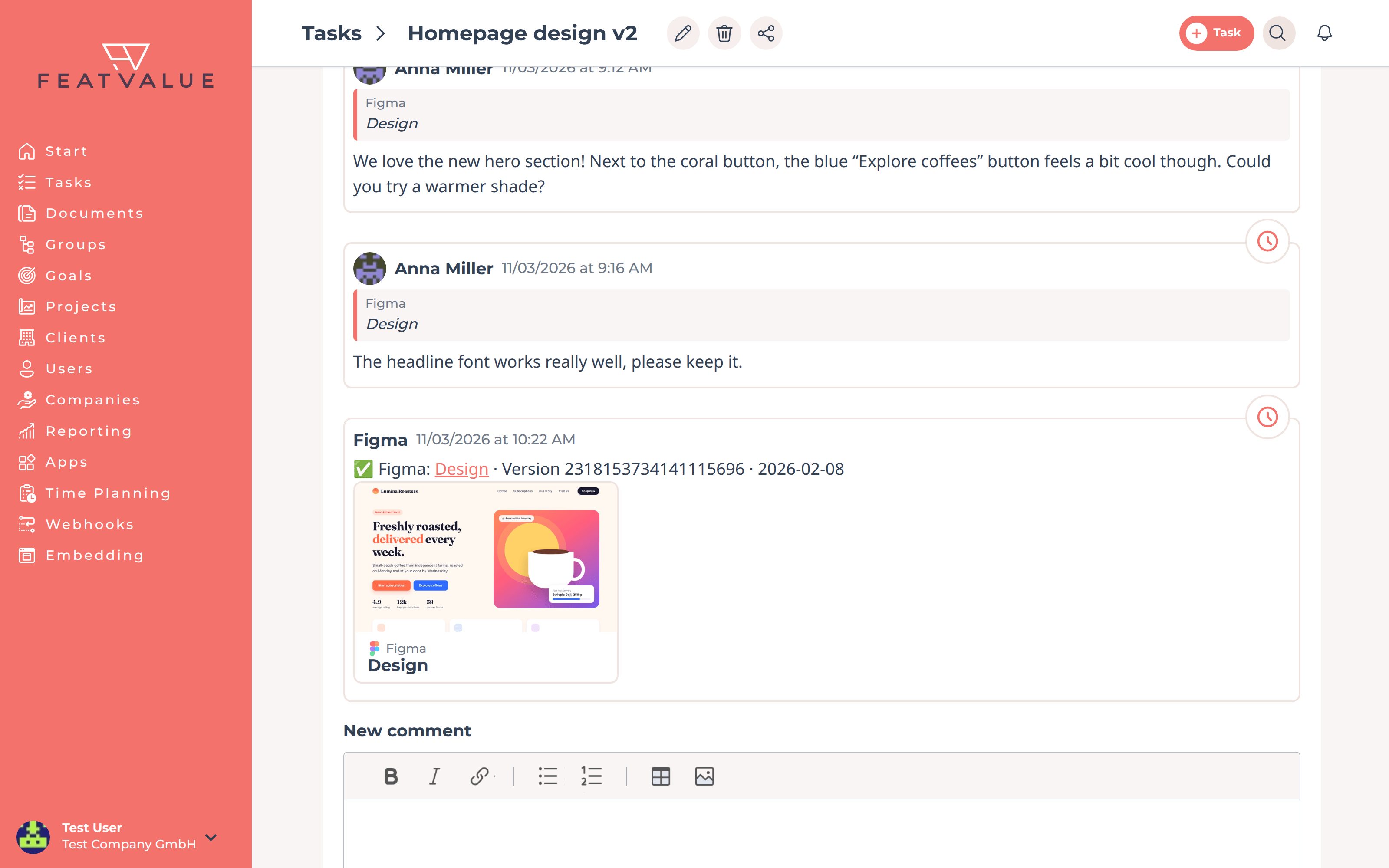
When your client approves the task, FeatValue records the Figma version that was current at that moment, with a link to exactly that state. If the design changes later, it stays clear what was signed off.

Note on the approved Figma version in the task

Set up in minutes

How to connect Figma to FeatValue

Every step in detail is in the Figma integration docs.

1

Sign up for free

Create your FeatValue account above, set up a project and invite your client.

2

Connect Figma once

Under Apps, connect FeatValue to your Figma account. The connection applies to your whole agency and all projects.

3

Paste a Figma link

Paste the link to your file or frame into a task. For the live view, share the file in Figma by link ("Anyone with the link can view").

Stefan Wienströer

Free setup

We connect Figma for you – for free

No time for the setup? We connect Figma, design your portal and set up your workflows. Free of charge, for every plan.

Book a free call More about the free setup

Start now with FeatValue and Figma

Try it for free, connect Figma and run your next design review with your client in the portal instead of by email.

No credit card required. Cancel anytime.

Figma is a trademark of Figma, Inc. FeatValue is an independent offering and is not endorsed or sponsored by Figma. The integration requires a FeatValue account (free plan available).

+49 251 590 644-60
hello@featvalue.com
Privacy Policy • Imprint • Terms and Conditions