Plan sprints automatically
In about 20 minutes you use the wizard to set up automatic sprint planning: pick projects, connect time tracking, set the capacity and open the sprint board.
What you will have at the end
- At least one premium project on Sprints (automatic)
- Connected time tracking that FeatValue reads used hours from
- The Sprint Board with scheduled tasks under Time Planning
Before you start
- A premium project — time planning needs premium Premium
- An account with a time-tracking tool, for example Toggl Track, Clockify or Harvest
- Story points on your tasks so FeatValue can work out planned hours. See Estimates and budget cuts
Steps
-
Confirm the project is premium
Click Projects in the left sidebar. A diamond next to the name marks a premium project. If you have a free premium slot, upgrade the project in its settings.
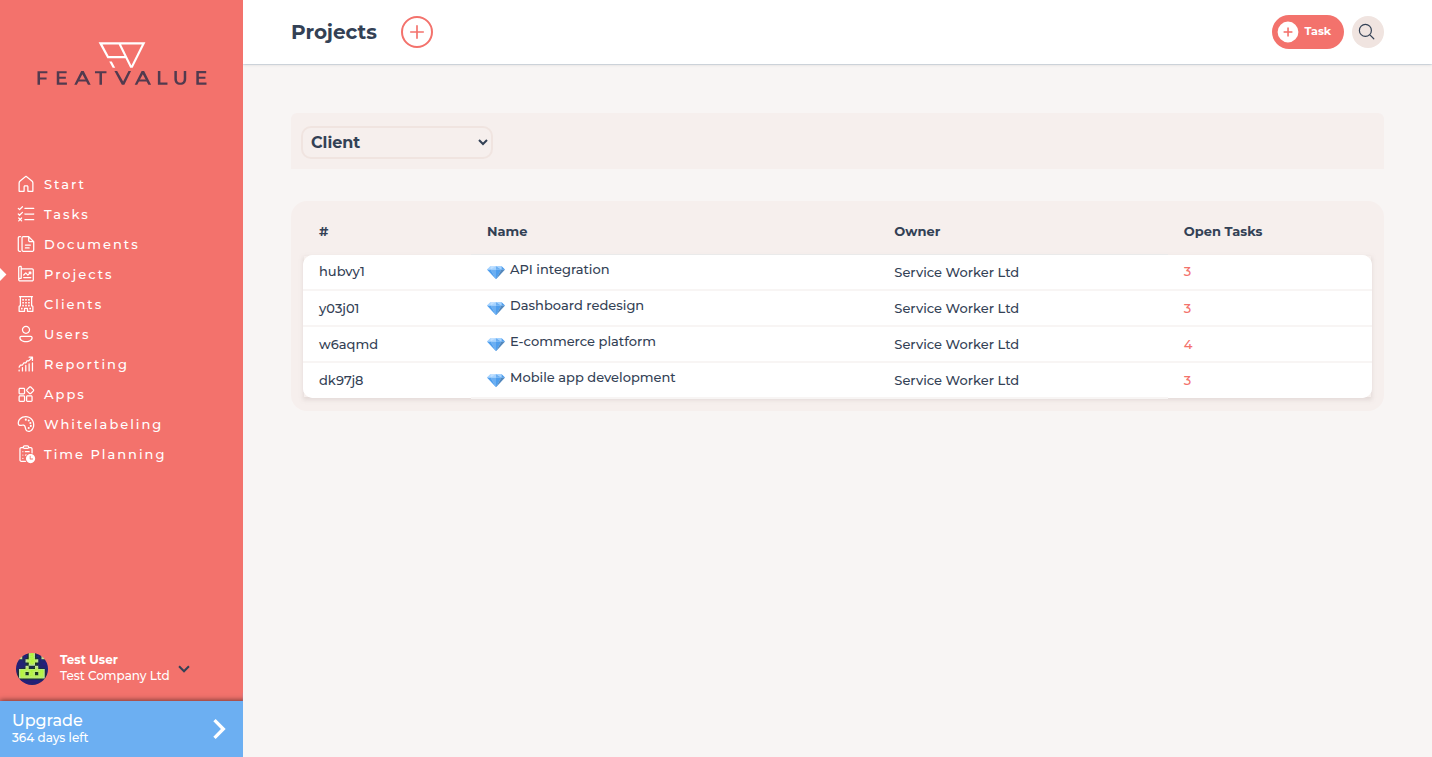
Premium projects show a diamond in the Projects list. -
Start the wizard
Click Time Planning. If time planning is not set up yet, FeatValue opens the setup wizard. Click Let's go!.
-
Activate the projects
On For which projects should the time planning be activated? select your premium projects and click Activate projects.
-
Choose automatic sprints
On How do you plan your work? choose Sprints, and on How should sprints be managed? choose Automatically. FeatValue then schedules tasks into sprints based on time tracking and budgets.
-
Connect time tracking
Under Connect time tracking, pick your time-tracking system. Automatic sprint planning is not possible without it, because FeatValue measures the time used. How the import works: Import time entries.
-
Set sprints and capacity
Under Sprints, decide whether FeatValue should Create sprints automatically, with Length and Starting at, and click Save. Then enter under Initialize capacity how many hours to plan per sprint.
-
Wait for the initialisation
FeatValue sets up the schedules. This takes up to five minutes. Then click To time planning. The Sprint Board shows four sprints with the scheduled tasks. FeatValue creates further sprints automatically. All options: Sprints.
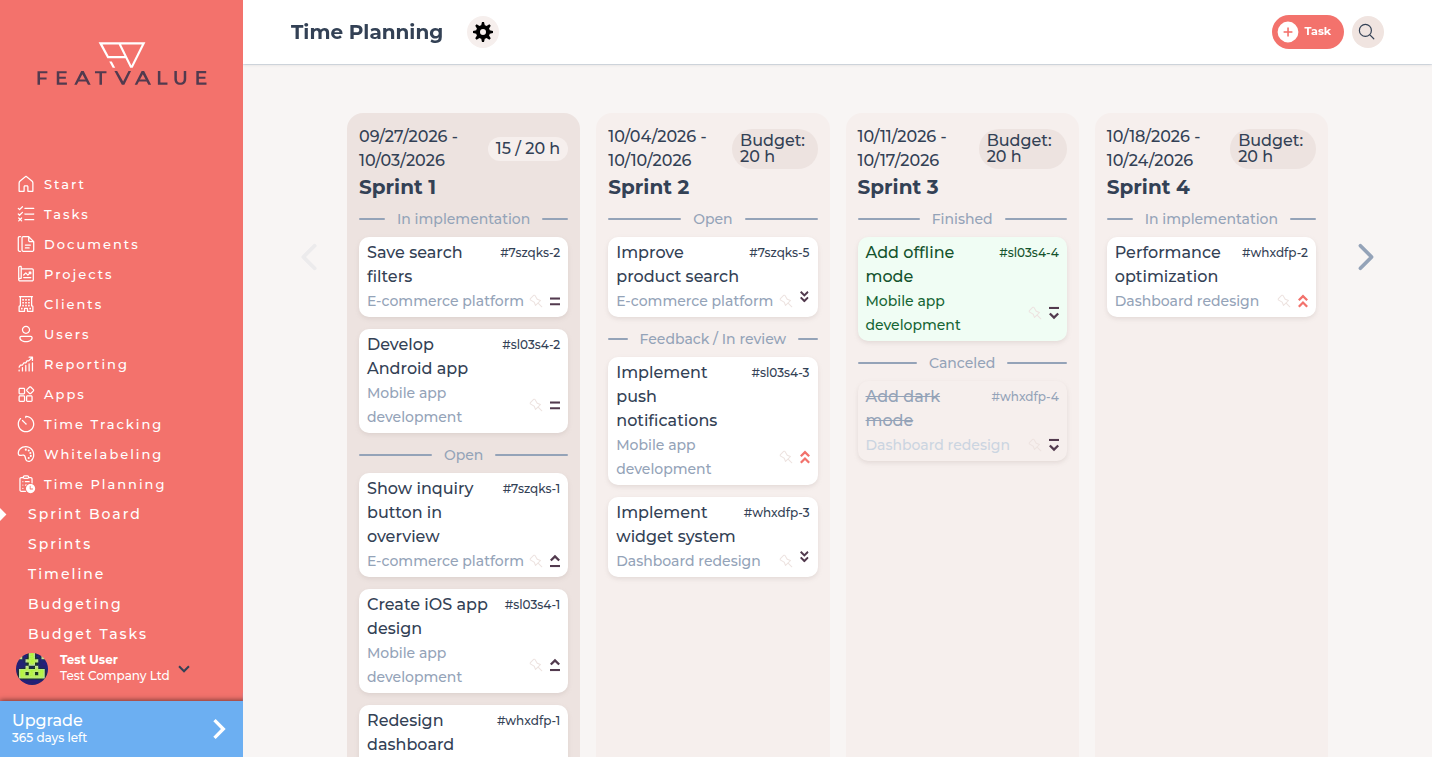
The sprint board once automatic planning runs.
Check your result
Under Other settings the project shows Sprints (automatic). The Sprint Board shows sprints with scheduled tasks. New time entries raise the hours in used.
Next steps
- Track budgets and capacities
- Replanning to understand how FeatValue distributes tasks
- Sprints for pinning and excluding tasks
Your question has not been answered?
We will be happy to help you. You can send us an e-mail or arrange a video conference: