Estimates and budget cuts
You set story points on the task. FeatValue converts them into hours in a self-learning way and shows the result in the planned column. A budget cut takes hours out of the client budget, with a reason. Both feed automatic sprint planning.
What it is for
Story points say how large a task is. FeatValue learns from finished tasks with the same point value how long that kind of work takes for you — the more data it has, the more accurate the hours in planned. Automatic sprint planning uses those hours for capacity and budget.
If a single task differs, override the hours in the planned column. That locks the duration for this task only.
A cut is the counterpart: if a task took longer than planned and you do not want to charge the client for those hours, you record them as a cut. The hours stay documented on the task but no longer count against the client's budget — you carry them yourself. The Reason records why: a bad estimate, rework on a defect or goodwill, for example.
How many hours a client has in the first place is set under Budgeting. This page covers the other direction: taking single hours on a task back out.
Where to find it
Story points live on the task. The hours calculated from them appear under Time Planning → Sprints in the planned column. Saving that is usually limited to the agency.
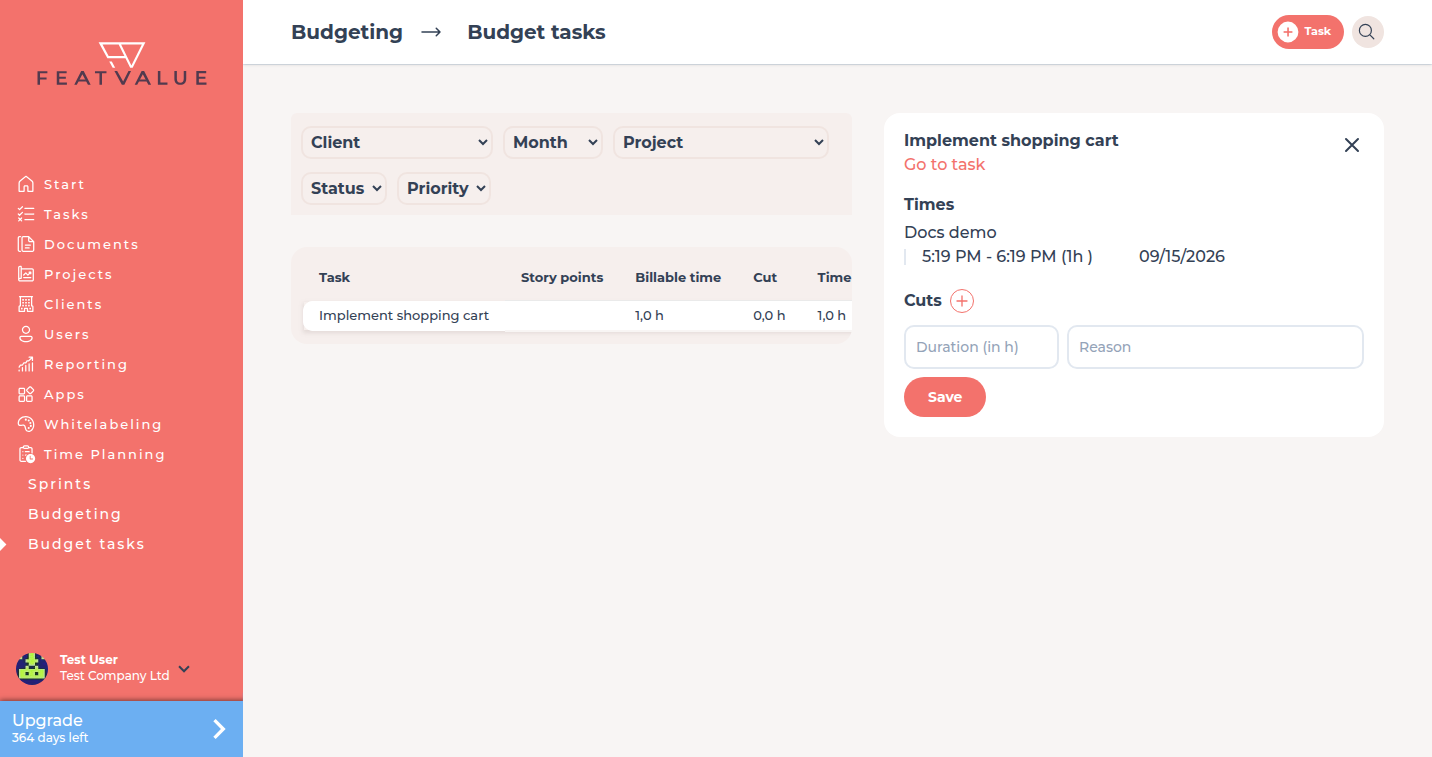
Cuts live under Time Planning → Budget Tasks. Open a row to see Cuts, then Duration (in h) and Reason.
How it works
-
Set story points
Open the task and choose the story points (1, 2, 3, 5, 8, …). FeatValue converts them into hours in a self-learning way and writes the result into planned. -
Review or override the hours
Open Time Planning → Sprints and click the sprint. On the Tasks tab the planned column shows the calculated hours. A click sets a fixed duration when this task should differ from the self-learning estimate. Automatic sprint planning uses the value that stands there.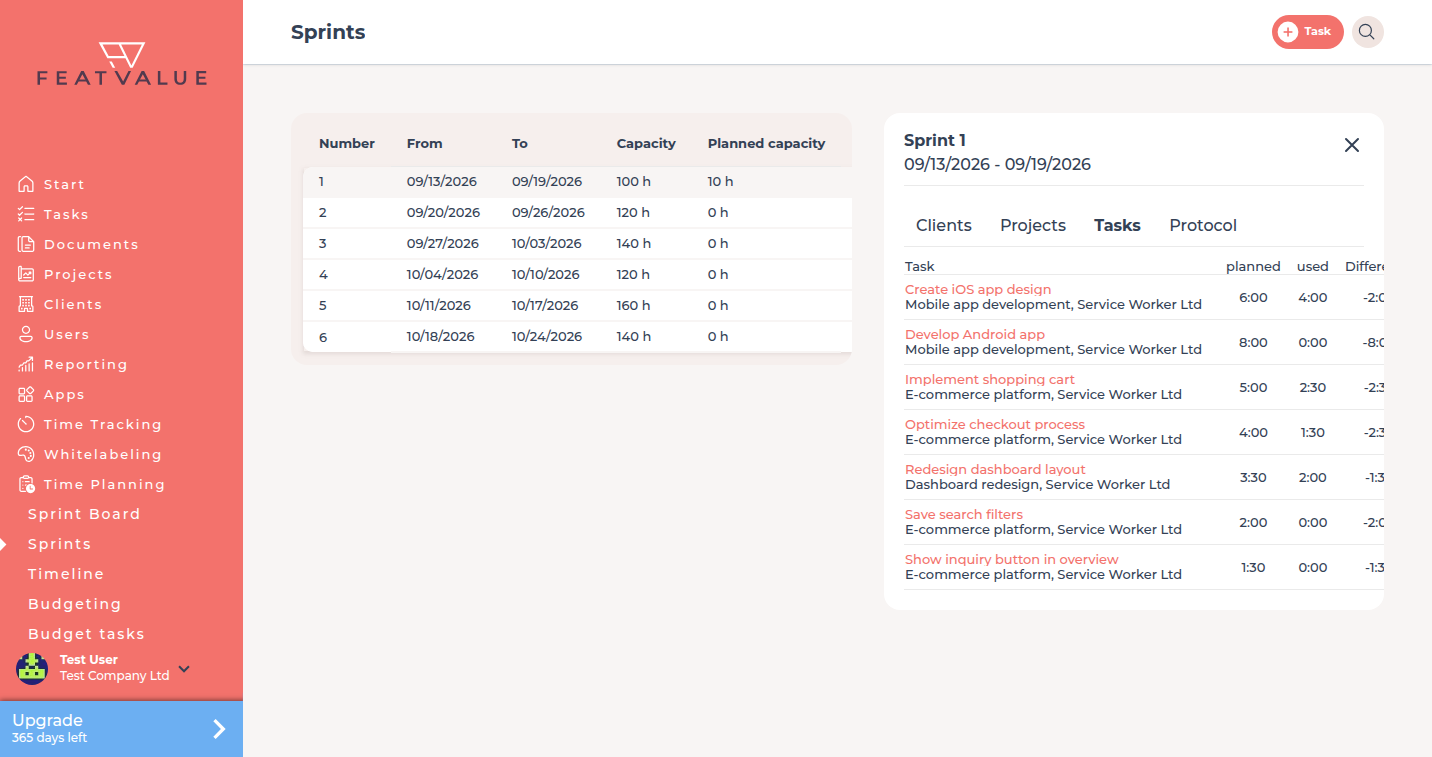
The planned column shows the hours calculated from the story points. A click overrides them. -
Open Budget tasks
Go to Time Planning → Budget Tasks. This needs a premium project and Sprints (automatic). Premium -
Create a cut
Open the task in that list. Under Cuts click the plus (Create cut). Enter Duration (in h) and a Reason, then Save.
Options
| Option | What it does |
|---|---|
| Story points | Size of the task, set on the task itself. FeatValue converts them into hours in a self-learning way. |
| planned | The hours on the sprint. They come from the story points or from a manual override. |
| Budget Tasks | Task list in the budget view under Time Planning. |
| Cuts | Hours that do not count against the client's budget. |
| Duration (in h) | Size of the cut in hours. |
| Reason | Why the client is not charged for these hours, for example rework or goodwill. |
Permissions
Story points and the planned column are usually saved by the agency. Cuts need Premium and automatic sprints. Premium Creating the task itself: Creating and editing tasks.
Troubleshooting
You cannot save story points or hours in planned
Your company may not set the estimate on this project. Ask the agency to enter the points or the duration.
The hours in planned look off
FeatValue learns from finished tasks. Early on, or for rare point values, the conversion is rougher. Override the hours in planned, or wait until more tasks with the same point value are finished.
Budget tasks is empty or missing
The project must be premium and use Sprints (automatic). Check the project's time planning mode first.
Your question has not been answered?
We will be happy to help you. You can send us an e-mail or arrange a video conference: