Premium projects
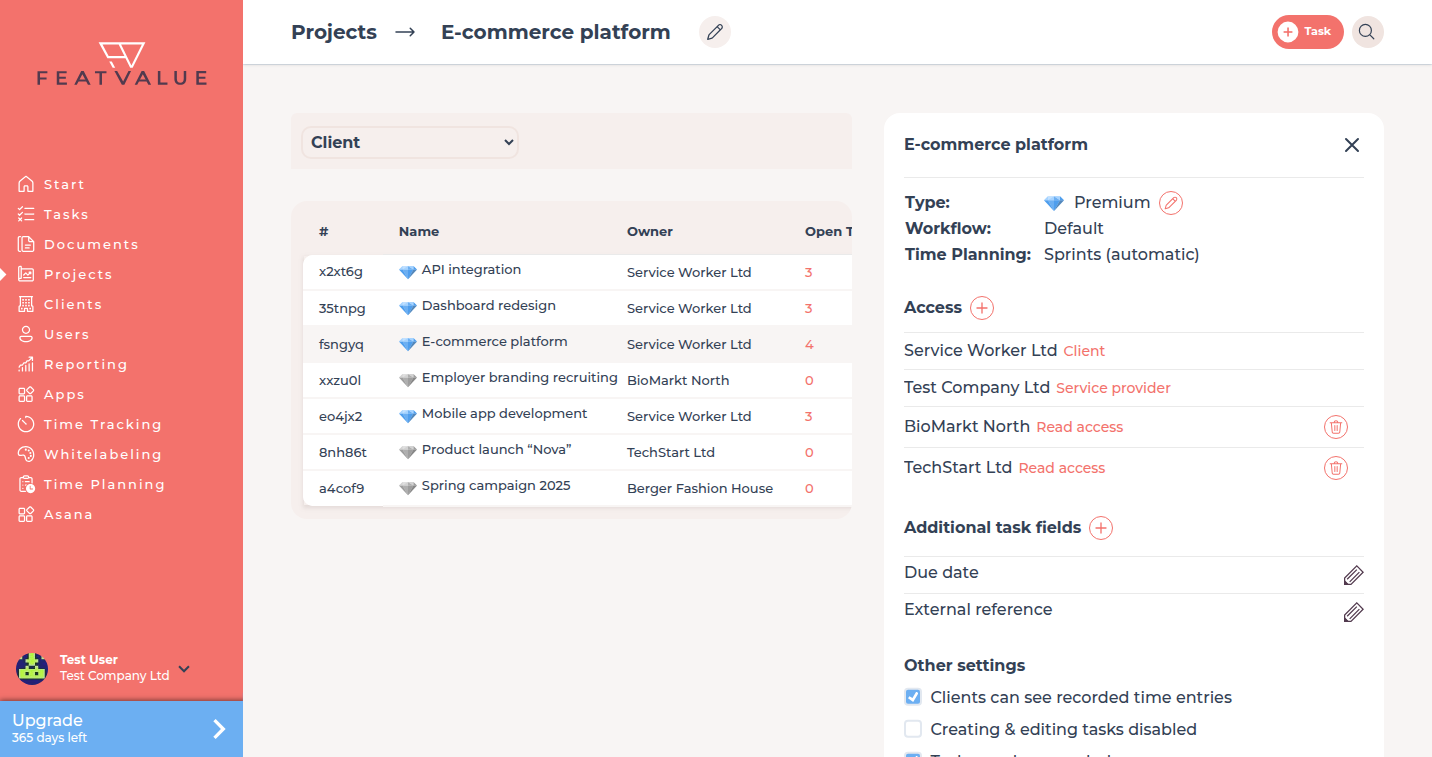
A premium project can use its own workflow, extra task fields and full time planning. Other projects stay on the default workflow and a limited planning set.
What premium projects are for
Use a premium slot when a project needs more than the shared default setup. Without premium, FeatValue keeps that project on the default workflow, without custom task fields and with limited planning.
- Own workflow instead of the default only
- Additional task fields on the project
- Time-planning modes and extra provider rights
Where to find it
Open Projects. A diamond next to the name marks a premium project. You upgrade or downgrade a project from its settings.
How it works
-
Watch the diamond
Premium projects show a diamond in the list. The project stores this as premium. -
Let FeatValue fill free slots
When your company still has a free premium slot, a new project becomes premium automatically. -
Upgrade or downgrade later
Open the project and toggle Premium project in its settings. On downgrade the project behaves as described under Without premium: it falls back to the default workflow (custom statuses and transitions go away), extra task fields are no longer available, and advanced time planning (for example automatic sprints) is no longer offered. Provider permission switches and letting the client invite further providers are reset. The premium slot becomes free for another project.
Slots per plan
| Plan | Premium project slots |
|---|---|
| Free | 0 |
| Starter | 20 |
| Pro Pro | 100 |
| Enterprise | By arrangement |
After onboarding you get a 10-day Pro trial with 100 premium projects. Plan details: Plans. Changing the company plan is under Upgrade and downgrade.
Without premium
A project without premium uses the default workflow only. It has no custom task fields and only limited planning. Provider permission toggles and inviting extra providers from the client stay off – see Roles and access and Project settings.
Troubleshooting
A new project is not premium
Your company has used every premium slot. Free the slot on another project or upgrade the plan.
I cannot add custom task fields
Custom task fields need a premium project. Upgrade the project, then open the additional-fields setting.
Your question has not been answered?
We will be happy to help you. You can send us an e-mail or arrange a video conference: