Sprints
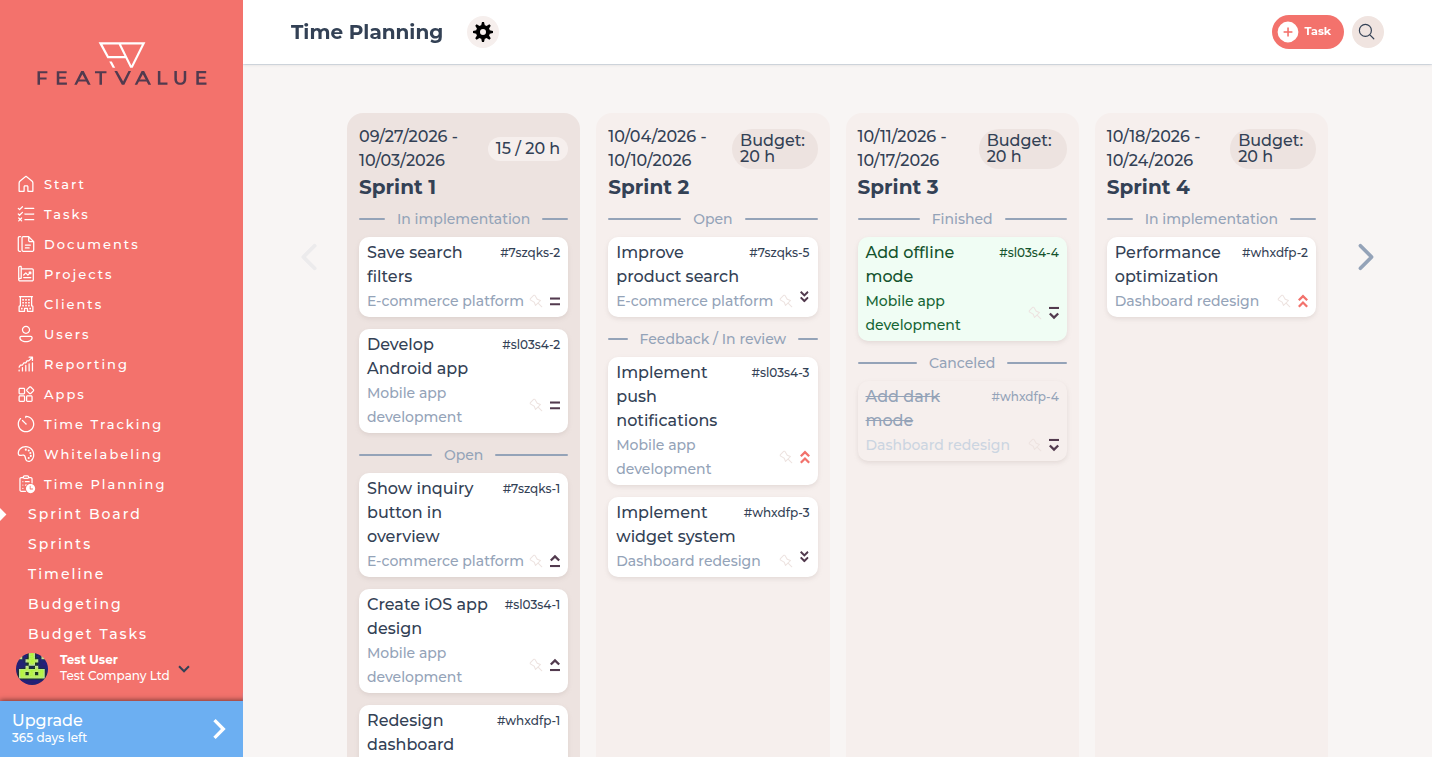
Sprints are short periods on the Time Planning board. You assign tasks yourself in static mode, or FeatValue places them when sprints are automatic.
What it is for
Use sprints when work should land in time boxes. The board shows four sprints at a time so you can see what is planned now and next.
- Move tasks between sprints when planning is manual or static
- Compare planned, used and Difference on sprint lists
- Pin a task in a sprint when planning is automatic
Where to find it
Open Time Planning. If your projects use sprints, FeatValue shows the board. The individual sprints and their hours live under Sprints. When both sprints and waterfall exist, the menu can show Sprint Board.
How it works
-
Open the board
Click Time Planning or Sprint Board. You see up to four sprints. Empty automatic boards can create the first four sprints for you. If none exist yet, use Create new sprint. -
Assign tasks
In Sprints (static), or when you chose Manually or via project management, drag a task to another sprint. You cannot move a task into a past sprint. -
Fix or unfix on automatic sprints
In Sprints (automatic) use the pin. Fix this task in the sprint keeps it there. Remove fixation lets replanning move it again. See Replanning. -
Read planned and used hours
Open a sprint from Sprints. The columns planned, used and Difference appear on clients, projects and tasks.
Options
| Item | What it does |
|---|---|
| Sprint Board | Four-sprint board under Time Planning. |
| Sprints | List of sprints with planned and tracked hours. |
| Create new sprint | Adds a sprint when you may create sprints by hand. |
| Fix this task in the sprint | Keeps the task in that sprint during automatic planning. |
| Exclude from planning | Leaves the task out of the automatic plan. See Replanning. |
Permissions and plans
Sprint planning needs a premium user and a premium project in Sprints (static) or Sprints (automatic). Dragging needs static or manual sprint management. Fixing needs automatic sprints.
Troubleshooting
You cannot drop a task on an older sprint
FeatValue blocks moves into a past sprint. Choose a current or future sprint.
Tasks jump after you leave the board
Automatic planning can move unfixed tasks. Pin the task or turn on Exclude from planning.
Your question has not been answered?
We will be happy to help you. You can send us an e-mail or arrange a video conference: