Organize your team
In about 10 minutes you invite colleagues under Users and learn how a company admin differs from a regular user.
What you will have at the end
- At least one more person of your company on Users
- An invitation email the person uses to set a password
- A clear split: company admin versus regular user
Before you start
- The name and e-mail address of the person you invite
- Read Roles and admins if you need every permission in detail
Steps
-
Open Users
Click Users in the left sidebar. The list shows the people of your company. The item Invite colleagues on Complete setup leads to the same page.
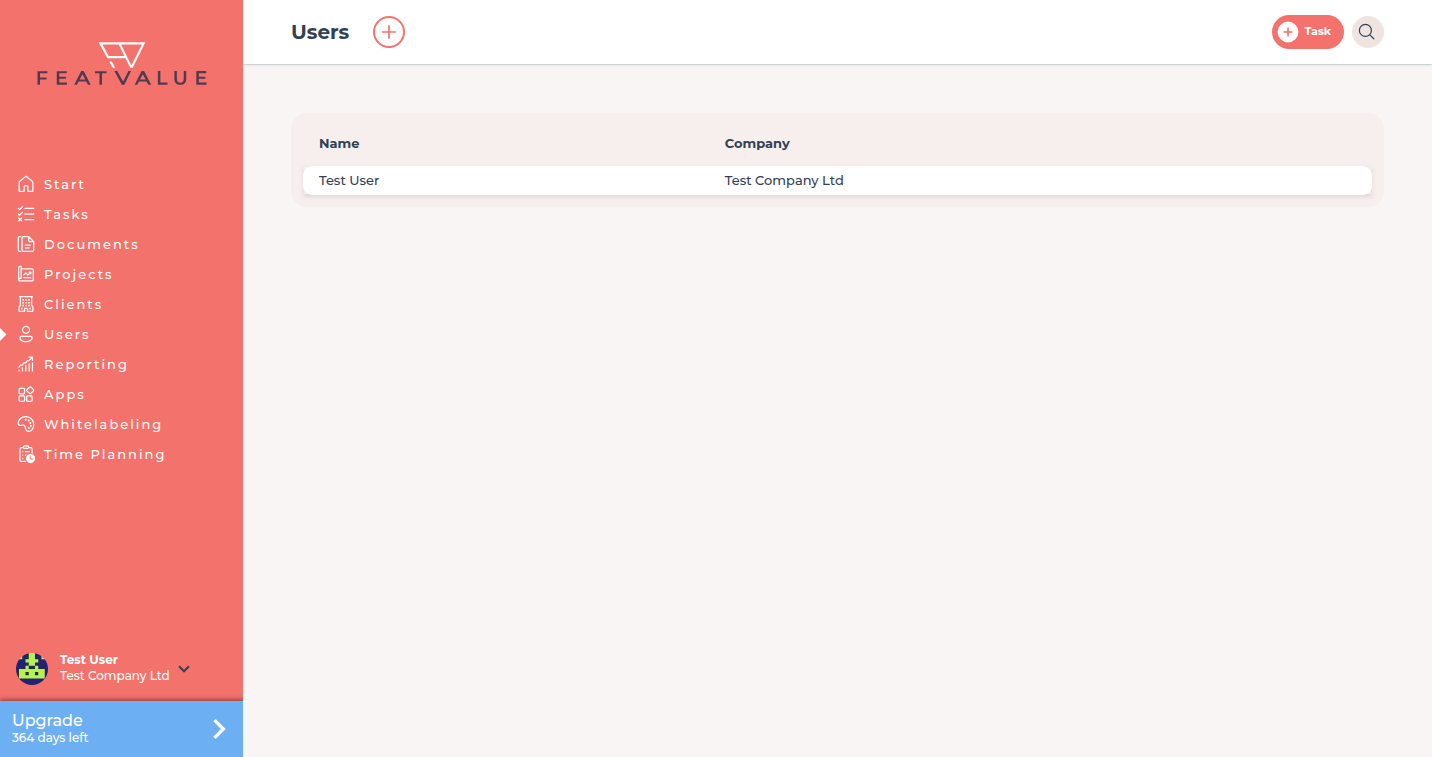
Users lists the people of your agency. -
Open the New user form
Click the plus Create user at the top. The New user form opens. Details: Inviting users.
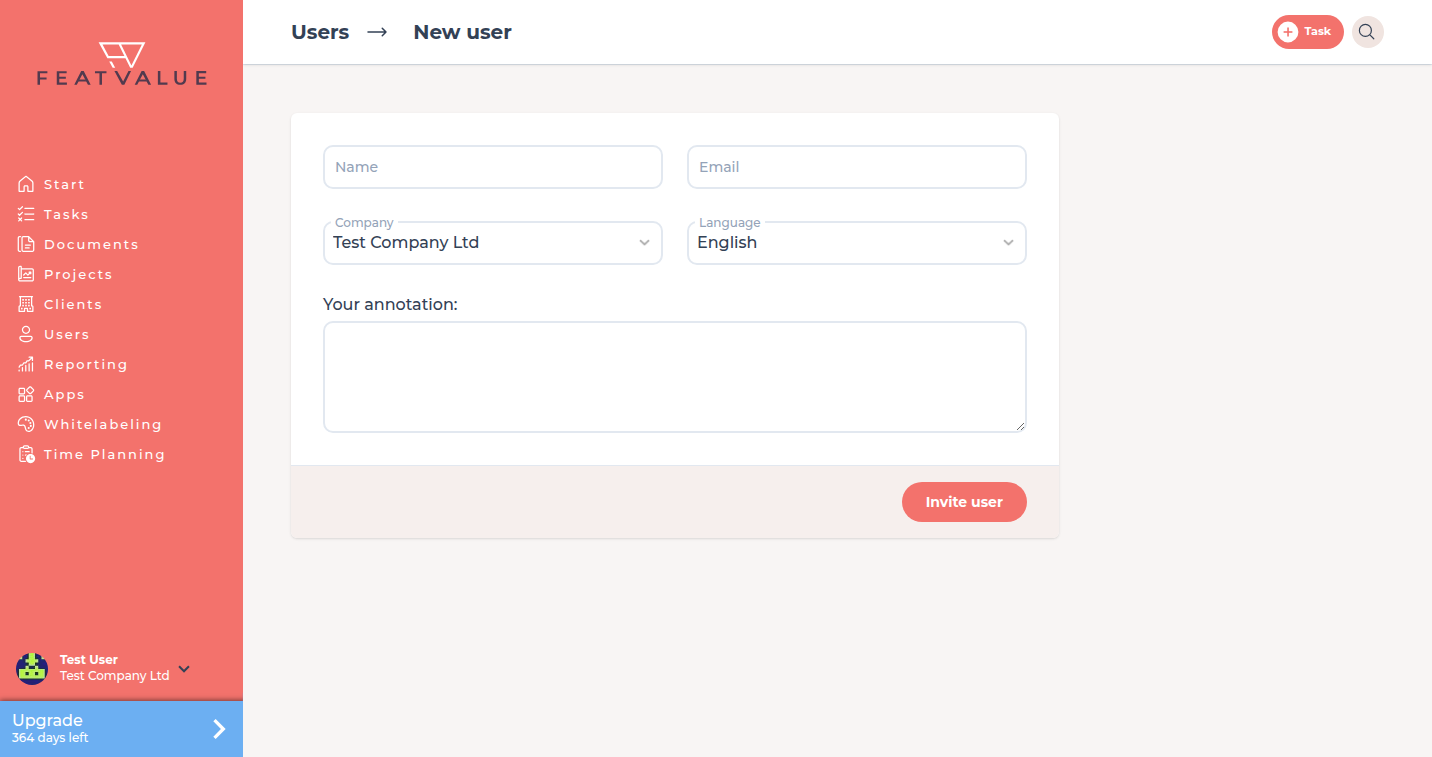
Create user opens this form. -
Enter name, e-mail and language
Fill in Name and Email and choose the person’s Language. If Company appears, keep your own company selected. Invite your clients’ team members as described in Invite your first client. Under Your annotation you can add a personal note to the invitation email.
-
Send the invitation
Click Invite user. FeatValue confirms with User was invited. The person follows the link in the invitation email and sets a password the first time.
-
Tell company admin and user apart
The first user of a company is a company admin automatically. Everyone invited later is a regular user. A company admin can edit other users’ profiles and remove people from the company. Regular users work on projects and tasks but do not manage the team. The Role field on the profile is a job title only; there is no role picker. Details: Roles and admins.
Check your result
Users lists more than one person of your company. Complete setup closes Invite colleagues once your company has more than one user. Your clients’ team members do not count.
Next steps
- Show clients the timeline
- Team overview
- Notifications — each person picks their own groups
Your question has not been answered?
We will be happy to help you. You can send us an e-mail or arrange a video conference: