Notifications
Each person chooses notification groups on Notifications. You turn groups on or off. You do not switch single events.
What notifications are for
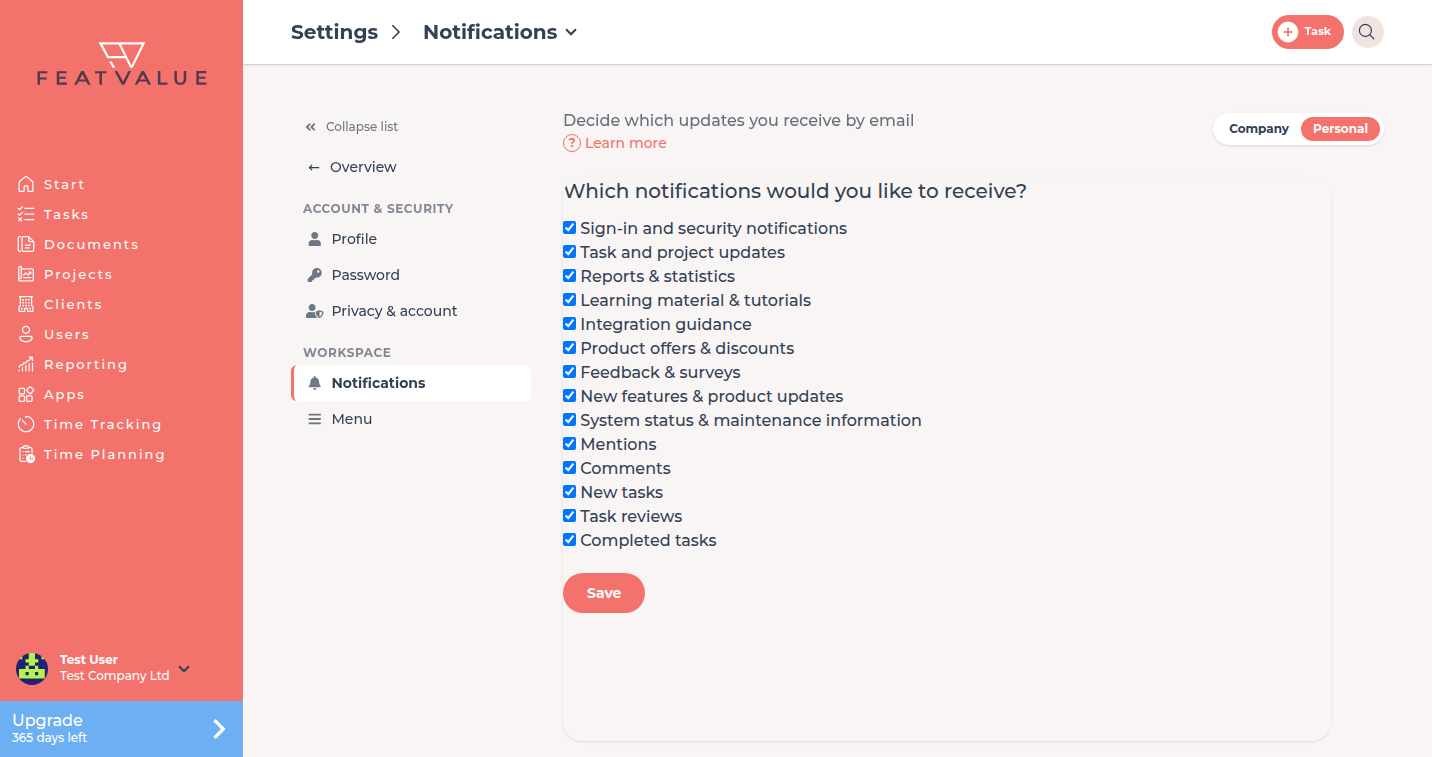
The page asks Which notifications would you like to receive? Checked groups stay on. Unchecked groups are blocked.
Where to find it
Open Settings › Personal › Notifications. The tile sits in the Workspace group. See Settings.
How it works
-
Open Notifications
Click your name at the bottom of the sidebar, then Settings. Switch to Personal and open Notifications. -
Tick the groups you want
Each row is a group. Save with Save.
Groups
| Group |
|---|
| Sign-in and security notifications |
| Task and project updates |
| Reports & statistics |
| Learning material & tutorials |
| Integration guidance |
| Product offers & discounts |
| Feedback & surveys |
| New features & product updates |
| System status & maintenance information |
| Mentions |
| Comments |
| New tasks |
| Task reviews |
| Completed tasks |
An unsubscribe link in a mail blocks that group.
Permissions and plans
Every signed-in user opens their own Notifications. Settings apply to that person, not to the whole agency.
Troubleshooting
I cannot find a per-event switch
FeatValue has none. Turn the group off if you want to stop that kind of mail.
I unsubscribed from all emails
The page then shows Activate email reception. Click Activate.
Your question has not been answered?
We will be happy to help you. You can send us an e-mail or arrange a video conference: