Inviting users
You invite a person from Users with name, e-mail and language. FeatValue sends an invitation mail so they can sign in.
What inviting users is for
Use this form for colleagues in your agency. You can also pick a client company when you may invite there. Client-only steps are in Inviting contacts.
Where to find it
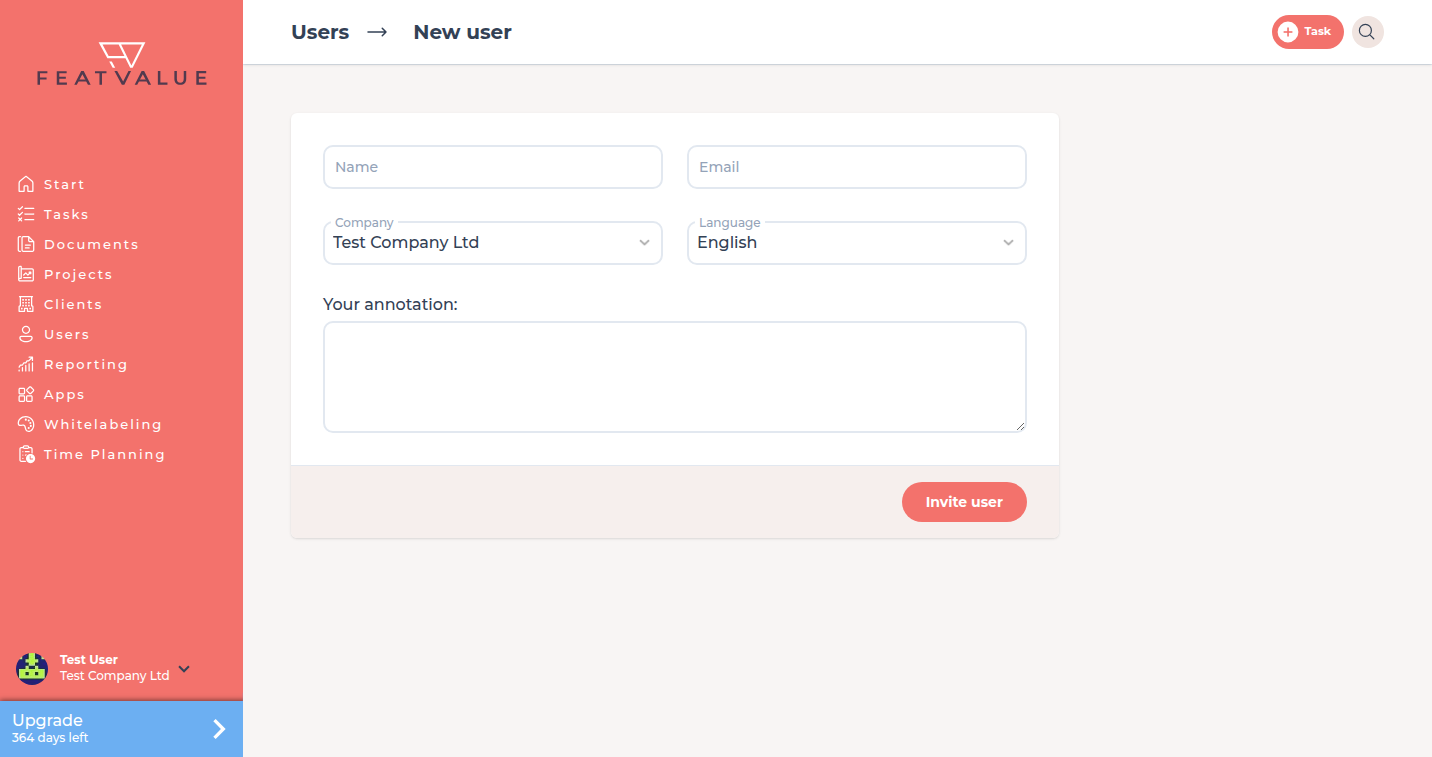
Open Users and click Create user. The form title is New user. Starting from a client, FeatValue preselects that company.
How it works
-
Open New user
From Users click the plus control Create user. -
Fill the fields
Enter Name and Email. Choose Language. Company appears only when more than one company is available. It is prefilled with your company or thecompany_idfrom the URL. -
Add an optional note
Your annotation is optional. FeatValue can include that text in the invitation mail. -
Send Invite user
Click Invite user. FeatValue sends the invitation mail. The invite can show your agency portal name. Success text: User was invited. -
Let the person finish login
They follow the link and set a password the first time. See Registration and login.
Existing e-mail without a company
If the address already exists and the person has no company, FeatValue sends a rejoin invite. The page title is Team invitation. The button is Join team.
If the address already belongs to another company, FeatValue does not create a second account.
Options
| Field | What you enter |
|---|---|
| Name | Required. How the person appears in FeatValue |
| Required. The invitation goes to this address | |
| Company | Shown only when several companies are invitable. Otherwise FeatValue uses your company |
| Language | UI language for the new user. Defaults to yours |
| Your annotation | Optional note on the invitation mail |
There is no role dropdown on this form. The first user of the target company becomes company admin. See Roles and admins.
Permissions and plans
All plans allow unlimited users. You may invite only into companies where FeatValue lets you add people.
Troubleshooting
The invite does not arrive
Ask the person to check spam. Open the person under Users. If it says Invitation open, click Send again. They must use the invitation link, not the public register page.
Your question has not been answered?
We will be happy to help you. You can send us an e-mail or arrange a video conference: