Connecting apps
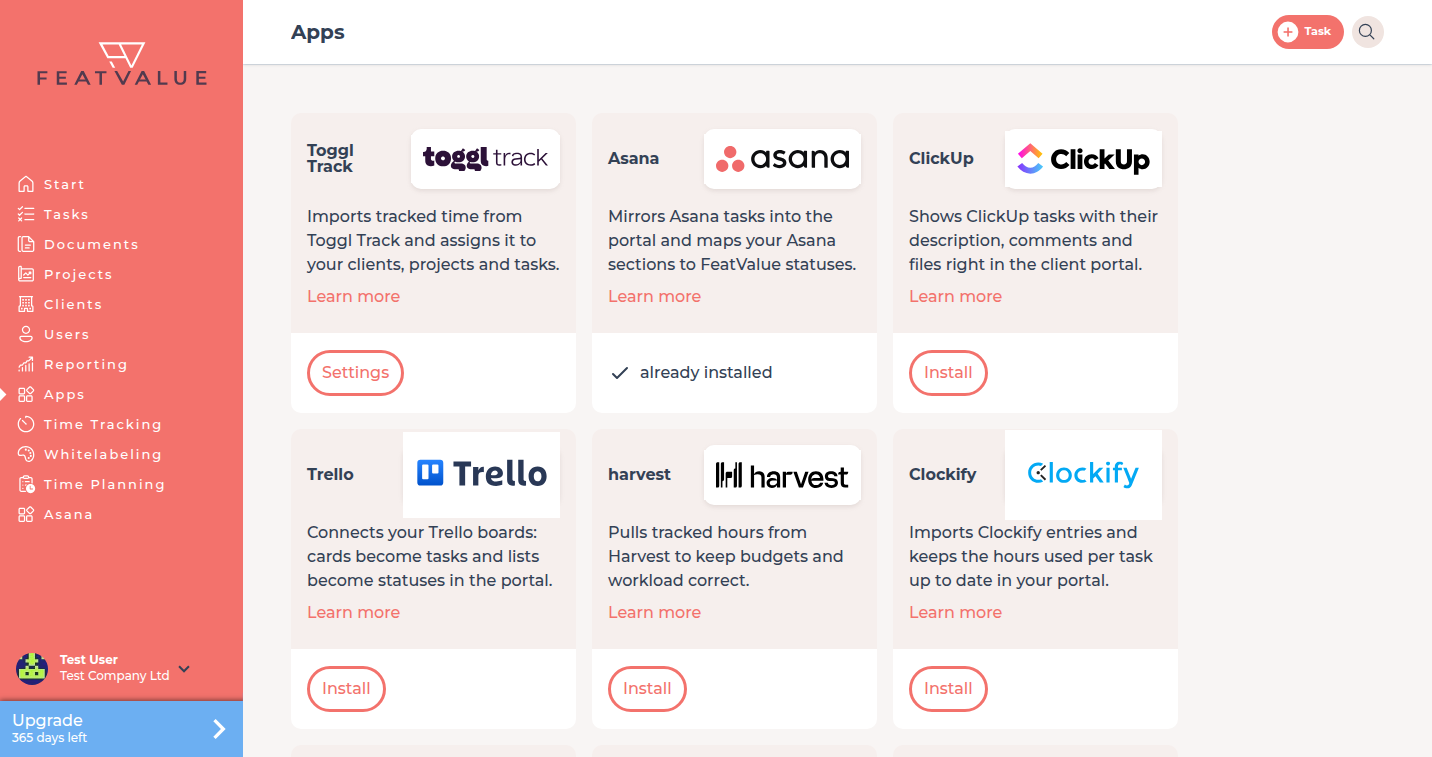
Apps is the catalog where you connect project-management and time-tracking tools. FeatValue stays the client portal next to those tools.
What connecting apps is for
You install a tool, grant access, then import or sync from that product. All plans include integrations. This page covers the shared catalog only.
Where to find it
Click Apps in the left sidebar. The onboarding wizard can send you here as well. See Onboarding wizard. Afterwards you also find connected apps under Settings › Company › Integrations & apps.
How it works
-
Open Apps
Each card shows the tool name, a short text and actions. Categories include Project management and Time tracking. -
Install or open Settings
Click Install to start the connection. After install, click Settings when the tool has a settings URL. Some cards only show already installed. -
Read more or request a tool
Learn more opens the public details page when one exists. The overview of all tools is on Integrations. At the bottom, Request integration writes to FeatValue support. -
Grant access
The consent screen title is App access. It says the app wants to access your FeatValue data. Click Grant access or Cancel.
An external account (for example Asana or Jira) can only be connected to one FeatValue account. If it is already connected, FeatValue shows a message and the support link hello@featvalue.com.
The first time onboarding completes after an authorize, FeatValue can start a 10-day Pro trial with 100 premium projects if the company is not already paid. See Onboarding wizard.
Options
| Control | What it does |
|---|---|
| Install | Opens the tool’s install URL |
| Settings | Opens the tool’s settings URL after install |
| Learn more | Opens the details URL from the card |
| Request integration | Mail to FeatValue when the tool is not in the catalog |
| Grant access | Confirms the authorization |
Project-management tools such as Jira, Asana or ClickUp follow this same catalog. Use Install on the matching card for import and status mapping. Do not treat this page as a Jira manual.
After a skip in the wizard, connect later here. See Setup checklist.
Permissions and plans
All plans include the integrations in Apps. The trial after the first finish is Pro for 10 days. Details: What is FeatValue.
Troubleshooting
Install does nothing
The card needs an install URL. Try Learn more or Request integration if the tool is missing.
I skipped the wizard and want the import now
Open Apps, click Install and finish authorize. The wizard does not resume.
Your question has not been answered?
We will be happy to help you. You can send us an e-mail or arrange a video conference: