Build a reporting dashboard
In about 15 minutes you open Reporting, create a dashboard of your own and add a widget in three steps.
What you will have at the end
- A dashboard under Reporting; the first one is named Default
- At least one widget you created yourself
- A date range via Date from and Date to, if you set it
Before you start
- Pro Pro or Enterprise — without that plan, Reporting opens an upgrade dialog
- Some tasks, reviews or time entries so the widgets have data
- Read Reporting if the built-in lists are enough for you
Steps
-
Open Reporting
Click Reporting in the left sidebar. If your company has no dashboard yet, FeatValue creates Default and fills it with the standard widgets.
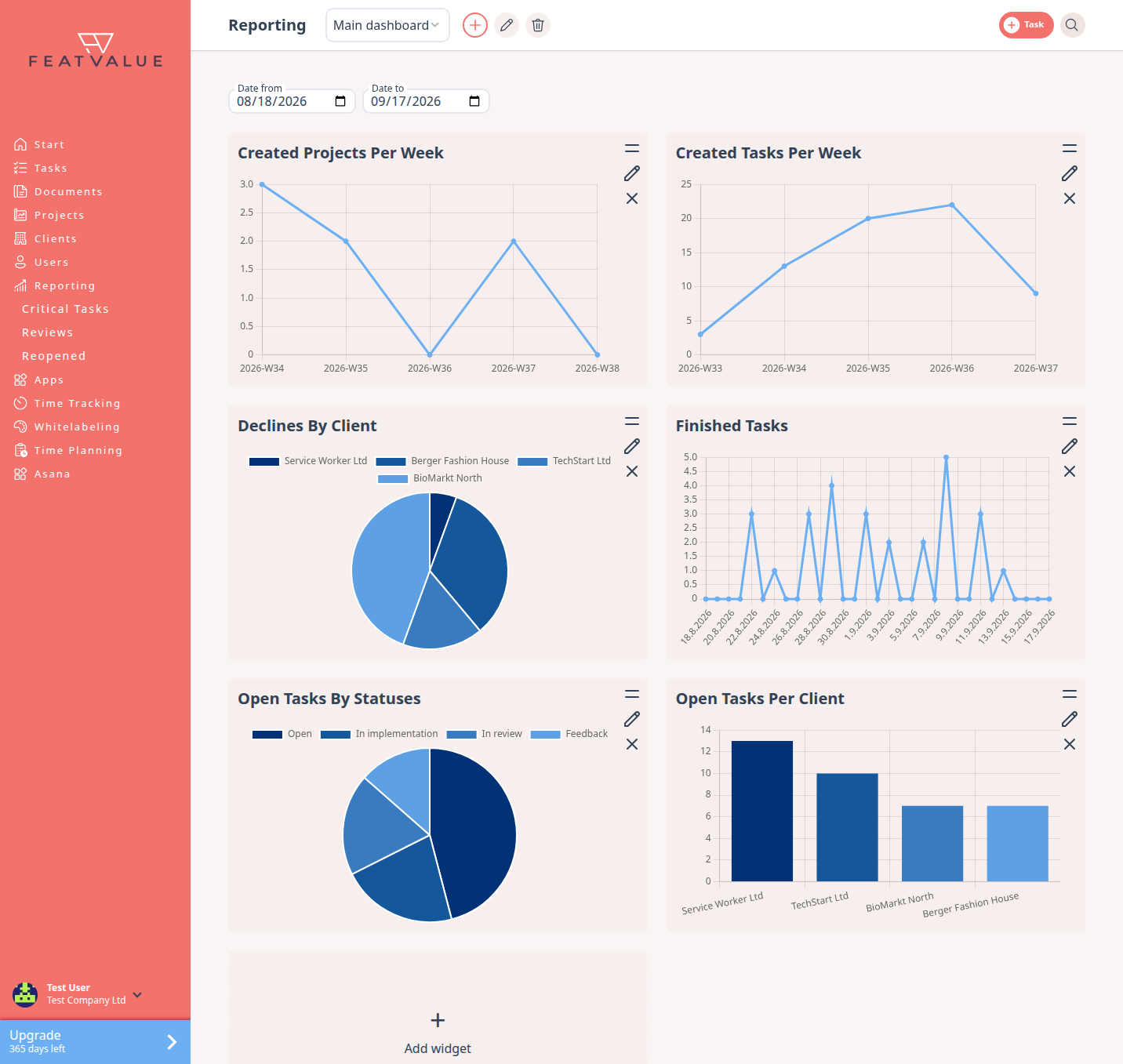
Reporting opens the dashboard you last viewed. -
Create a dashboard
In the header, next to the dashboard select, click the plus Create dashboard. Under Create new dashboard enter a Dashboard name and click Create. Use the select to switch between your dashboards later.
-
Add a widget in three steps
Click the empty tile Add widget and pick a category first: Usage, Budget, Capacity or Quality.
- Step 1: Select data type — pick the widget, for example open tasks by status.
- Step 2: Select representation — Pie chart, Line chart or Bar chart.
- Step 3: Configure details — set Name and optional Filters such as Client or Project, then Create.
All widgets: Widgets.
-
Check tasks that need attention
Below Reporting you find three lists of single tasks that need attention: Critical Tasks, Reviews and Reopened. Use them when you want concrete tasks instead of charts. Details: Critical tasks.
Check your result
The dashboard shows your new widget. Empty tiles read No data available — widen Date from and Date to or remove a filter. Time widgets need entries from Import time entries.
Next steps
- Widgets for every available chart
- Reviews for rejected reviews with a reason
- Collect PDF feedback and signatures
Your question has not been answered?
We will be happy to help you. You can send us an e-mail or arrange a video conference: