Settings
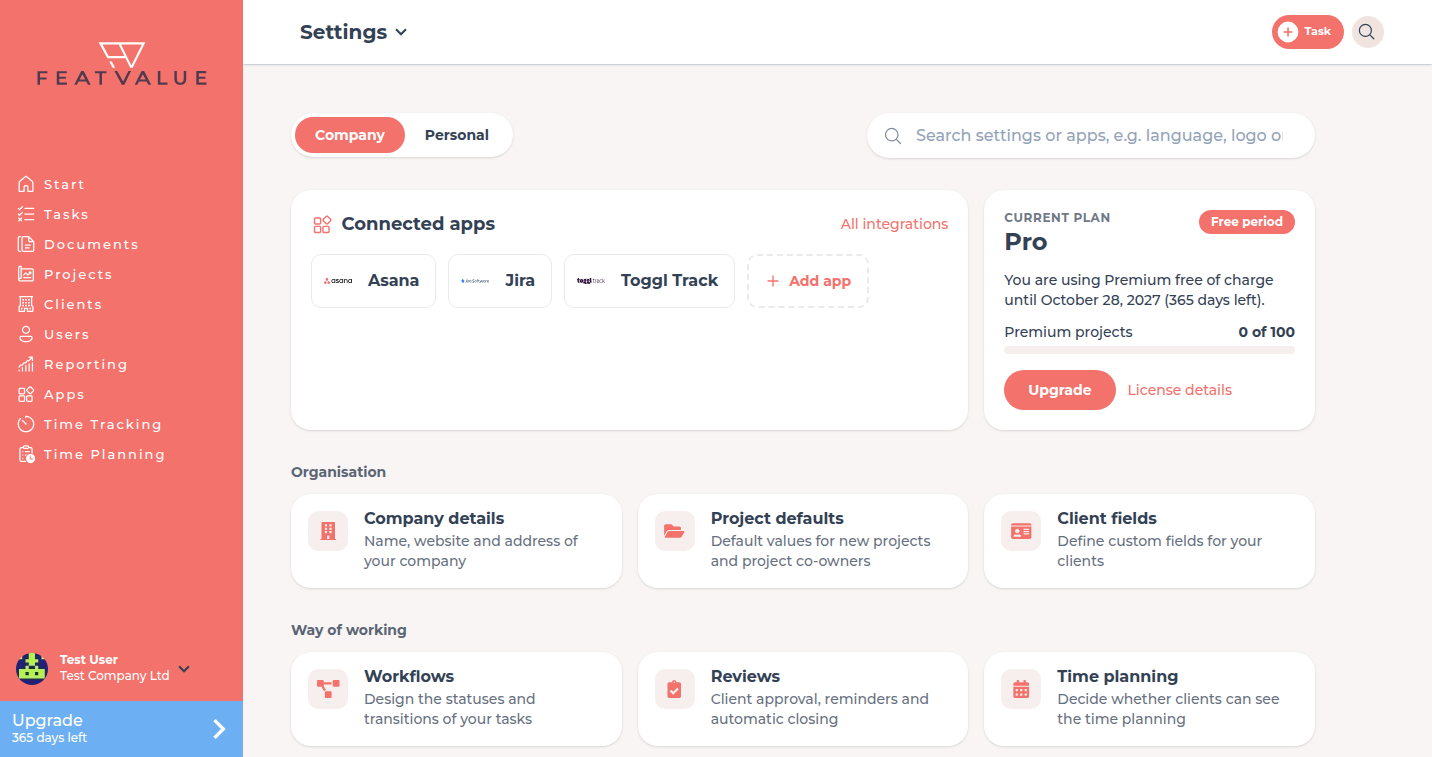
Settings is its own page with two areas: Company for everything that affects your whole company, and Personal for your own account.
What Settings is for
Here you keep your company details, defaults for projects and reviews, workflows, white labeling, connected apps and your license. Under Personal you change language, password, notifications and privacy. FeatValue hides sections that do not apply to your account.
Where to find it
Open the menu with your name at the bottom of the sidebar and click Settings. FeatValue opens the Company page. If you do not belong to a company, Personal opens instead.
How it works
-
Choose an area
At the top you switch between Company and Personal. Each area shows an overview with tiles, sorted into groups. -
Search for a setting
Type into the search field, for example language, logo or Asana. The search finds settings and connected apps in both areas. -
Open a tile
A tile opens its detail page. The path at the top reads, for example, Settings › Workflows. Use the arrow on the last part to jump straight to another section. Click Settings to go back to the overview. -
Change and save
Change the fields and click Save. Each detail page saves on its own.
How detail pages are laid out
- On the left you see the list of all sections of the current area. It is collapsed for wide content such as Workflows and in narrow windows. Use Collapse list or the Sections bar to toggle it.
- Top right, the small Company | Personal switch takes you to the overview of the other area.
- Below the short description, Learn more opens the matching page of this documentation.
- On a phone there is no list. You switch sections from the menu on the path.
Sections
| Area | Group and tiles | More |
|---|---|---|
| Company | Organisation: Company details, Project defaults, Client fields | Company details, Project defaults, Client fields |
| Company | Way of working: Workflows, Reviews, Time planning | Workflows, Review and acceptance, Time planning |
| Company | Appearance & white labeling: White labeling | Whitelabeling |
| Company | Integrations & apps: Integrations & apps | Connected apps in Settings |
| Company | License & billing: License, Subscriptions & invoices | License, subscriptions and invoices |
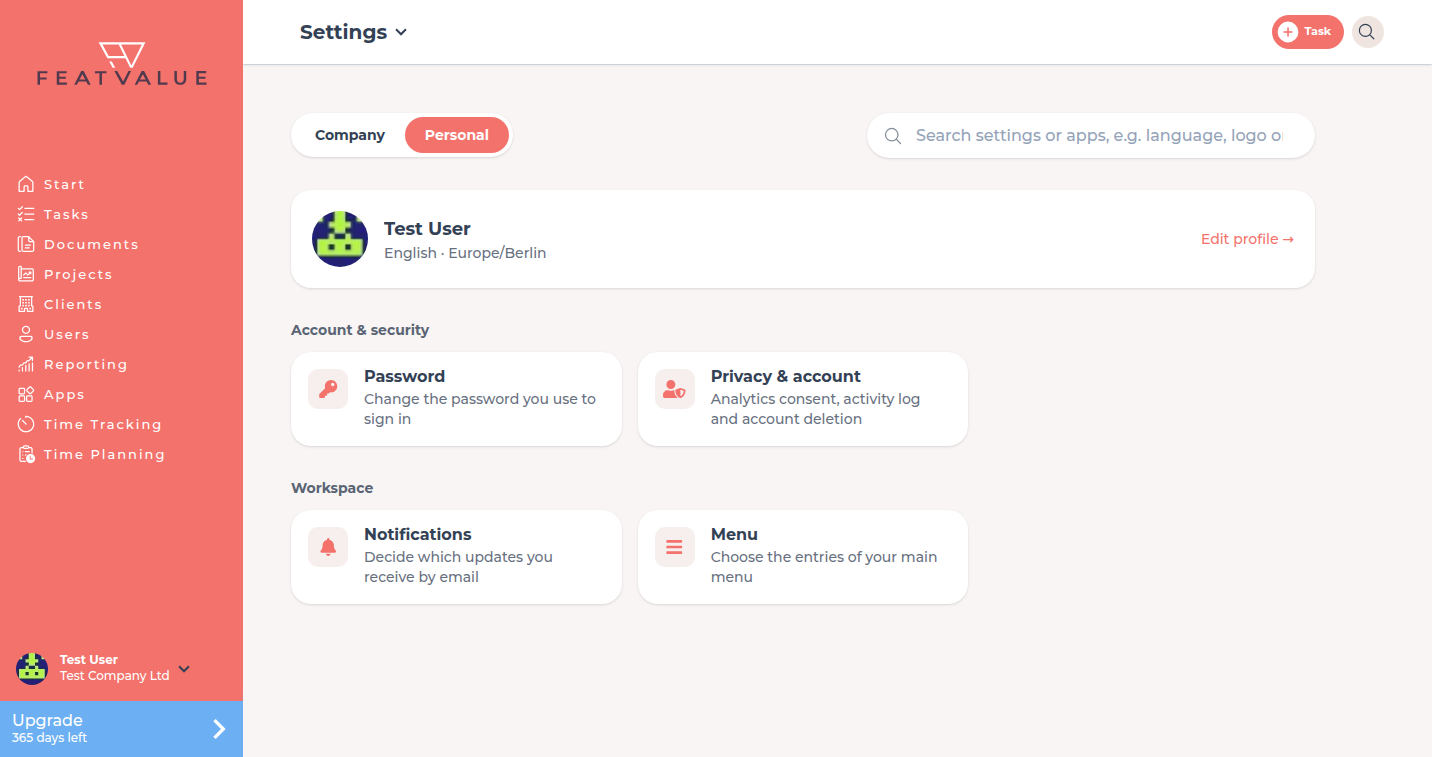
| Personal | Account & security: Profile, Password, Privacy & account | Profile further down, Security and login, Offboarding and deletion |
| Personal | Workspace: Notifications, Menu | Notifications, Personal menu |
On the Company overview, Connected apps and your Current plan sit at the very top.
Profile
The Personal overview starts with your name and Edit profile. Under Settings › Personal › Profile you set:
- Language of the app interface
- Timezone
- Mobile Number (stored as
+and digits) - Profile image
Permissions and plans
Company appears only if you belong to a company. Some tiles depend on your company: Client fields and Reviews need at least one client, Time planning needs time planning in use, White labeling needs to be unlocked for your own theme. Client fields and Enable project co-owners need Pro. Only company admins see Cancel subscription. See License, subscriptions and invoices.
Troubleshooting
A tile is missing
The section does not apply to your account, see above. Use the search: whatever does not show up there is hidden for you.
Whitelabeling is no longer in the main menu
That is expected. White labeling now lives under Settings › Company › White labeling. Old links and Customize your portal lead there.
The list on the left is missing
It is collapsed in narrow windows and for wide content. Click the Sections bar on the left edge.
Your question has not been answered?
We will be happy to help you. You can send us an e-mail or arrange a video conference: