Offboarding and deletion
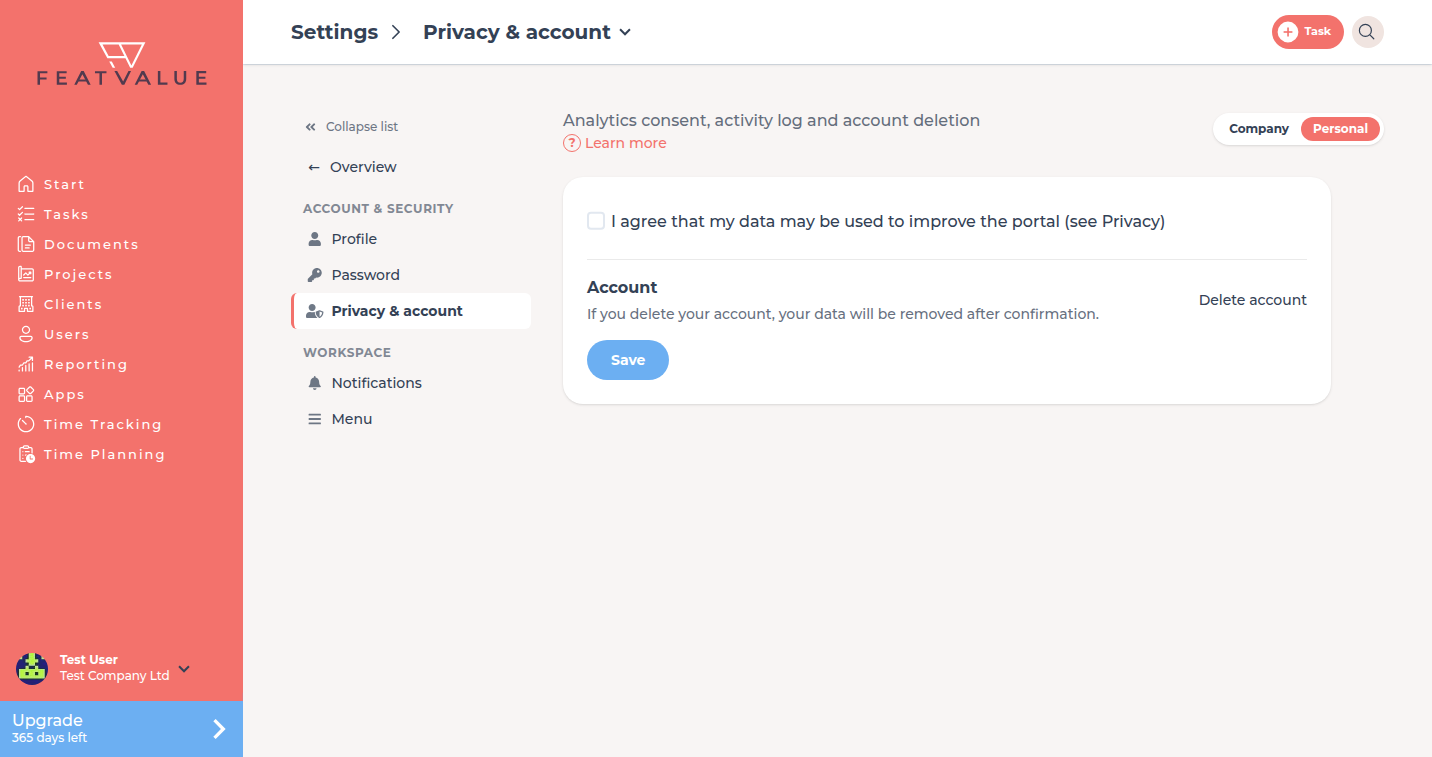
Delete account starts offboarding. You choose whether to remove only your user or the entire company, then confirm by e-mail.
What offboarding is for
Use this when you want to leave FeatValue or delete the whole company account. Cancelling a subscription is a different action.
Where to find it
Open Settings › Personal › Privacy & account and click Delete account. FeatValue opens the offboarding flow.
Active subscription
If you are the last user in the company and still have a paid subscription that has not been cancelled, FeatValue shows a notice first. The button takes you to Billing. End the subscription there before you delete the company.
How it works
-
Choose the scope
On What would you like to delete? pick Delete only my account or Delete entire company account. -
Confirm by e-mail
FeatValue sends a confirmation link. Open the mail and follow the link. The link stays valid for 72 hours. -
Wait until deletion finishes
After you confirm, FeatValue processes the deletion. A company delete removes users, projects and data and cannot be undone.
| Scope | What happens |
|---|---|
| Delete only my account | Your user is removed. The company, projects and other team members stay. |
| Delete entire company account | The company including all users, projects and data is permanently deleted. |
Troubleshooting
The confirmation link has expired
The link is valid for 72 hours. Start offboarding again from Settings › Personal › Privacy & account › Delete account and request a new mail.
I only wanted to cancel the plan
Close offboarding and use Cancel subscription under Settings › Company › License. See Cancellation.
Your question has not been answered?
We will be happy to help you. You can send us an e-mail or arrange a video conference: