Overview
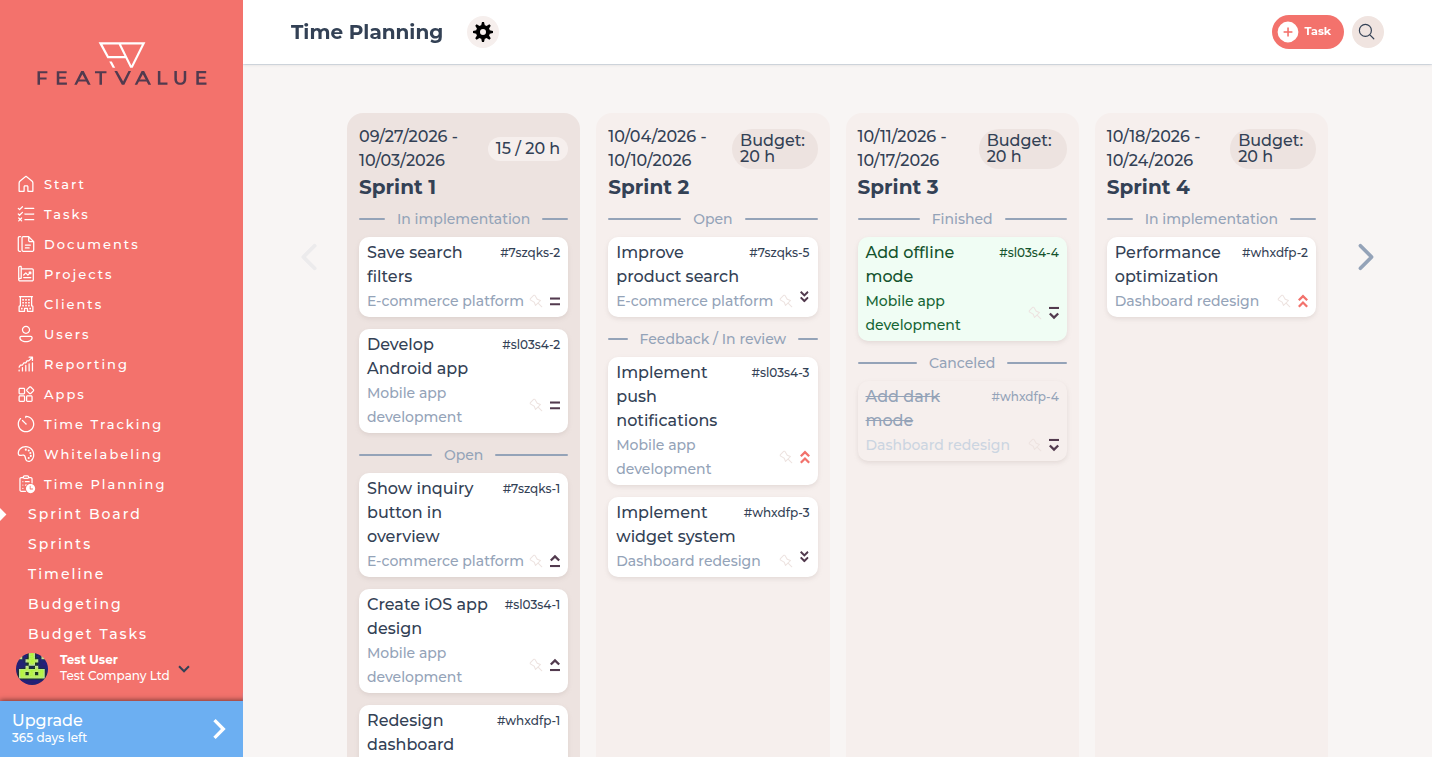
Time Planning lets your agency put work into sprints or onto a waterfall timeline. Premium users set the mode per project and can open the plan from the sidebar.
What it is for
Use Time Planning when you need a shared plan for client work: short sprints, a fixed timeline, capacity per customer, or a budget you can cut.
- Split work into sprints, by hand or automatically
- Give each task a start and end in waterfall mode
- Record capacity and, with automatic sprints, budgets
Where to find it
Click Time Planning in the left sidebar. FeatValue opens the sprint board or Timeline, depending on your projects.
Time Planning needs a premium user. Premium If setup is not finished, the click opens the time-planning onboarding instead of the plan.
How it works
-
Set the mode on the project
Open the project. Under Time Planning choose None, Sprints (static), Sprints (automatic) or Waterfall. Modes other than None need a premium project. Details: Project settings. -
Open Time Planning
Click Time Planning. FeatValue sends you to the sprint board or to Timeline. If you use both styles, the menu can show Sprint Board and Timeline. -
Decide whether clients see the plan
Open Settings › Company › Time planning. The checkbox Clients have access to time planning is on by default.
Planning modes
| Mode | What it does |
|---|---|
| None | The project has no FeatValue time plan. |
| Sprints (static) | You assign tasks to sprints, or they come from project management. Onboarding calls this Manually or via project management. |
| Sprints (automatic) | FeatValue places tasks into sprints. Onboarding calls this Automatically. See Sprints and Replanning. |
| Waterfall | Each task gets a start and end. The menu label is Timeline. See Waterfall and timeline. |
Permissions and plans
Opening Time Planning needs a premium user. Modes other than None need a premium project. Capacities and budgets need sprint planning; budgets need automatic sprints. See Capacity planning and Budgeting.
Troubleshooting
The click opens a setup dialog
Time-planning onboarding is not finished. Complete the steps, or finish later, then click Time Planning again.
The project no longer has a plan
The first external service provider resets the mode to None. Set Sprints (static), Sprints (automatic) or Waterfall again.
Your question has not been answered?
We will be happy to help you. You can send us an e-mail or arrange a video conference: