License, subscriptions and invoices
The License page in Settings shows your current plan, the trial and the premium projects in use. From here you start an upgrade, open invoices or cancel.
What the License page is for
You see at a glance which plan your company uses and how long it runs. Every path around subscription and invoices starts here:
- Upgrade to a paid plan
- Subscriptions & invoices in the Paddle customer portal
- Cancel subscription
Where to find it
Open Settings › Company › License. The tile sits in the License & billing group. A short version, the Current plan card, already appears at the top of the Company overview. License details opens the full page.
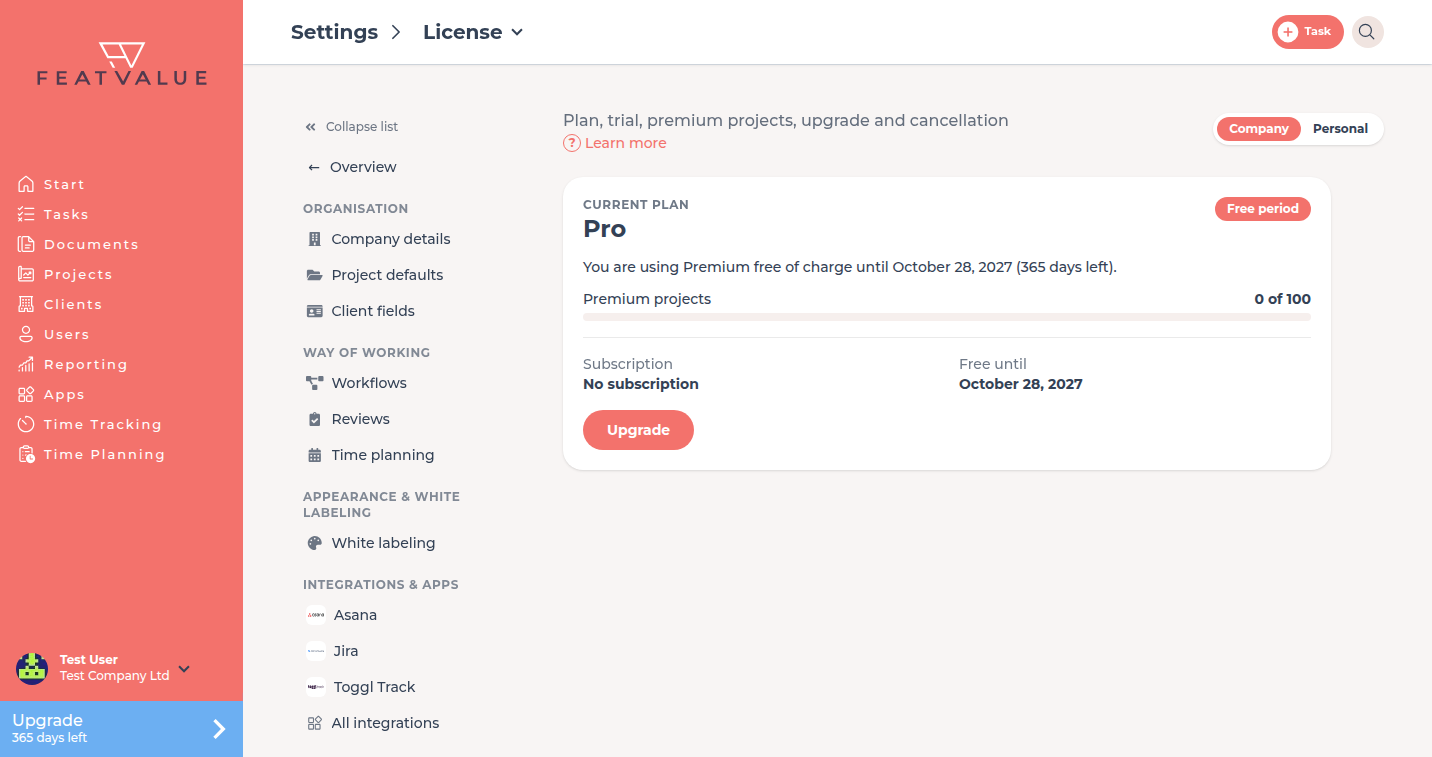
What the card shows
| Item | Meaning |
|---|---|
| Current plan | Free, Starter, Pro or Enterprise. See Plans. |
| Status | Active, Trial, Trial ended, Cancelled, Free period or No subscription, plus a sentence such as “Your trial ends on …”. |
| Premium projects | Used and available slots, for example “3 of 10”. See Premium projects. |
| Subscription | Via Paddle or No subscription |
| Date | Depending on the status Trial ends on, Ends on or Free until |
How it works
-
Start an upgrade
Click Upgrade. FeatValue opens the plan cards. Details: Upgrade and downgrade. -
Open invoices and payment details
Click Subscriptions & invoices. The Paddle customer portal opens in a new tab. Download invoices and change payment details there. -
Cancel the subscription
Click Cancel subscription and follow the dialog. Details: Cancellation.
Subscriptions & invoices
If your company has a Paddle customer account, the License & billing group also shows the Subscriptions & invoices tile. Like the button on the License page, it opens the Paddle customer portal directly. Plan changes still go through Upgrade in FeatValue.
Permissions and plans
| Element | When it appears |
|---|---|
| License tile | Your company can book premium plans or has a Paddle customer account |
| Upgrade | Your company has no Paddle subscription yet |
| Subscriptions & invoices | Your company has a Paddle customer account |
| Cancel subscription | You are a company admin and the company has a running subscription that is not cancelled yet |
Troubleshooting
Cancel subscription is missing
You are not a company admin, the company has no running subscription, or the cancellation is already stored. See Roles and admins.
The License tile is missing
Your company works in another company's portal and does not book its own plans. Ask that company about the license.
Your question has not been answered?
We will be happy to help you. You can send us an e-mail or arrange a video conference: