Connected apps in Settings
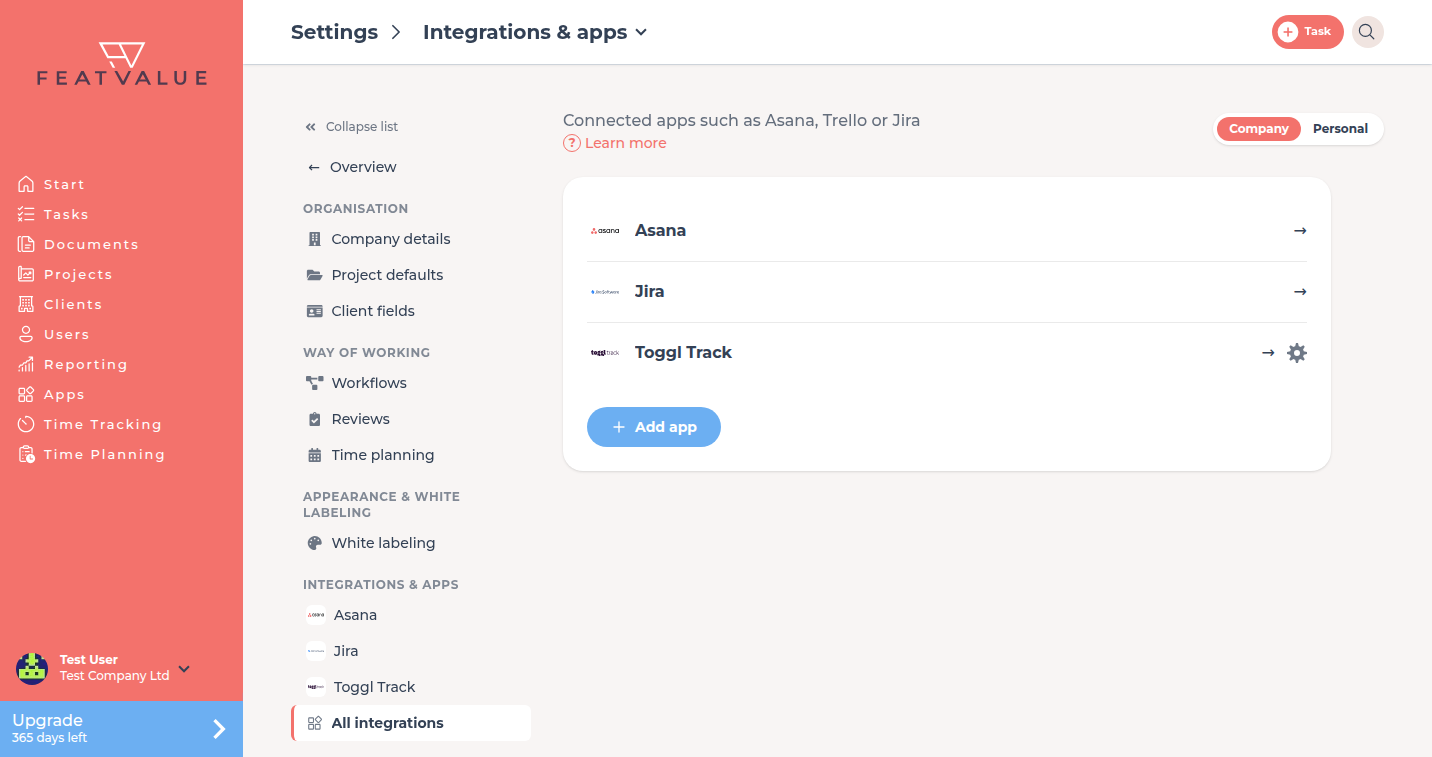
Under Settings › Company › Integrations & apps you see the apps your company has connected. From here you open an app's settings and its embedded pages.
What connected apps in Settings are for
After connecting, you usually configure an app in its own pages, for example the Asana status mapping. Settings collects these entry points in one place. You still connect new apps in the Apps catalog. See Connecting apps.
Where to find it
The Settings › Company overview shows the Connected apps card at the very top. The full list is under Settings › Company › Integrations & apps in the Integrations & apps group. On every detail page of the Company area, the connected apps also appear in the list on the left, followed by All integrations for this page.
How it works
-
Open an app
Click an entry. If the app has an embedded page, FeatValue opens it inside Settings. The path then reads Settings › app name and the list on the left stays available. -
Open the app settings
The App settings gear next to an entry opens the app's settings page in a new tab. Apps without an embedded page open their settings directly, marked with the ↗ arrow. -
Connect another app
Click Add app, or All integrations on the overview. Both lead to the Apps catalog.
Embedded app pages
Some apps bring their own pages, for example for import or mapping. Each page gets its own entry, with the page title below the app name. Pages an app provides for the main menu still appear in the sidebar as before. Pages meant only for Settings are found only here.
Permissions and plans
The section appears when you belong to a company. Apps without an embedded page and without a settings page are not listed. You see them in the Apps catalog as already installed. All integrations are included in every plan.
Troubleshooting
A connected app is missing from the list
The app has neither an embedded page nor a settings page. Open it from the Apps catalog.
You have not connected any apps yet
The page then reads You have not connected any apps yet. Connect an app with Add app. See Connect your project management tool.
Your question has not been answered?
We will be happy to help you. You can send us an e-mail or arrange a video conference: