File comments
Discuss a document where the question arises: on the selected sentence, on a spot in the design or on a marked region of a page. File comments keep feedback attached to the file – for documents in folders as well as for task attachments.
What file comments are for
Instead of “see page 3, second paragraph” in an e-mail, you comment directly on the passage. Everyone who opens the file sees the comment thread next to it, can answer, mention colleagues and attach further files. Comments on task attachments also appear in the task, so the review stays complete.
Where to find it
Open a file from Documents, a shared folder, a project or a task. The document is on the left and the comment panel on the right. If the file is attached to tasks, the panel lists them under Tasks: so you can jump to the task.
How it works
-
Write a general comment
Type your text in the comment box and send it. Formatting with Markdown (lists, bold, links) is supported. -
Comment on selected text (PDF)
Select text in the PDF and click Comment on selected text. The quote and Page 3 are shown above your comment; clicking the quote later scrolls to that passage.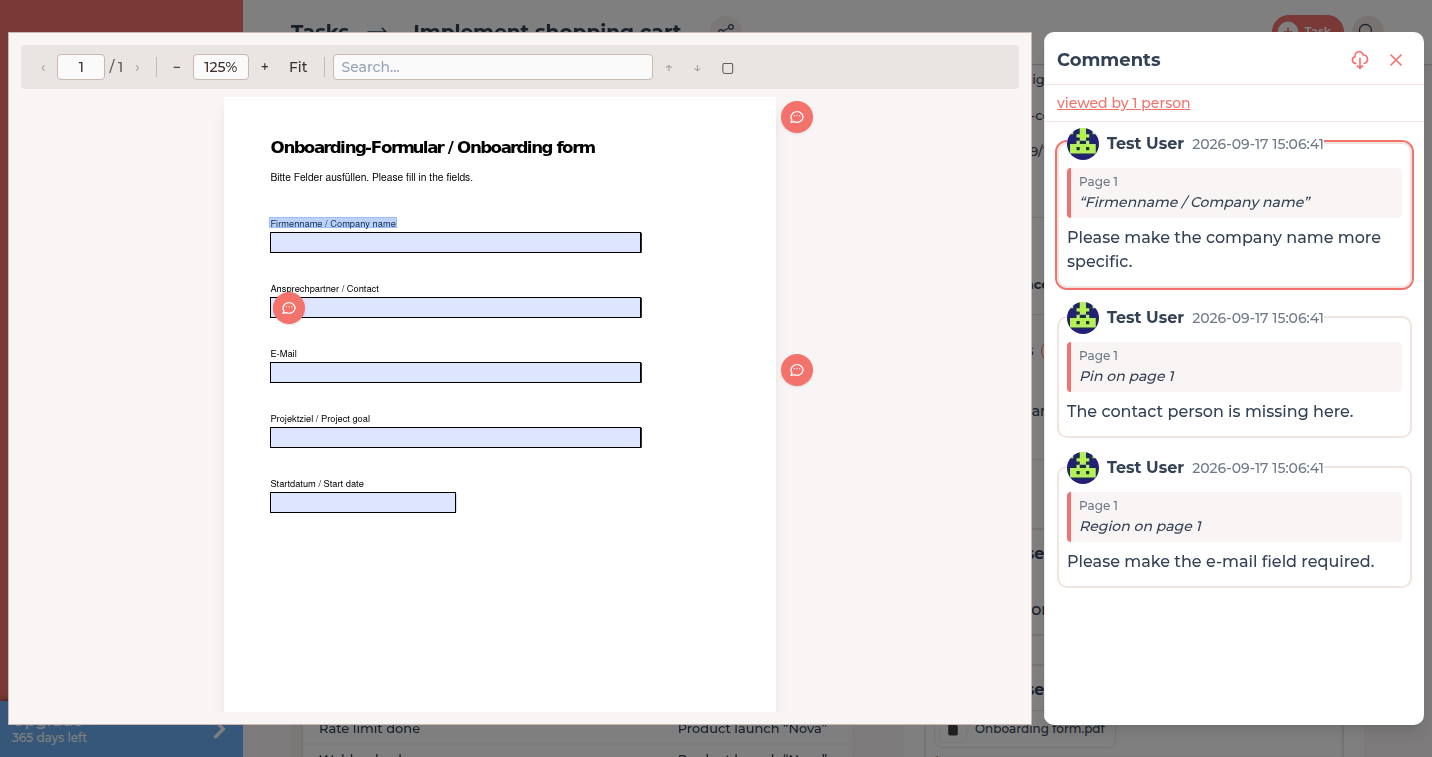
A comment on selected text appears in the thread and highlights the passage. -
Pin a spot (PDF and images)
Click a position in the document and choose Comment on this spot. The comment gets a pin label such as Pin on page 2 or Pin on image.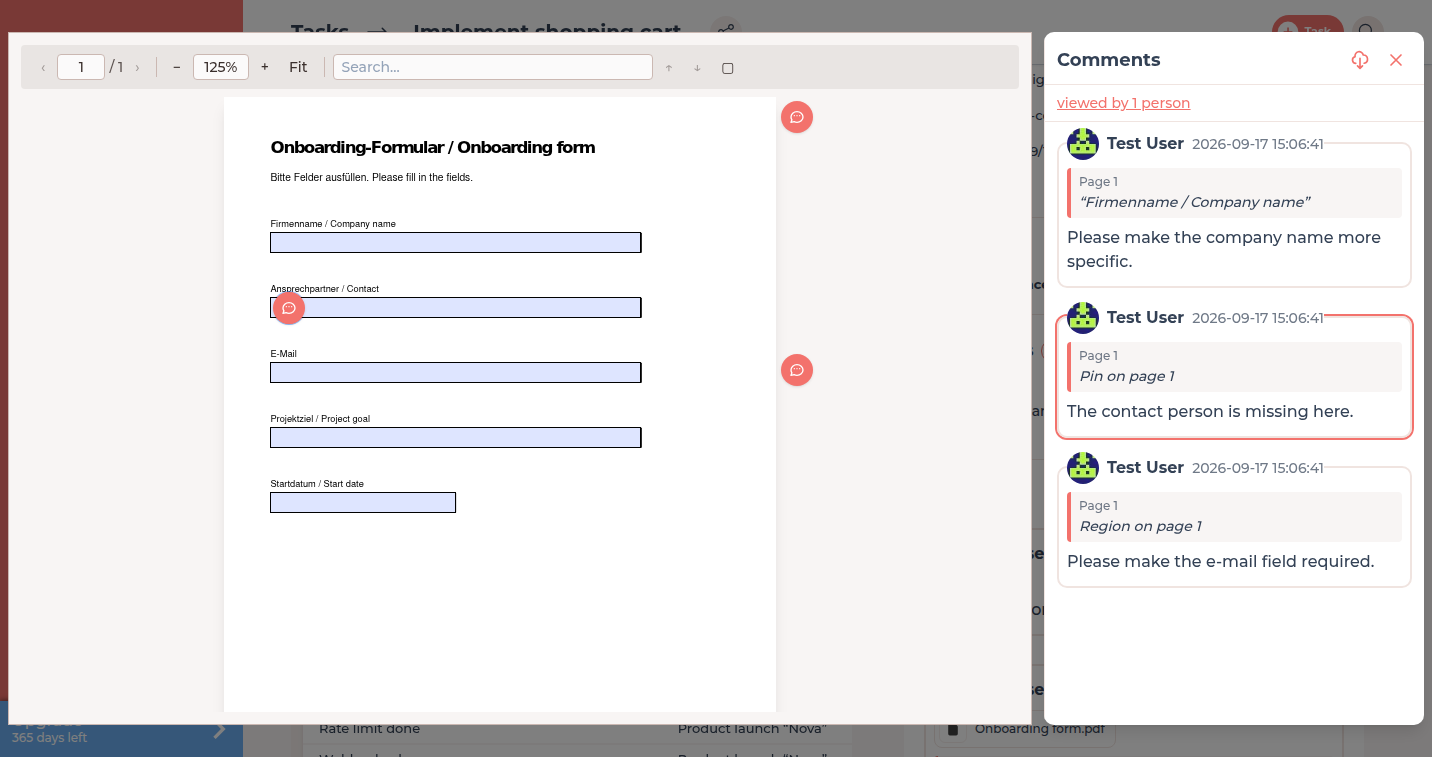
A pin shows where the comment sits in the document. -
Mark a region (PDF and images)
Choose Mark region, drag a rectangle over the area and write your comment. On a PDF it is labelled Region on page 4. On an image, the cropped area appears in the comment and is not stored as a separate image file. The tool stays on the left edge of the window, even when the image is small. After the comment, a comment icon on the rectangle points to the comment and a click opens it. Existing regions can be hidden.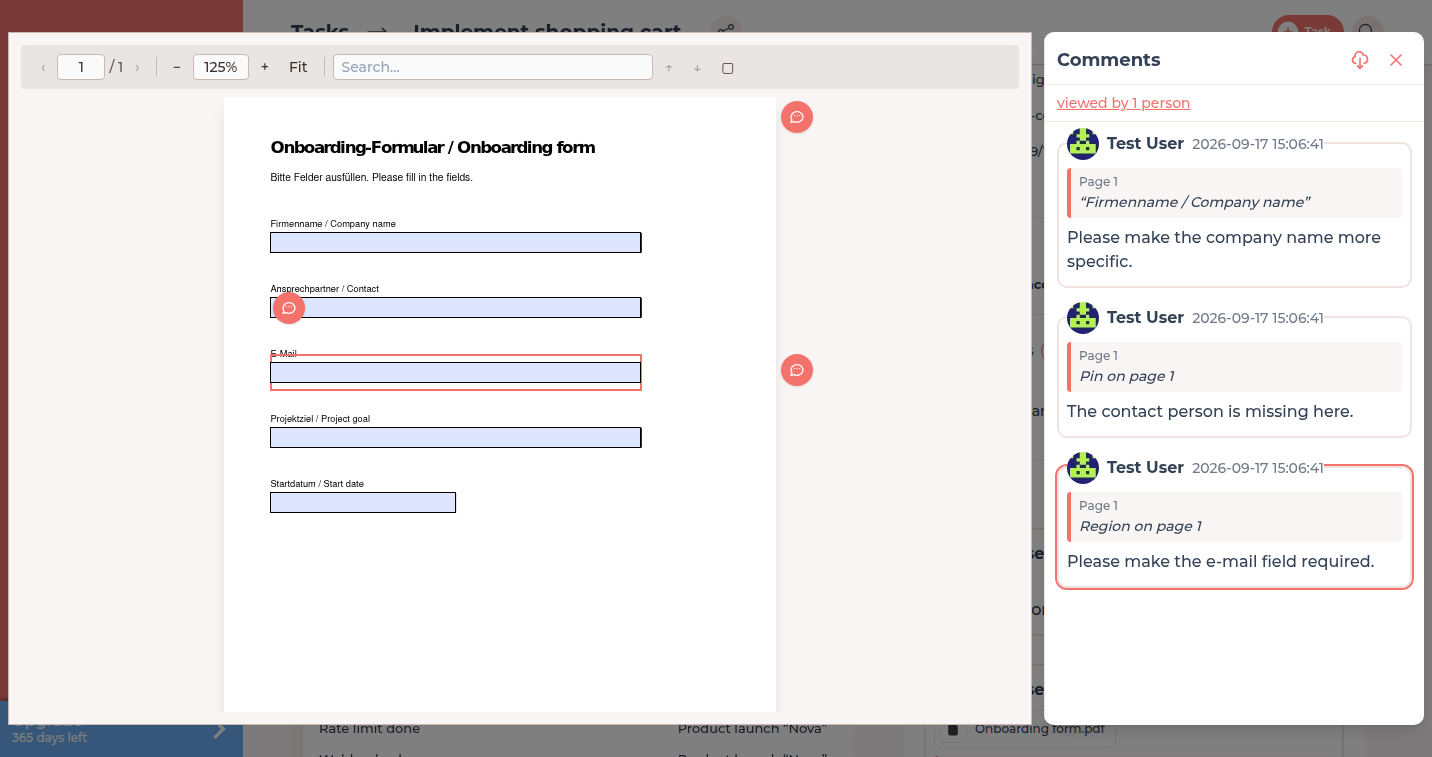
A rectangle marks the commented area. -
Mention people and attach files
Type@and pick a name to notify a specific person. Use the paperclip to attach screenshots or corrected files to the comment. -
Correct your comment
Use Edit comment to fix or extend your most recent comment. Only the author can edit a comment.
Who can comment
| Situation | Can view | Can comment |
|---|---|---|
| File in your company's documents | Your company | Your company |
| File in a shared client folder | Both companies | Both companies |
| File in a project folder | Project owner and assigned service providers | Same – service providers need the project permission to comment on tasks |
| Task attachment while the task is In review or Finished | Everyone who sees the task | Nobody – feedback happens through the review itself |
Permissions per project are explained in Roles and access; the review step in Review and acceptance.
Notifications
A new comment notifies the other side of the document: for project files the client's users when a service provider writes (and vice versa), for shared client folders the users of both companies, for your own company files your team. Mentioned people are always notified. Each person chooses groups under Notifications.
Comments generated by FeatValue
When someone fills in or signs a PDF form, FeatValue adds a comment automatically: Document edited with the list of changed fields, or Document was signed. This keeps the history of a contract or briefing in one place. See PDF forms, signatures and tracking.
Troubleshooting
The comment box is missing
Either the file is attached to a task that is currently In review or Finished, or your company does not have the permission to comment on tasks in this project. Ask the project owner to enable it.
I cannot mention a person
Only users of the companies involved in this file can be mentioned. Invite the person to the client company or the project first – see Inviting contacts.
Your question has not been answered?
We will be happy to help you. You can send us an e-mail or arrange a video conference: