Comments, mentions and questions
Discussion on a task lives in comments and mentions.
What it is for
Comments keep the briefing, decisions and follow-up on the task.
An @mention as @{name} notifies that person.
Use comments while the task is open. During review, write feedback in the review itself. See Review and acceptance.
Where to find it
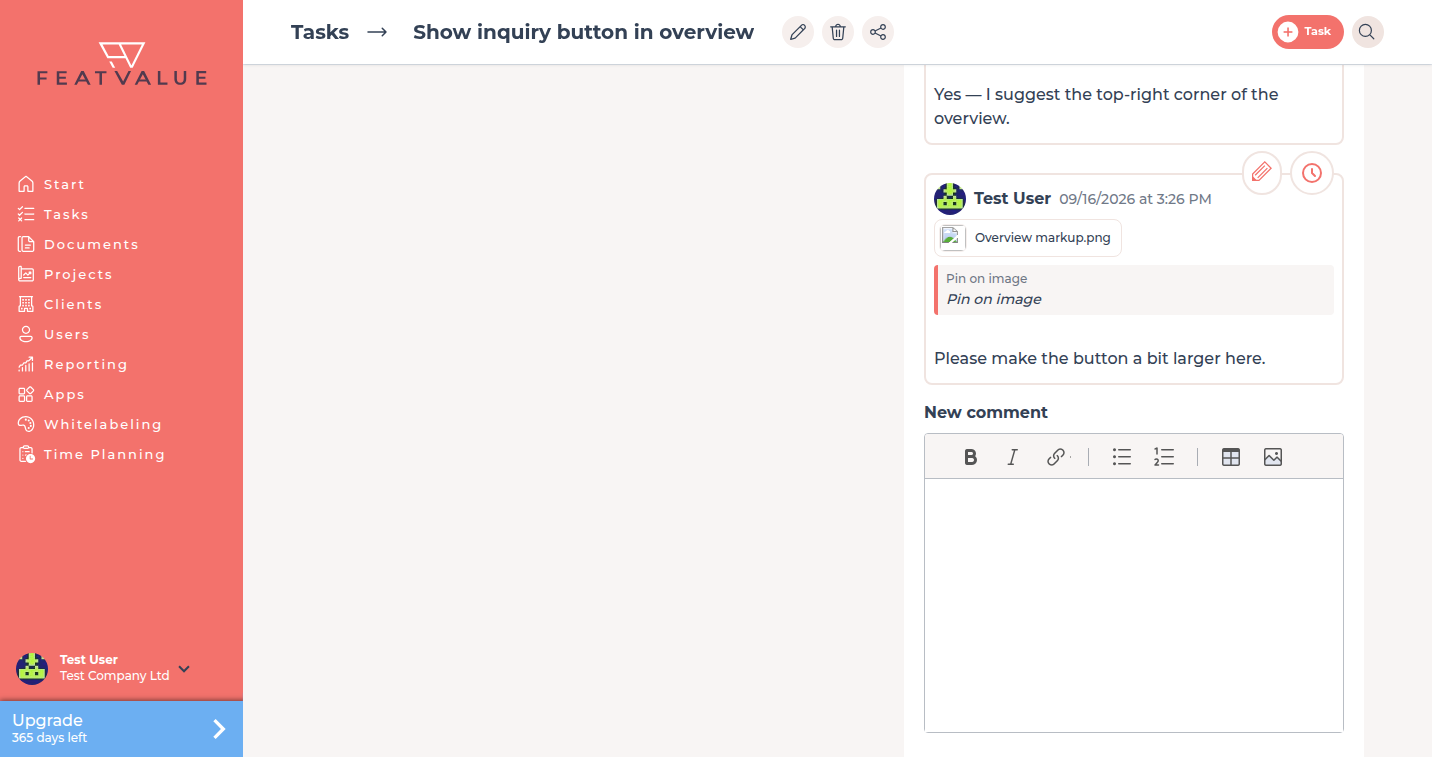
Open a task from Tasks. The thread sits under Comments.
The composer label is New comment.
How it works
-
Write a comment
Type in New comment and click Send. You may add a file with Add attachment. -
Mention someone
Type@and pick a name. FeatValue stores the mention as@{name}. Mentioned people get a notification. -
Edit your last note
Use Edit comment on a comment you wrote.
Options
| Option | What it does |
|---|---|
| Comments | The discussion on this task. |
| New comment | Composer for the next message. |
@{name} |
Mention that notifies the selected person. |
| Add attachment | A file on the comment. PDF markup is described under Attachments and PDF review. |
Permissions
People who see the task can read comments. Writing follows the project setting Comment on tasks for service providers. See Roles and access.
Troubleshooting
The composer is missing
The task is finished or in review, or your company may not comment on this project. For review, use Request revision instead of a new comment.
A mention did not notify anyone
Only people on the companies in this task can be mentioned. Invite them to the project first. It can also mean the person turned that notification off in their e-mail settings.
Your question has not been answered?
We will be happy to help you. You can send us an e-mail or arrange a video conference: