Waterfall and timeline
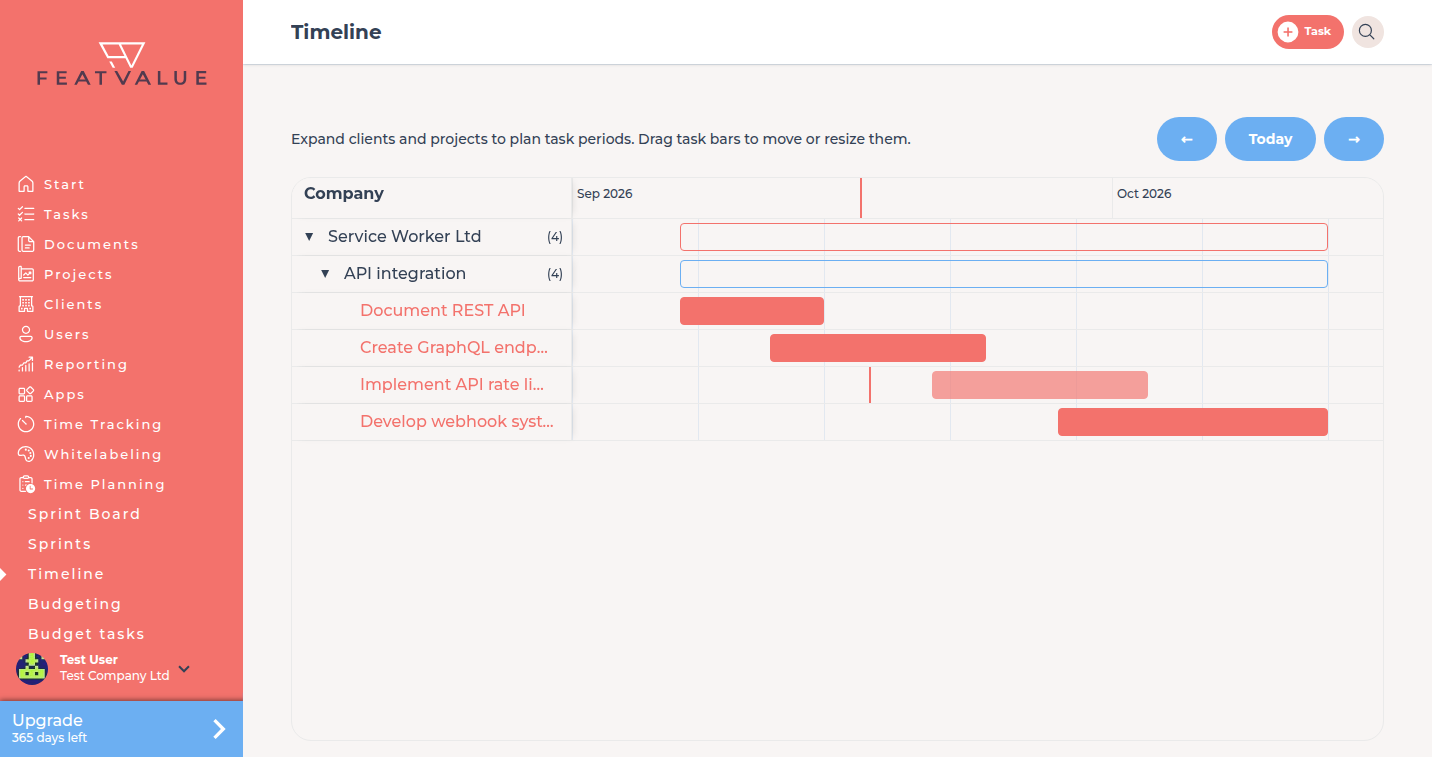
Waterfall planning gives each task a start and end date. Timeline is the Gantt view of those dates under Time Planning.
What it is for
Use Waterfall when the timeline is set in advance and should not shift automatically. Sprints stay available on other projects.
- See clients, projects and tasks on one timeline
- Drag a task bar to move or resize the planned period
- Keep waterfall next to sprints when your agency mixes modes
Where to find it
Set the project to Waterfall. Then open Time Planning. If only waterfall projects exist, FeatValue opens Timeline right away. If you also have sprints, choose Timeline in the menu.
How it works
-
Switch the project to Waterfall
On the project, set Time Planning to Waterfall. This needs a premium project. Setup calls the same mode Waterfall. -
Open Timeline
Click Time Planning or Timeline. Expand clients and projects. -
Set start and end
Drag a bar, or save dates on the task. FeatValue stores a planned from and to. Finished tasks stay read-only on the Gantt.
Options
| Item | What it does |
|---|---|
| Waterfall | Project mode with a fixed start and end per task. |
| Timeline | Gantt page under Time Planning. |
| Today | Marker for the current day on the Gantt. |
| Company | First column when the Gantt groups by company. |
Permissions and plans
Waterfall needs a premium user and a premium project. Editing bars needs the right to manage time planning on that project. Modes and the first-provider reset: Time planning overview.
Troubleshooting
Timeline is missing from the menu
No project uses Waterfall, or you only have sprint access. Set a premium project to Waterfall, then open Time Planning again.
You cannot drag a bar
The view is read-only, the task is finished, or you cannot manage time planning on that project.
Your question has not been answered?
We will be happy to help you. You can send us an e-mail or arrange a video conference: