Capacity planning
Capacity says how many hours your team can plan for one client in one sprint. You store it per client and sprint, not as a single agency-wide number.
What it is for
Set a capacity when sprint planning should know which share of a sprint belongs to that client. It keeps automatic planning realistic instead of overfilling every sprint.
How it differs from budget
Capacity and budget are two separate hour values. They sit next to each other on the Capacities page, but they do different jobs.
| Capacity | Budget (hour allowance) | |
|---|---|---|
| Question | How many hours can your team deliver for this client in this sprint? | How many hours did the client agree for a period? |
| Applies to | One client and one sprint | One client and a period (once, or repeating, for example each month) |
| Typical reason to change it | Holiday, public holidays, fewer or more people available | A new contract, a different allowance, a different billing period |
| Where you maintain it | This page, the question What is your capacity for this customer in this sprint? | On the client and under Budgeting |
Automatic planning uses the smaller of the two as the ceiling for that sprint:
- High capacity, little allowance left: FeatValue only plans as many hours as the budget still allows. The team could do more; the contract cannot.
- Low capacity, large allowance: FeatValue only fills the sprint as far as your team can work that week. The rest of the allowance stays for later sprints.
- Only one of the two numbers is set: that number alone is the limit.
The two numbers may differ — that is normal, not a mistake. Replanning uses this ceiling so the team is not overloaded and the allowance is not exceeded. See Replanning.
Where to find it
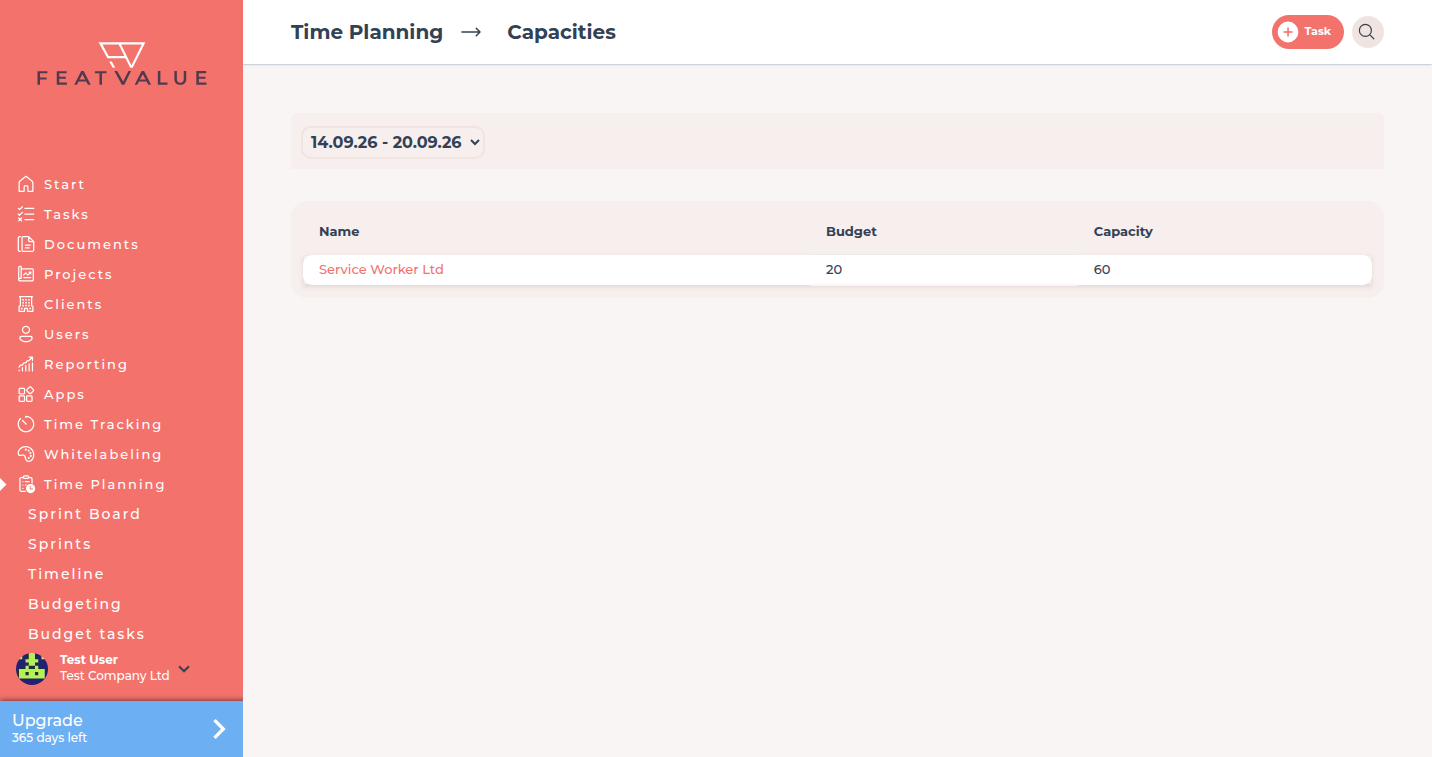
On the sprint board, click the cog Adjust capacities. FeatValue opens the Capacities page under Time Planning — for a single client or for all of them, depending on your filter.
How it works
-
Open Capacities
From Time Planning, click Adjust capacities. If you filter the board to one client first, the list shows only that client’s hours. -
Answer the capacity question
FeatValue asks What is your capacity for this customer in this sprint? — enter the hours and click Save. Every sprint keeps its own value, so holidays or time off go straight onto the sprint they affect. -
Use it in the plan
Automatic planning uses the smaller of capacity and remaining budget as the ceiling and distributes tasks below it by priority and status. See Sprints and Replanning.
Options
| Item | What it does |
|---|---|
| Capacities | Shows every client for a sprint with their allowance and hours. |
| Adjust capacities | Opens that list from the sprint board. |
| What is your capacity for this customer in this sprint? | The hours your team can plan for that client in that sprint. |
Permissions and plans
Capacities need a premium user, a premium project and Sprints (static) or Sprints (automatic). The hours always belong to one client and one sprint, not to the period of an hour allowance.
Troubleshooting
The capacity question does not appear
Confirm the project is premium and uses sprint planning. Then open Adjust capacities from the board.
Hours on the client do not match the sprint
That is expected: the allowance covers the whole period, capacity only this sprint. Planning uses the smaller of the two numbers. See How it differs from budget above and Budgeting.
Your question has not been answered?
We will be happy to help you. You can send us an e-mail or arrange a video conference: