Overview
Tasks is the shared work list in FeatValue. Your agency, clients and service providers see the same items, comments and review state.
What it is for
A task is one piece of work you discuss and accept in the portal. Clients do not need your project-management tool.
- Track open work next to the project it belongs to.
- Comment, attach files and send the task for review.
- Status and priority show what comes next.
Create and edit steps: Creating and editing tasks. The review step: Review and acceptance.
Where to find it
Open Tasks in the left sidebar.
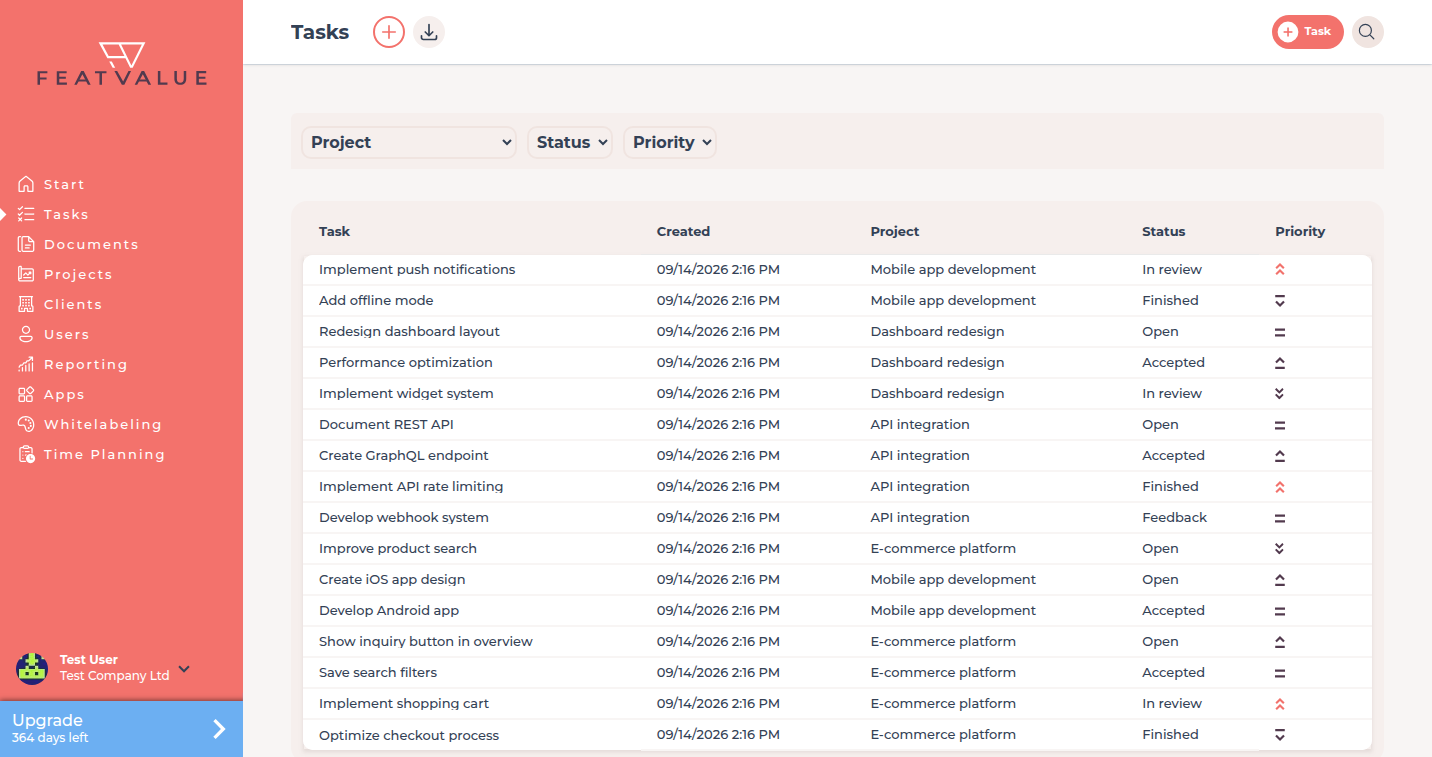
Without a project you see Create your first project — see Creating projects. With a project but no tasks you see Create your first task.
How it works
-
Open the list
The list shows tasks you may see. Filters limit the rows by project, status and priority. -
Which tasks appear by default
Finished and canceled tasks stay hidden on the open list. The exact labels come from your project workflow (for example Finished or Canceled). -
Open a task
Click a row. You see Task title, Description, Attachments and Comments.
Status labels
Every project uses a workflow. The status names in the list and on the dashboard come from that workflow — you can change them. Typical labels in the default workflow are Open, In progress, In review and Finished.
Map and rename statuses under Status mapping and Status.
Options
| Option | What it does |
|---|---|
| Project filter | Shows tasks of one project. |
| Status filter | Shows tasks whose workflow label you select. |
| Priority filter | Limits rows to Highest, High, Medium, Low or Lowest. |
| Download | Exports the current filter as a spreadsheet. See Filters, search and export. |
Troubleshooting
The list looks empty
Check the filters. Closed statuses stay hidden on the open list. If you have no project yet, create one first.
The status name is not what you expect
Change the workflow label under Status.
Your question has not been answered?
We will be happy to help you. You can send us an e-mail or arrange a video conference: