Status
A workflow is made up of individual statuses. Every status tells everyone involved how far a task has come — open, in progress, with the client for review or done.
What statuses are for
Statuses give the flow of a task names that your team and your clients understand. Toggles additionally define what FeatValue does at that step — for example invite the client to review or count the task as completed.
- Name every step the way your team and your clients name it
- Use toggles to control which status starts work, goes to client review or finishes the task
- Store separate headlines and descriptions for the client and the service provider
Where to find it
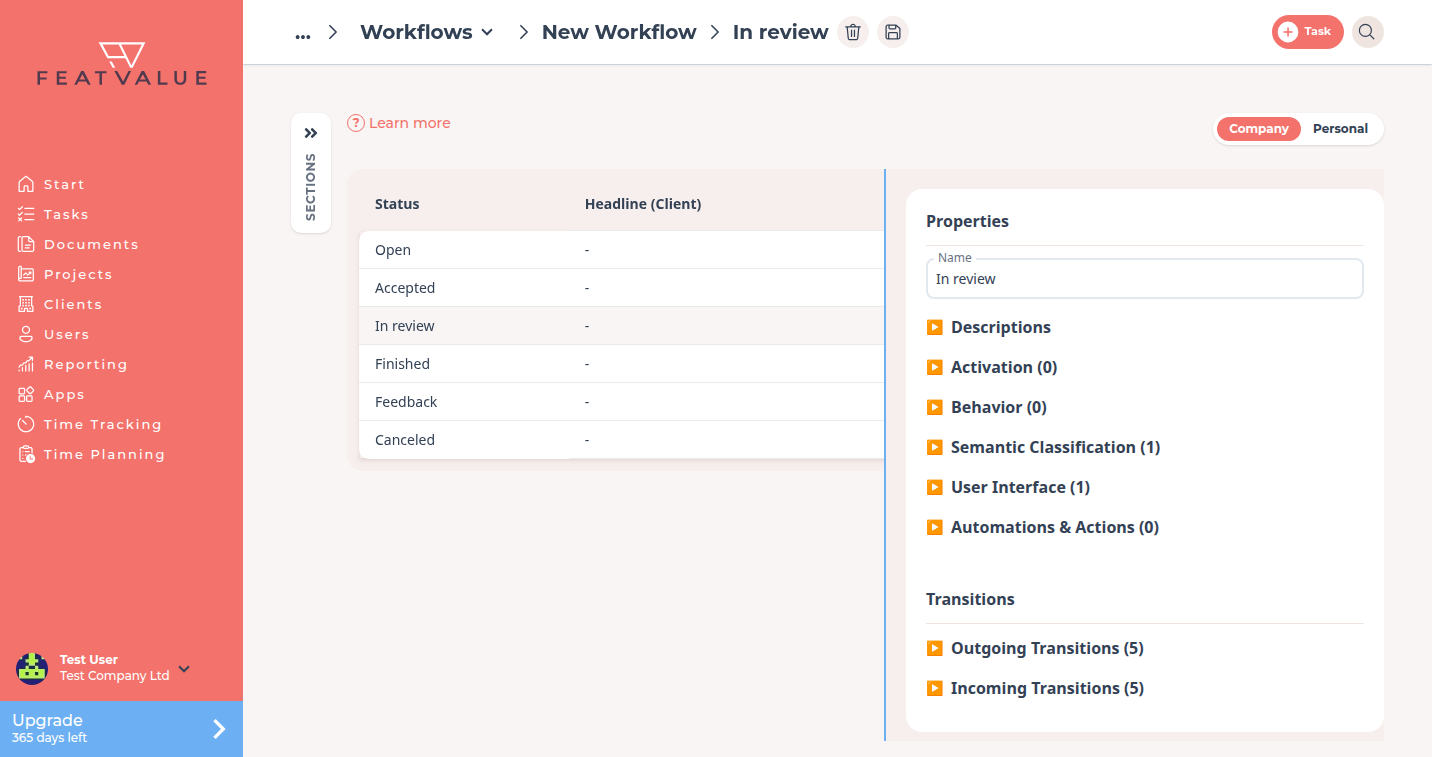
Open Settings › Company › Workflows, then open a workflow you own. The table lists each status with Headline (Client) and Headline (Service Worker). Click a row to edit it in the side panel. See Workflows overview.
How it works
-
Read the default labels
The default workflow comes with Open, In progress, In review, Finished, Feedback and Canceled. As soon as you create your own copy, everyone sees the name you enter there. -
Edit a status
Select a status. Under Properties change the Name. Under Descriptions you store the headline and text — separately for the client and the service provider. -
Set toggles
The toggles are sorted into groups. Tick the toggles that belong to this step, then click Save. -
Add another status
If you need an extra step, click the plus next to the title. The dialog is Create Status.
Statuses in the default workflow
| Status | Typical meaning |
|---|---|
| Open | New work |
| In progress | Work is underway (the task list may show In implementation) |
| In review | Client review |
| Finished | Done |
| Feedback | Feedback needed |
| Canceled | Cancelled |
Draft exists in the app for unpublished tasks. It is not part of the default workflow.
Groups of toggles
| Group | Typical toggles |
|---|---|
| Activation | Active for new tasks, Active when work has started, Active when everything is completed, Active when task was cancelled |
| Behavior | Include in effort estimation, Include in due date |
| Semantic Classification | Client review, Service provider has completed the task |
| User Interface | Show review note |
| Automations & Actions | Send to client for review upon completion |
The In review status has Client review and Show review note. How that mail and the review records work: Client review status. Open and In progress have Include in due dates. The implementation period (sprint or waterfall) then counts as overdue while the task is still with the service provider.
Permissions and plans
You can only edit a workflow your company owns; the public default workflow can only be cloned. Your own workflows need Starter, Pro or Enterprise. See Workflows overview.
Your question has not been answered?
We will be happy to help you. You can send us an e-mail or arrange a video conference: