Project documents
A project can have its own documents folder. The owner and the assigned service providers see the same files and links.
What project documents are for
Briefings, plans and links that belong to one project stay in that project's folder. You do not mix them with company-only files on the Documents start page.
- Optionally one folder per project, next to the tasks of that project
- The same files for the owner and every assigned service provider
- Uploads, folders and links like in the rest of Documents
Where to find it
Open Documents and click the project tile. How the area works overall is in Documents.
How it works
-
Open the project folder
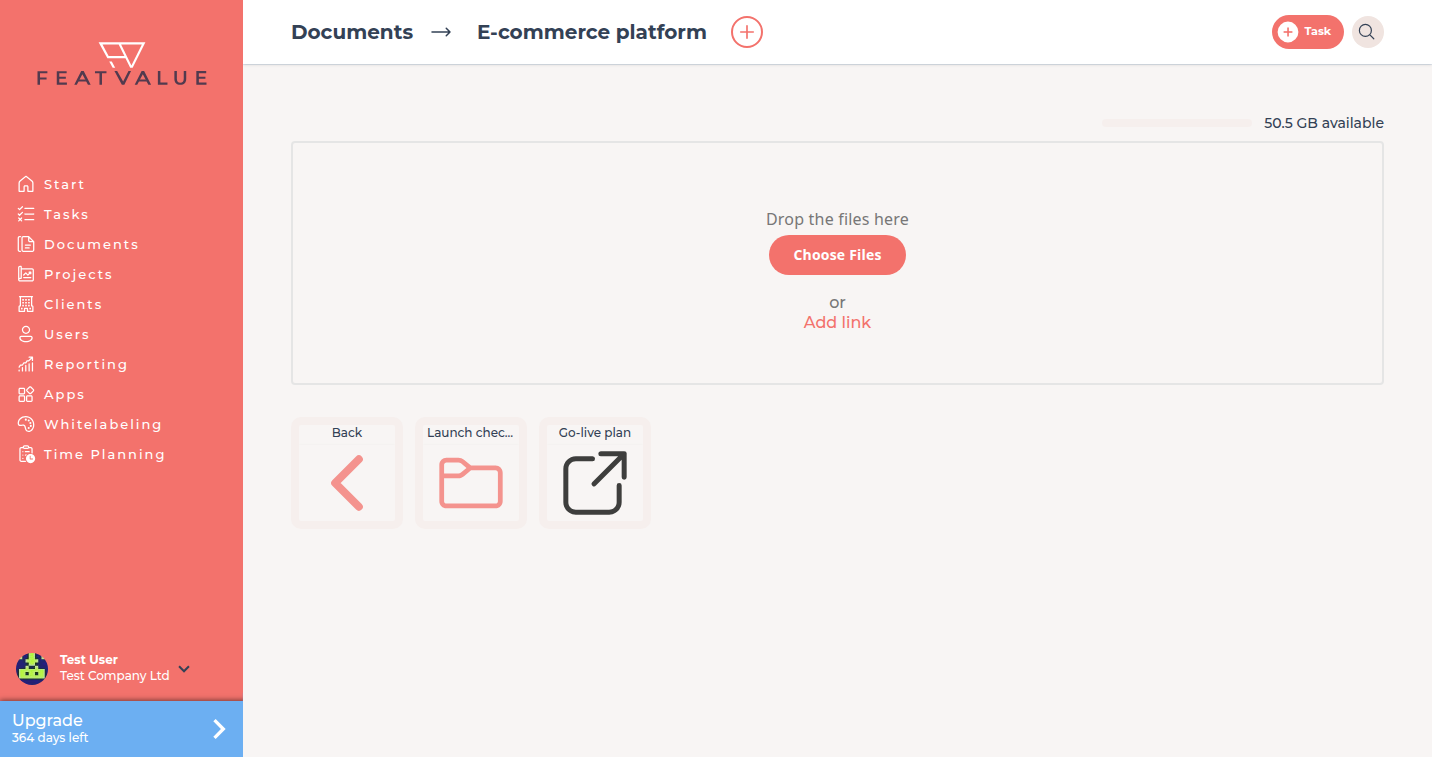
From Documents open the project tile. The header shows Documents and the project name. If the tile is missing, Own folder in Documents is off in the project settings. Those files then sit in the company documents list. See Project settings. -
Upload files or add a link
Drop files, click Choose Files, or add a link. Folders use the plus next to the title. See Folders and links. -
Work in the same folder
Everyone who may see the project folder works in this one place. There is no second copy for the client.
Who can see the folder
| Role | Sees the project folder |
|---|---|
| Owner company | Yes |
| Assigned service providers | Yes |
| Other companies | No — see Folders and links for shared company folders |
Project roles are in Roles and access.
Permissions and plans
Uploads count towards company storage. Plan limits are on the Documents overview. Links do not use storage.
Troubleshooting
The client cannot see a file
Confirm the file is in this project folder or in the client's company folder, not on your own Documents start page.
A provider cannot open the folder
The company must be assigned to the project as a service provider. Assignment alone on another project is not enough.
Your question has not been answered?
We will be happy to help you. You can send us an e-mail or arrange a video conference: