Embed on your website
With FeatValue you embed the client portal on your own website. Clients stay on your domain instead of using only the FeatValue login. WordPress, Joomla, TYPO3, Drupal, Contao and Strapi are supported.
What the embed is for
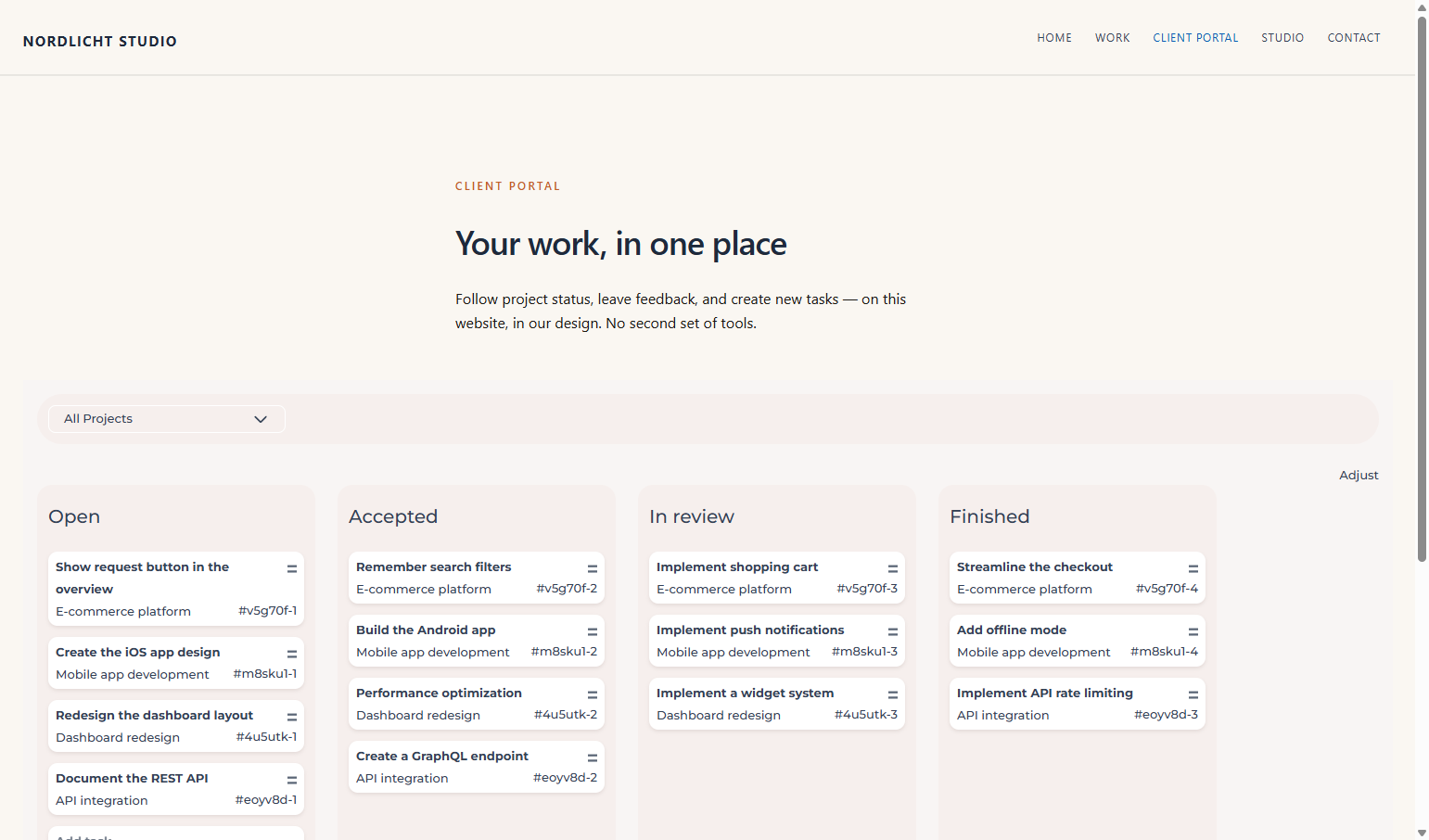
Use the embed when the portal should feel like part of your website: sign-in, tasks and documents appear on a page of your site.
- Install the FeatValue extension in WordPress, Joomla, TYPO3, Drupal, Contao or Strapi
- Connect the site to your FeatValue company
- Place the portal on a page or in the theme
Where to find it
Each CMS has its own extension:
- WordPress: plugin in the WordPress plugin directory
- Joomla: extension ZIP to upload under System → Install → Extensions
- TYPO3: extension ZIP for the Extension Manager (TYPO3 13 and 14)
- Drupal: install with Composer (
composer require drupal/featvalue) and enable under Extend (Drupal 10.3 and 11) - Contao: install with Composer (
composer require featvalue/contao), then runvendor/bin/contao-console contao:migrate(Contao 5.3+) - Strapi: plugin via npm or as a ZIP in src/plugins/featvalue (Strapi 5)
In FeatValue, the look still lives under Logo and colors.
How it works
-
Install the extension
Install and activate FeatValue in WordPress, Joomla, TYPO3, Drupal, Contao or Strapi. Without a connection the extension uses the local embed as a fallback. -
Connect the site
Connect the site to your FeatValue company (in WordPress via the plugin, in Joomla under Components → FeatValue, in TYPO3 under Web → FeatValue, in Drupal under Configuration → Web services → FeatValue, in Contao under System → FeatValue, in Strapi in the admin under FeatValue). Only then does the embedded UI load live portal data. -
Place the embed on a page
Put the portal on the page you want (WordPress page, Joomla module or menu item, TYPO3 content element, Drupal block or text filter, Contao content element). Clients see sign-in and the adapted client UI there. -
Put the dashboard on a Strapi page
After the connection, the portal is at
/api/featvalue/dashboardon your Strapi host, for examplehttps://cms.example.com/api/featvalue/dashboard. Open that address once. You see sign-in, then the board.To place it inside an existing page, use this iframe. The page must use the same host and the same scheme as Strapi (https when the site is served over https).
<iframe src="/api/featvalue/dashboard" title="FeatValue" style="width: 100%; height: 100vh; border: 0;"></iframe>A menu item may also point straight at
/api/featvalue/dashboard. Then the portal is the whole page.A separate frontend reads
GET /api/featvalue/embed. The response containsembed_url. With a Users-Permissions JWT in theAuthorizationheader, the Strapi user is used. Without a JWT, the FeatValue sign-in appears.
Redirect after an invitation
When you invite a user to a client (new user or create client) and embedding pages exist, you can choose which page opens after the password is set. The redirect happens only after the password. The last choice is remembered for your company and preselected on the next invitation. Without a choice, FeatValue opens as before.
Permissions and plans
Whitelabeling and the look need Starter or higher. Starter The CMS extension is the way to show the portal on your website.
Troubleshooting
The embed stays empty
Check that the extension is active and the site is connected to FeatValue. Without a connection the extension only uses the local fallback.
Your question has not been answered?
We will be happy to help you. You can send us an e-mail or arrange a video conference: