Transition emails
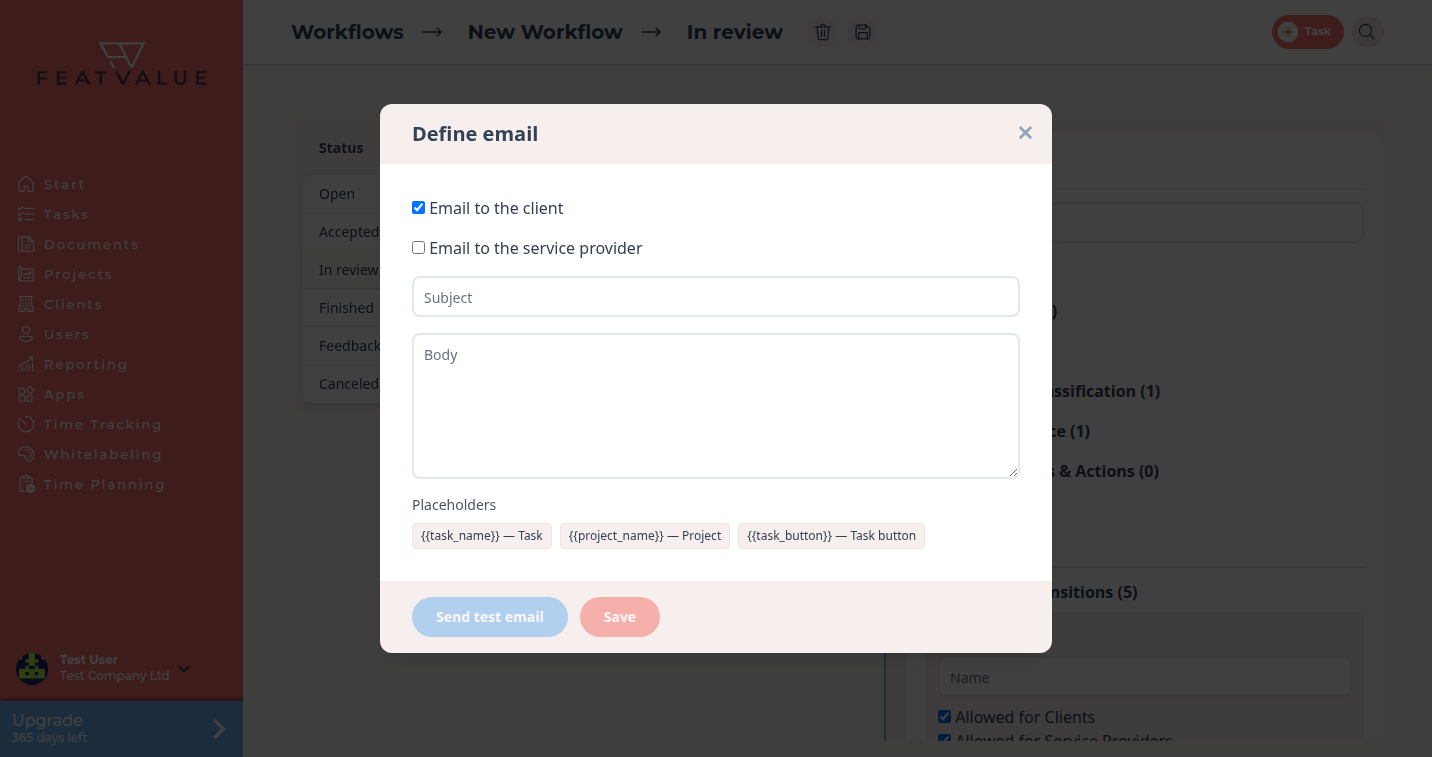
A transition email is an optional message FeatValue sends when a task moves from one status to another. You write subject and body once on the transition.
What transition emails are for
Use them when a status change should notify the client or the service provider beyond the built-in review mail. Typical cases are “work has started” or “the task was canceled”.
- Tell the client that a move happened
- Tell the service provider that a move happened
- Reuse the same text with placeholders for every task
Where to find it
Open a workflow you own, select a status and expand Outgoing Transitions or Incoming Transitions. On the transition click Define email. See Transitions.
How it works
-
Open Define email
Click Define email on the transition. The dialog title is the same label. -
Choose the audience
Tick Email to the client and/or Email to the service provider. Without a tick, FeatValue stores no mail for that transition. -
Write subject and body
Fill Subject and Body. Insert placeholders from the Placeholders row:{{task_name}},{{project_name}}and{{task_button}}. -
Send a test and save
Click Send test email to receive a preview at your address. Then click Save. The transition shows a short summary such as to client or No email.
Options
| Field | What it does |
|---|---|
| Email to the client | Sends the mail to the client side when the transition runs. |
| Email to the service provider | Sends the mail to the service provider side. |
| Subject / Body | Required once an audience is ticked. Both must be filled. |
{{task_name}} |
The task title. Label in the form: Task. |
{{project_name}} |
The project name. Label: Project. |
{{task_button}} |
A button that opens the task. Label: Task button. |
| Send test email | Sends a preview to you. Success: Test email has been sent. |
Built-in review mail for Client review is separate. See Client review status.
Permissions and plans
You define transition emails only on a workflow your company owns. Individual workflows need Starter, Pro or Enterprise.
Your question has not been answered?
We will be happy to help you. You can send us an e-mail or arrange a video conference: