Transitions
A transition is the named move from one status to another. You decide whether clients and service providers may use it.
What transitions are for
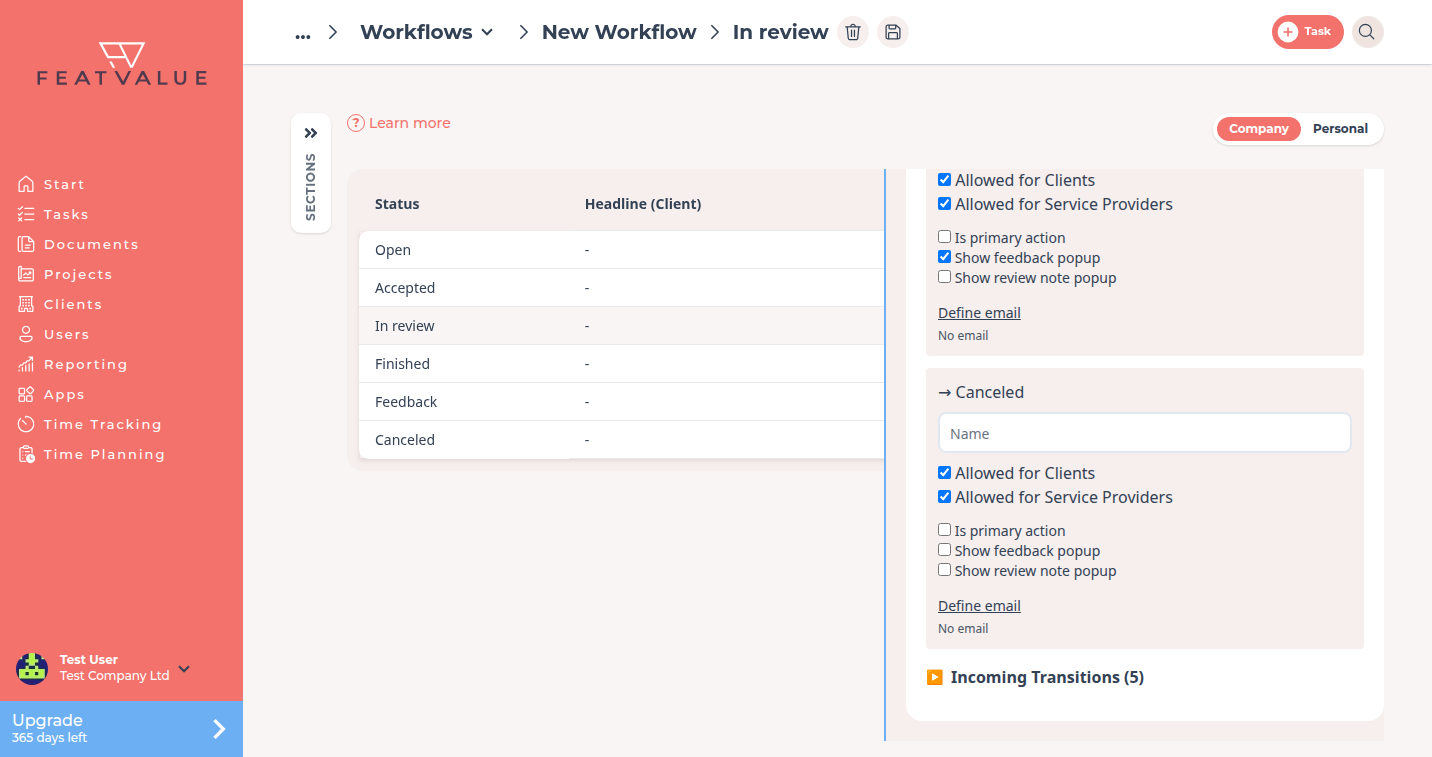
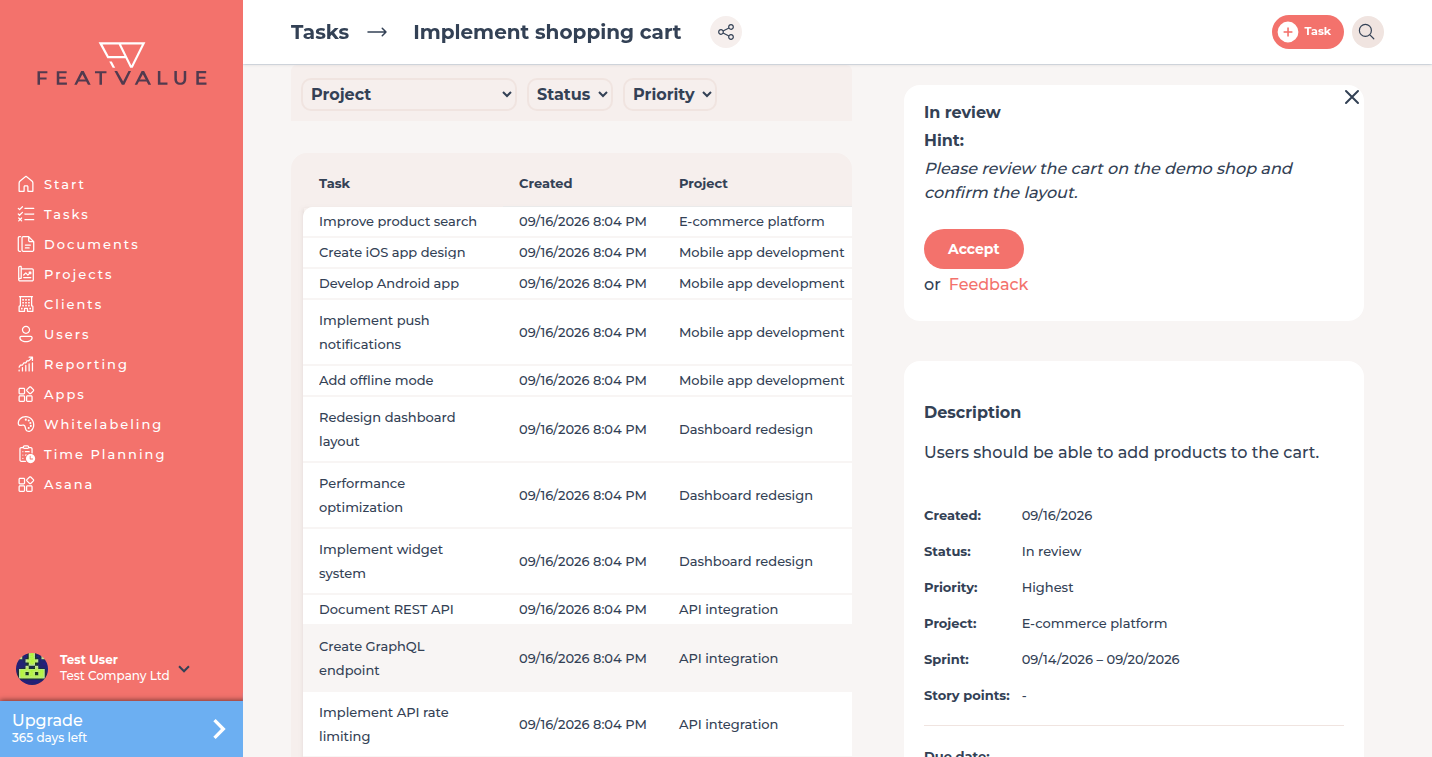
Transitions are the buttons people click on a task, such as Start work or Start review. Without a transition, that move is not offered. You also attach optional mails to a transition.
- Give each move a clear Name
- Allow or block the move for clients and for service providers
- Define a mail that goes out when the move happens
Where to find it
Open a workflow you own under Workflows. Select a status. The side panel has Transitions, then Outgoing Transitions and Incoming Transitions. See Status.
How it works
-
Open a status
Click the status that should offer the move, for example Accepted. -
Edit the outgoing transition
Expand Outgoing Transitions. Set Name. Tick Allowed for Clients and Allowed for Service Providers as needed. -
Save
Click Save. On the next task in that status, FeatValue shows the transition only to the roles you allowed.
Default transitions
The default workflow seeds these outgoing moves from Open and Accepted. The labels are the same as under Workflows.
| From → to | Default name |
|---|---|
| Open → Accepted | Start work |
| Accepted → In review | Start review |
| Accepted → Finished | Complete without review |
| Accepted → Feedback | Enter feedback |
| Accepted → Canceled | Cancel task |
Incoming transitions to In review also carry the review-note behaviour. See Client review status.
Options
| Option | What it does |
|---|---|
| Name | The label on the task, for example Start work. |
| Allowed for Clients | Clients may run this move. |
| Allowed for Service Providers | Service providers may run this move. |
| Define email | Optional mail when the move happens. See Transition emails. |
Permissions and plans
You edit transitions only on a workflow your company owns. Individual workflows need Starter, Pro or Enterprise.
Your question has not been answered?
We will be happy to help you. You can send us an e-mail or arrange a video conference: